Searching in Linux refers to the process of locating files, directories, or specific content within files. Linux provides several built-in commands to perform searches based on file names, content, or attributes. It can:
- Supports searching by name, type, size, date, and text patterns.
- Common commands include find, locate, and grep.
- Each command has unique features suitable for different search needs.
- Enhances productivity and system organization.
Linux Search Methods
Linux supports three primary methods of search operations:
- File and Directory Search: Find files or folders by name, type, or attribute.
- Quick Database Search: Instantly locate files using a prebuilt file index.
- Content Search: Search inside files for specific words or patterns.
1. Searching Files and Directories Using find Command
The find command searches for files and directories within the filesystem based on criteria such as name, size, type, or modification time.
Example 1: Search File by Name
find ./gfg -name "sample.txt"
Finds a file named sample.txt inside the /gfg directory.
Example 2: Search All .txt Files
find . -name "*.txt"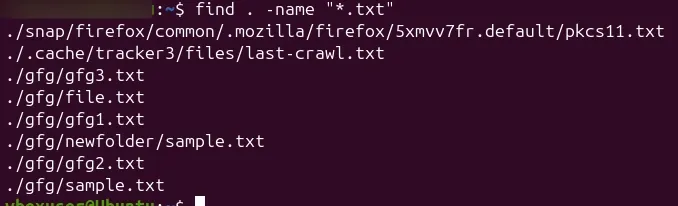
Finds all files with a .txt extension in the current directory and its subdirectories.
2. Searching Files Quickly Using locate Command
The locate command is used for fast file searching. It searches a pre-built database rather than scanning the filesystem in real time, making it much faster than find.
Example 1: Search by File Name
locate sample.txt
Lists all paths containing the file name sample.txt
Example 2: Search Using Partial Match
locate docsDisplays all files and directories with the word “doc” in their names.
3. Searching Inside Files Using grep Command
The grep command searches inside files for specific patterns or keywords. It is commonly used for scanning logs, code, or configuration files.
Example 1: Search for a Word in a File
grep "The" sample.txt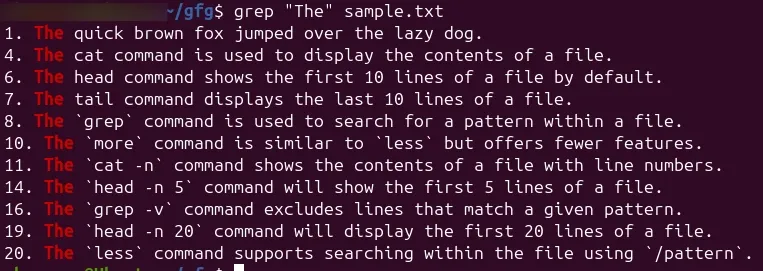
- Displays all lines in sample
.txtcontaining the word “The”.
Example 2: Search Recursively in a Directory
grep -r "password" /etc/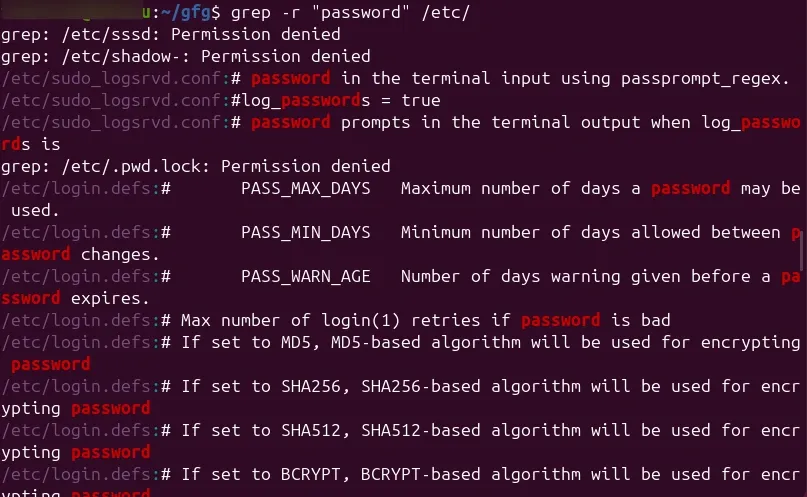
Explanation:
Searches for the word “password” in all files within the /etc directory.
Example 3: Search in Multiple Files
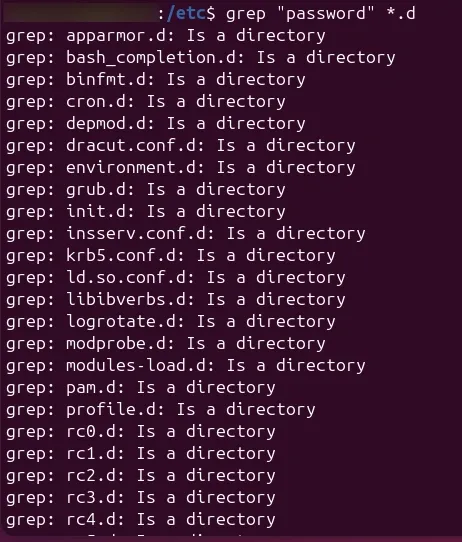
grep "password" *.d