

Wireless attack tools are specialized cybersecurity utilities designed to assess the security of wireless communication protocols such as Wi-Fi. Instead of directly compromising networks, these tools help security professionals:
- Map and Monitor: Scan the area continuously to discover nearby networks, identify connected devices and flag unauthorized rogue access points.
- Analyze and Validate: Capture wireless packets to expose weak encryption, fix insecure configurations and verify that security policies work.
Wireless Network Vulnerabilities
Wireless networks are susceptible to multiple vulnerabilities, including:
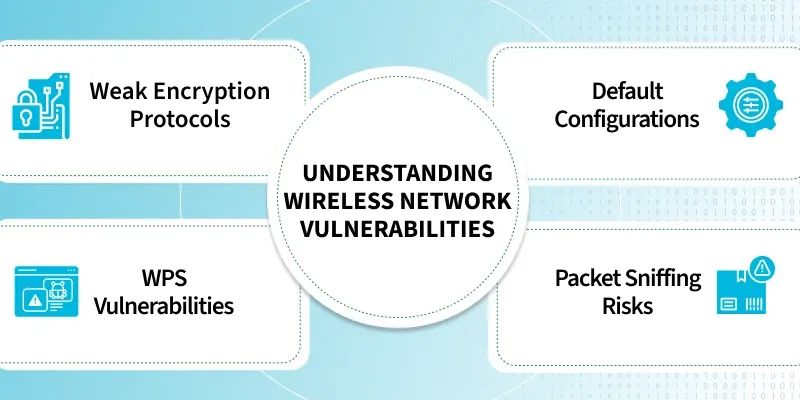
- Weak Encryption: Hackers use tools like Kali Linux to quickly break legacy WEP or WPA security locks.
- Default Configurations: Leaving factory-default settings opens a direct invitation for intruders to steal your network data.
- WPS Vulnerabilities: Flaws in Wi-Fi Protected Setup let attackers bypass the actual password and force their way in.
- Packet Sniffing: Attackers secretly spy on unsecured network traffic to intercept and steal your private information.
Wireless Attack Tools
Given below is a structured list of the most commonly used wireless attacking tools
1. Aircrack-ng
Aircrack-ng is a popular open-source wireless security suite used by cybersecurity professionals to assess the security of Wi-Fi networks. It provides a collection of command-line tools for wireless network auditing, packet analysis and troubleshooting.
- Supports wireless packet capture, monitor mode, traffic analysis and handshake verification for comprehensive Wi-Fi security assessments.
- Offers wireless adapter performance testing, cross-platform compatibility and an extensible toolkit suitable for security professionals and researchers.
2. Kismet
Kismet is a passive wireless network detector and monitoring tool that identifies wireless networks and devices without actively transmitting traffic. It is widely used for wireless reconnaissance and long-term network monitoring.
- Detects wireless networks, hidden SSIDs, Bluetooth devices and unauthorized access points through passive monitoring.
- Supports GPS mapping, device identification, continuous monitoring and detailed logging for enterprise wireless assessments.
3. Wireshark
Wireshark is an network protocol analyzer that captures and examines network traffic. With a compatible wireless adapter, it can also analyze Wi-Fi communications for troubleshooting and security analysis.
- Captures live wireless traffic, decodes hundreds of protocols and provides deep packet inspection with advanced filtering.
- Includes statistical analysis, session reconstruction and an intuitive graphical interface for detailed network investigation.
4. Bettercap
Bettercap is a modular network assessment framework used to analyze wired and wireless environments. It provides multiple modules for monitoring network activity and evaluating security configurations.
- Performs wireless reconnaissance, network discovery, device fingerprinting and packet inspection in real time.
- Features a modular architecture, scripting support and compatibility with multiple network protocols for flexible assessments.
5. Wifite
Wifite is an automation tool that simplifies wireless security assessments by integrating multiple wireless auditing utilities into a single workflow.
- Automates wireless network discovery, assessment workflows and session management with minimal user interaction.
- Supports multiple wireless protocols, progress monitoring and an easy command-line interface for efficient testing.
6. Reaver
Reaver is a wireless security assessment tool designed to evaluate the security of Wi-Fi Protected Setup (WPS) implementations.
- Assesses WPS configurations, validates PIN implementations and tracks testing progress automatically.
- Supports session recovery, detailed reporting and Linux environments for comprehensive WPS security reviews.
7. Fern WiFi Cracker
Fern WiFi Cracker is a graphical wireless security assessment tool that simplifies Wi-Fi auditing through an easy-to-use interface.
- Provides wireless network discovery, session management, database integration and automated reporting capabilities.
- Offers a user-friendly graphical interface that simplifies wireless assessments for beginners and security professionals.
8. NetSpot
NetSpot is a wireless site survey and Wi-Fi analysis tool used to measure network coverage, signal quality and overall wireless performance.
- Creates Wi-Fi heat maps, measures signal strength, analyzes channel utilization and identifies coverage gaps.
- Supports network visualization, performance analysis and wireless planning for home and enterprise environments.
9. Acrylic Wi-Fi Analyzer
Acrylic Wi-Fi Analyzer is a wireless analysis tool that helps administrators monitor nearby networks, evaluate signal quality and identify configuration issues.
- Monitors wireless channels, identifies nearby access points and measures signal strength in real time.
- Provides detailed network analytics, device inventory, performance metrics and visual reporting for wireless optimization.
10. inSSIDer
inSSIDer is a Wi-Fi analysis application that helps users evaluate wireless network performance and optimize channel selection.
- Measures signal strength, detects channel interference and identifies nearby wireless networks.
- Provides real-time performance graphs, channel comparison and diagnostic insights to improve Wi-Fi reliability.
Comparison of Wireless Attack Tools
| Tool | Primary Purpose | Interface | Best For |
|---|---|---|---|
| Aircrack-ng | Wireless auditing | CLI | Security assessments |
| Kismet | Passive monitoring | CLI/Web | Wireless reconnaissance |
| Wireshark | Packet analysis | GUI | Traffic inspection |
| Bettercap | Network assessment | CLI | Security testing |
| Wifite | Automated auditing | CLI | Wireless labs |
| Reaver | WPS assessment | CLI | Configuration auditing |
| Fern WiFi Cracker | Wireless auditing | GUI | Beginners |
| NetSpot | Site surveys | GUI | Coverage analysis |
| Acrylic Wi-Fi Analyzer | Wi-Fi diagnostics | GUI | Enterprise analysis |
| inSSIDer | Signal analysis | GUI | Wi-Fi optimization |
Best Practices for Using Wireless Security Tools
When conducting wireless security assessments:
- Obtain written authorization before testing any wireless network.
- Use dedicated testing hardware that supports monitor mode where required.
- Keep assessment tools updated to benefit from the latest protocol support and bug fixes.
- Document findings clearly and provide remediation guidance for every identified issue.
- Focus on improving security rather than attempting unauthorized access or disruption.
Limitations of Wireless Attack Tools
- Hardware compatibility varies between wireless adapters.
- Environmental factors such as interference can affect results.
- Some tools require advanced knowledge to interpret findings correctly.
- Legal restrictions prohibit testing networks without explicit permission.
