

Swapping two numbers means exchanging their values so that the first variable stores the second value and the second variable stores the first value.
- Demonstrates different techniques to interchange variable values.
- Helps understand variable assignment and memory manipulation.
- Introduces both manual and built-in swapping methods.
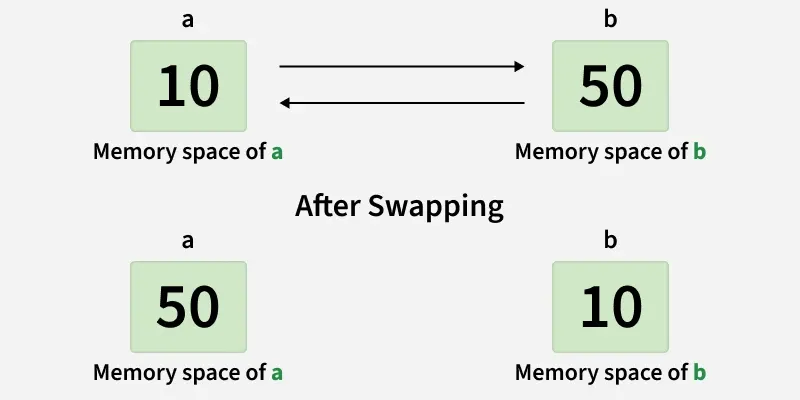
Methods to Swap Two Numbers in C++
C++ provides multiple ways to swap two numbers, ranging from manual techniques to built-in library functions.
1. Swap Numbers Using a Temporary Variable
We can swap the values of the given two numbers by using another variable to temporarily store the value as we swap the variables' data. The below steps shows how to use the temporary variable to swap values.
Algorithm
- Store the value of the first variable in a temporary variable.
- Assign the second variable to the first variable.
- Assign the temporary variable to the second variable.
#include <bits/stdc++.h>
using namespace std;

int main(){
    int a = 2, b = 3;

    cout << "Before swapping a = " << a << " , b = " << b << endl;

    int temp;

    temp = a;
    a = b;
    b = temp;
    cout << "After swapping a = " << a << " , b = " << b << endl;
    return 0;
}
Output
Before swapping a = 2 , b = 3
After swapping a = 3 , b = 2
Explanation: The value of a is temporarily stored in temp, allowing the values of a and b to be exchanged safely.
2. Swap Numbers Without Using a Temporary Variable
Two variables can be swapped directly using arithmetic operations without requiring any extra storage.
Note: This approach may cause integer overflow for large values and is generally not recommended in production code.
Algorithm
- Add the two numbers.
- Recover the original first number using subtraction.
- Recover the original second number using subtraction.
#include <bits/stdc++.h>
using namespace std;

int main(){
    int a = 2, b = 3;

    cout << "Before swapping a = " << a << " , b = " << b << endl;

    b = a + b;
    a = b - a;
    b = b - a;

    cout << "After swapping a = " << a << " , b = " << b << endl;
    return 0;
}
Output
Before swapping a = 2 , b = 3
After swapping a = 3 , b = 2
Explanation: Arithmetic operations are used to exchange the values without using an additional variable.
3. Swap Two Numbers Using Inbuilt Function
C++ Standard Template Library (STL) provides a standard library function std::swap() to swap two values.
Syntax of swap()
swap(a, b);
where a and b are the two numbers.
#include <bits/stdc++.h>
using namespace std;

int main(){
    int a = 5, b = 10;

    cout << "Before swapping a = " << a << " , b = " << b << endl;
    // Built-in swap function

    swap(a, b);

    cout << "After swapping a = " << a << " , b = " << b << endl;
    return 0;
}
Output
Before swapping a = 5 , b = 10
After swapping a = 10 , b = 5
Explanation: std::swap() exchanges the values of two variables internally and is the simplest and safest approach.
