

In C, strcmp() is a built-in library function used to compare two strings lexicographically. It takes two strings (array of characters) as arguments, compares these two strings lexicographically, and then returns some value as a result.
- The
strcmpfunction in C is used to compare two strings, with syntax:int strcmp(const char *str1, const char *str2);, wherestr1andstr2are the strings to compare. - It returns 0 if the strings are equal, a negative value if
str1is less thanstr2, and a positive value ifstr1is greater thanstr2.
#include <stdio.h>
#include <string.h>

int main(){
    char* s1 = "Geeks";
    char* s2 = "Geeks";

    // Printing the return value of the strcmp()
    printf("%d", strcmp(s1, s2));

    return 0;
}
Output
0
Explanation
- Two strings, s1 and s2, containing the value "Geeks" are compared using strcmp().
- Since both strings are identical, the function returns 0, indicating that the strings are equal.
Working
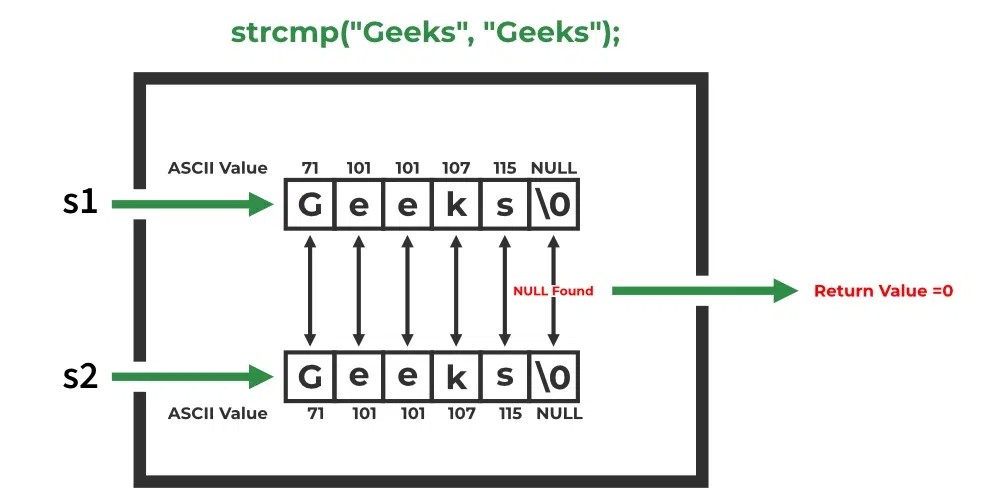
The strcmp() function compares two strings character by character based on their ASCII values until it finds a mismatch or reaches the null terminator ('\0').
- It compares the characters of both strings one by one from left to right.
- The comparison stops when a different character or the null terminator ('\0') is encountered.
- It returns 0 if both strings are identical; otherwise, it returns a positive or negative value based on the ASCII difference.
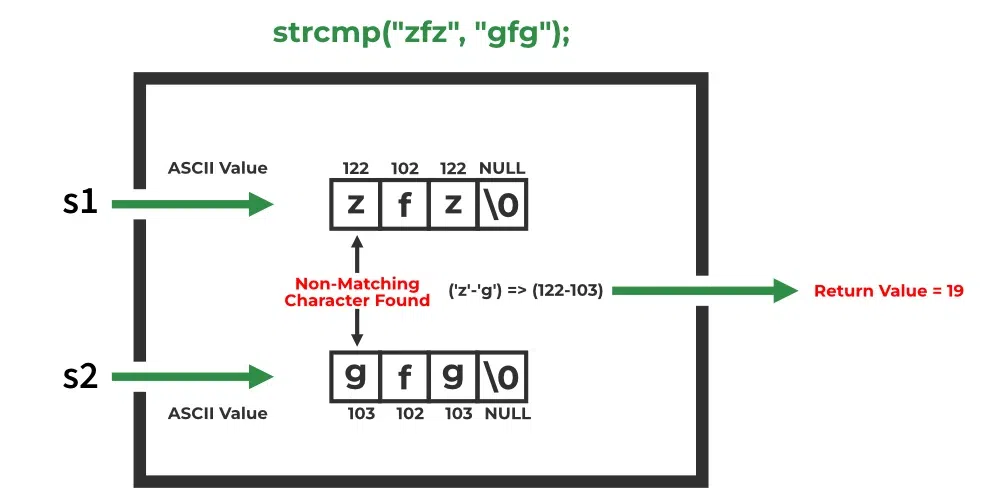
If a non-matching character is found,
- If the ASCII value of the character of the first string is greater than that of the second string, then the positive difference ( > 0) between their ASCII values is returned.
If the ASCII value of the character of the first string is less than that of the second string, then the negative difference ( < 0) between their ASCII values is returned.
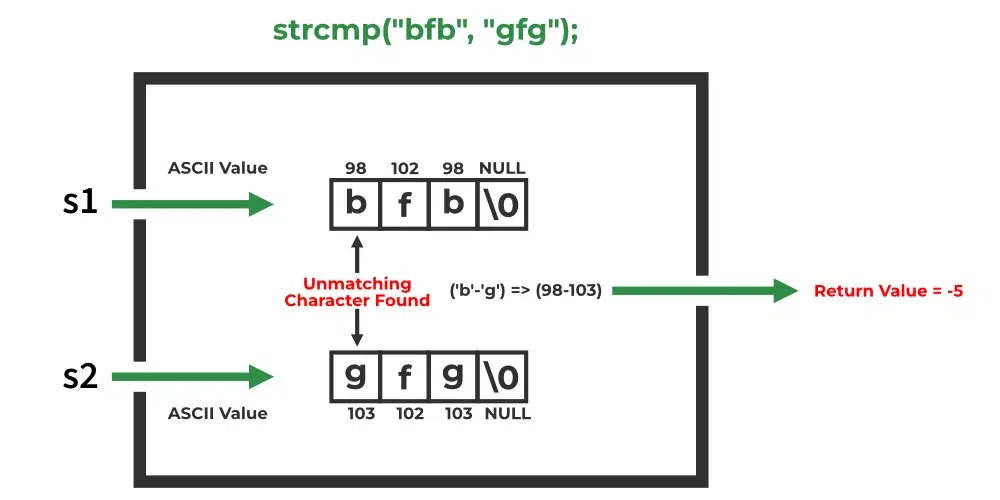
All of these three cases are demonstrated in the below examples.
Applications
The below examples demonstrate the behaviour of strcmp() in C programs
1. Find Identical Strings
The strcmp() function can be used to check whether two strings are identical. It returns 0 when both strings contain the same sequence of characters.
#include<stdio.h>
#include<string.h>

int main() {

    char s1[] = "g f g";
    char s2[] = "g f g";

    // Using strcmp() to compare s2 and s2
    int res = strcmp(s1, s2);

    if (res == 0)
        printf("Equal");
    else
        printf("Unequal");

    return 0;
}
Output
Equal
Explanation
- The strcmp() function compares the strings s1 and s2 character by character.
- Since both strings are equal, it returns 0, and the program prints "Equal"; otherwise, it prints "Unequal".
2. Find Lexicographically Greater String
The strcmp() function can be used to determine which of two strings is lexicographically greater by comparing their characters based on ASCII values.
#include<stdio.h>
#include<string.h>
int main()
{
    // z has greater ASCII value than g
    char first_str[] = "zfz";
    char second_str[] = "gfg";

    int res = strcmp(first_str, second_str);

    if (res==0)
        printf("Equal");
    else
        printf("Unequal");

    return 0;
}
Output
Unequal
Explanation
- The strcmp() function compares the strings first_str ("zfz") and second_str ("gfg") lexicographically.
- Since 'z' has a higher ASCII value than 'g', strcmp() returns a positive value, and the program prints "Unequal".
3. Sort the Array of Strings
As strcmp() compare two strings, it can be used to sort the array of strings in the desired order by using it as a comparator function in qsort().
#include <stdio.h>
#include <stdlib.h>
#include <string.h>

int comp(const void* a, const void* b)  {

	// Using strcmp() for comparing two strings
	return strcmp(*(const char**)a, *(const char**)b);
}

int main()  {
	const char* arr[] = { "Rahul", "Vikas", "Mukesh" };

	int n = sizeof(arr) / sizeof(arr[0]);

	// Sort the given arr
	qsort(arr, n, sizeof(arr[0]), comp);

	// Print the sorted arr
	for (int i = 0; i < n; i++)
		printf("%s\n", arr[i]);

	return 0;
}
Output
Mukesh
Rahul
Vikas
Explanation
- The qsort() function sorts the array of strings using the custom comparison function comp(), which internally uses strcmp() to compare two strings.
- Since strcmp() performs lexicographical (alphabetical) comparison, the strings are sorted in ascending order and printed as "Mukesh", "Rahul", and "Vikas".
