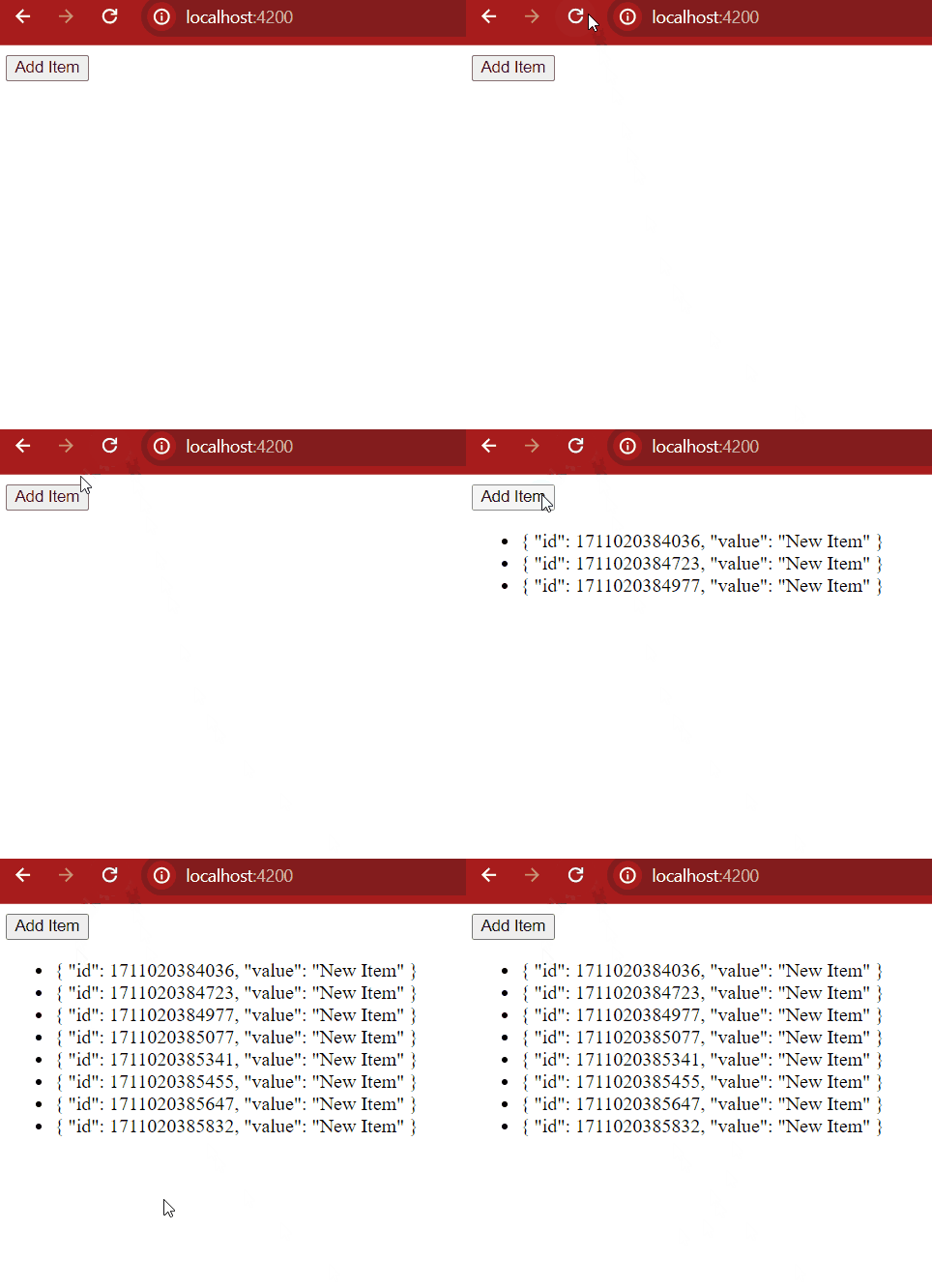
In Angular, services are reusable TypeScript classes that help share data, functionality, and state across different components and services in an application. They are decorated with the @Injectable() decorator, which enables Angular's dependency injection system to create and inject service instances wherever they are needed. Services are commonly used to implement business logic, perform HTTP requests, manage application state, and promote code reusability and maintainability.
Syntax:
import { Injectable } from '@angular/core';

@Injectable({
  providedIn: 'root' // or 'any' or specific module
})
export class MyService {
  constructor() { }

  // Service logic here
}
Steps to Create An Injectable Service:
Step 1: Setting Up Angular Project
Install Angular CLI globally (if not already installed)
npm install -g @angular/cliStep 2: Create a new Angular project:
ng new injectable-service-demoStep 3: Once the project is set up, navigate to the src/app directory. Inside it, create a new folder called "core". Within the "core" folder, create another folder named "services".
Step 4: Generate a new service using the angular cli after going into services folder using the below command:
ng generate service my-serviceFolder Structure:
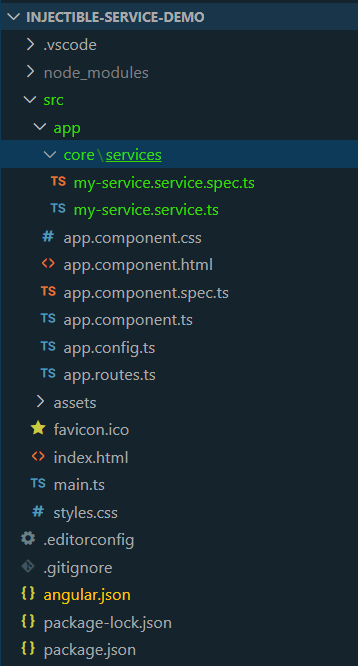
Example of Injectable Services in Angular
Code: Add the following codes in respective files.
<!-- app.component.html -->

<div>
    <button (click)="addItem()">Add Item</button>
    <ul>
        <li *ngFor="let item of items">{{ item | json }}</li>
    </ul>
</div>
//app.component.ts

import { Component } from '@angular/core';
import { RouterOutlet } from '@angular/router';
import { MyService } from './core/services/my-service.service';
import { CommonModule } from '@angular/common';


@Component({
    selector: 'app-root',
    standalone: true,
    imports: [RouterOutlet, CommonModule],
    templateUrl: './app.component.html',
    styleUrl: './app.component.css'
})
export class AppComponent {
    title = 'injectable-service-demo';

    items: any[] = [];

    constructor(private myService: MyService) {
        this.items = this.myService.getData();
    }

    addItem() {
        const newItem = { id: Date.now(), value: 'New Item' };
        this.myService.addData(newItem);
        this.items = this.myService.getData();
    }
}
//my-service.service.ts

import { Injectable } from '@angular/core';

@Injectable({
    providedIn: 'root'
})

export class MyService {
    private data: any[] = [];

    getData() {
        return this.data;
    }

    addData(item: any) {
        this.data.push(item);
    }
}
Output: