Disclosure: This article is published by eesel AI, a competitor of Kustomer. We encourage you to read Kustomer's own materials for their perspective.
Shopping for a new customer service platform often involves a familiar problem: the starting price looks reasonable, but by the time you add AI features, storage, compliance, and channel costs, the total looks nothing like what you first saw. Kustomer is no exception to this pattern.
This guide gives you a straight breakdown of Kustomer's current pricing structure, every published cost, and the line items that tend to expand a bill beyond initial estimates.
What is Kustomer?
Kustomer is a customer service CRM and AI platform marketed under two complementary purchase paths: an AI layer that sits on top of an existing helpdesk, and a full platform replacement. It centers on a unified customer timeline that pulls email, chat, voice, SMS, and social into one chronological view, plus a multi-agent AI builder called AI Agent Studio.
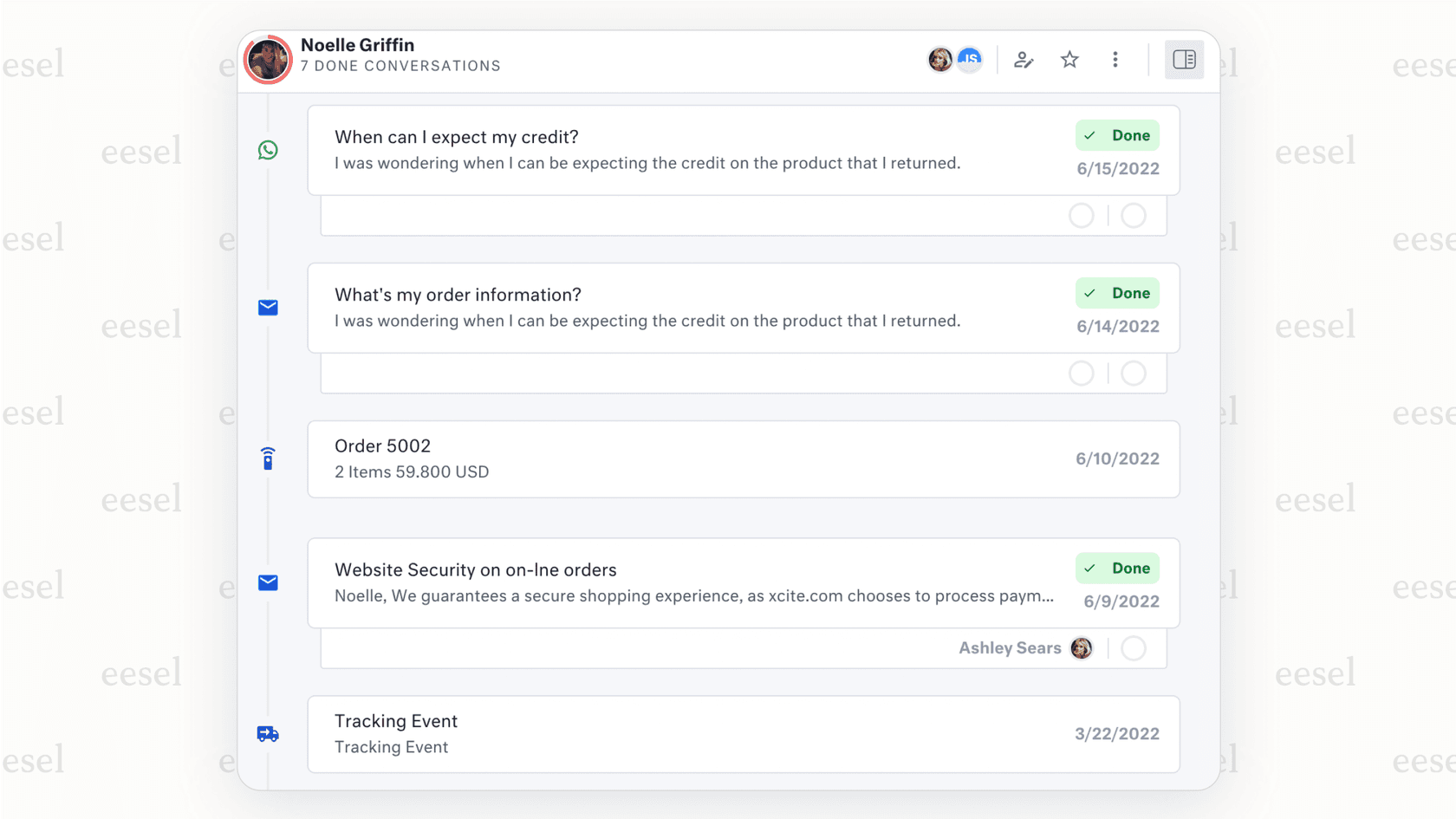
The platform is aimed at mid-market and enterprise CX teams. According to G2 review data, 354 of the 551 reviewers represent mid-market companies, and Kustomer reports being "600+ companies" including Turo, Skims, Everlane, and sweetgreen.
Kustomer pricing structure
Kustomer's pricing page lists two purchase paths. Both require an annual contract and a conversation with sales for a quote. Base platform pricing is not publicly disclosed. Contact Kustomer directly to understand what either path costs for your team size.
The two purchase paths
Kustomer AI is positioned as an AI layer that deploys on top of your existing helpdesk. Kustomer's own description: "Deploy AI agents, deliver real-time insights, and orchestrate customer experiences with your existing CX stack." You keep your current platform; Kustomer adds the AI capabilities on top.
Kustomer AI + Platform is the full platform path. Kustomer describes it as "Power smarter, faster customer experiences with an intelligent CX platform that unifies AI and orchestration." This is the CRM replacement route, with Kustomer serving as the inbox, workflow engine, and primary data system.
The feature sets differ significantly between the two paths. The table below reflects what Kustomer publishes on their pricing page:
| Feature | Kustomer AI | Kustomer AI + Platform |
|---|---|---|
| AI for Customers (autonomous AI agents) | Included | Included |
| AI for Reps (copilot, suggested responses) | Coming Soon | Included |
| AI Summaries (handoff and close) | Coming Soon | Included |
| 2-way message translation | Coming Soon | Included |
| Data Explorer (natural-language reporting) | Coming Soon | Included |
| Automated actions | Coming Soon | Included |
| Business rules and workflows | Depends on your helpdesk plan | 200 rules |
| Queues per team | Depends on your helpdesk plan | 10 |
| API rate limit | Depends on your helpdesk plan | 2,000 RPM |
| MCP server | Not included | Included |
| SAML SSO / SCIM | Depends on your helpdesk plan | Included |
| Data storage (base) | Depends on your helpdesk plan | 20 GB + 1 GB per user |
| Attachment storage (base) | Depends on your helpdesk plan | 40 GB + 10 GB per user |
Source: Kustomer pricing page.
Because Kustomer does not publish base dollar amounts, total cost of ownership is only visible after a sales conversation. G2 review data rates the perceived cost at "$$$$$" (the top tier of G2's five-bar scale), with an average time to implement of two months and typical ROI arriving around 15 months in.
Published add-on and usage costs
Several components have published dollar figures on Kustomer's comprehensive pricing page. These are billed on top of whatever the base plan costs.
AI add-ons in Kustomer pricing
Kustomer's AI capabilities are central to the product, but the two primary AI features carry separate pay-as-you-go or per-user charges.
- Customer AI agents: The customer-facing AI agent costs $0.60 per engaged conversation, defined as a conversation that includes at least one inbound customer message and an AI-generated response (source).
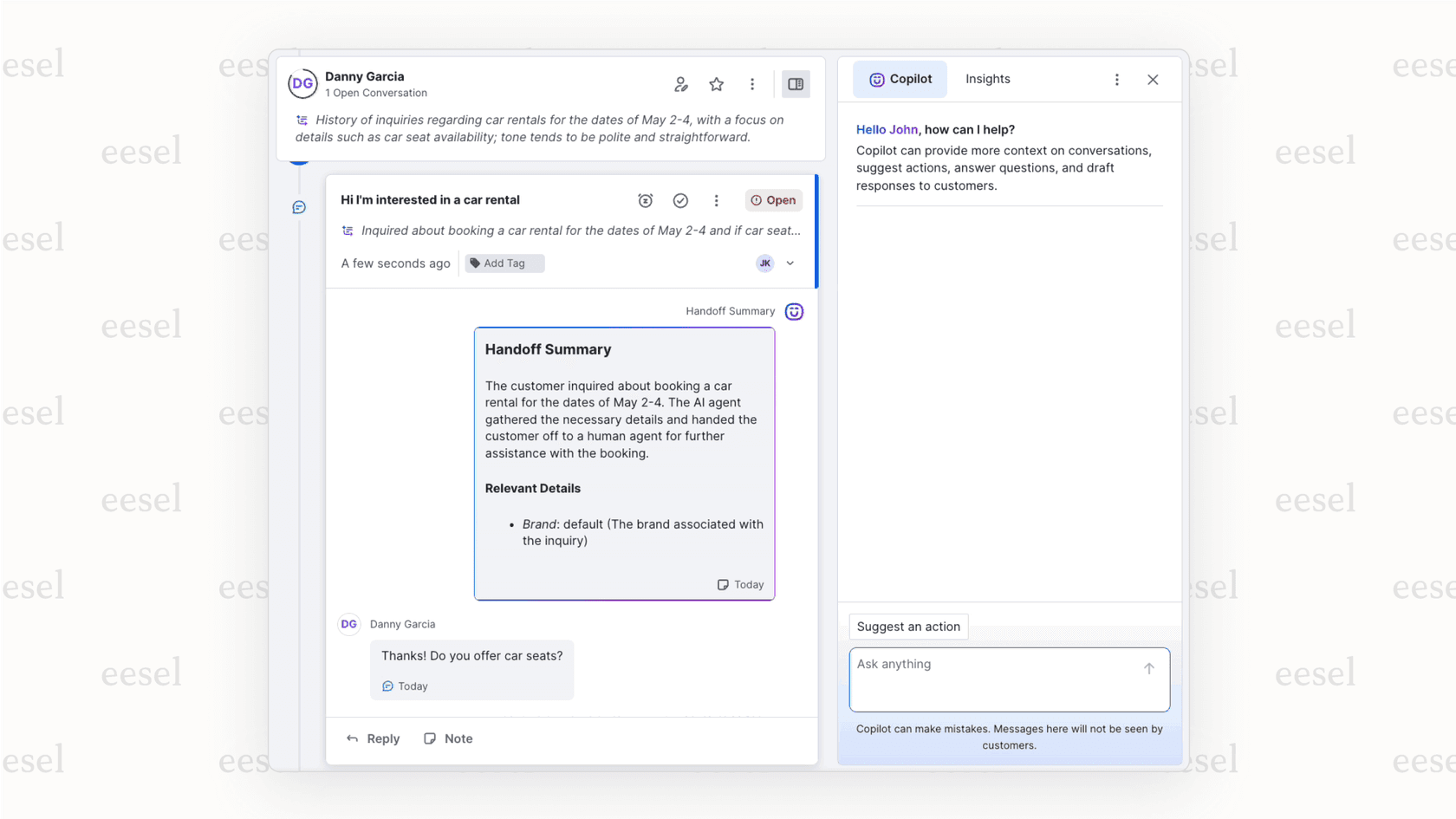
- Reps AI copilot: The agent-side copilot that helps reps draft replies and surface answers costs $40 per user per month (available on the AI + Platform path only).
For a team of 10 agents on the Platform path, adding the Reps copilot adds $400 per month on top of the base plan cost, a significant addition before storage or channel fees enter the calculation.
Data and storage costs
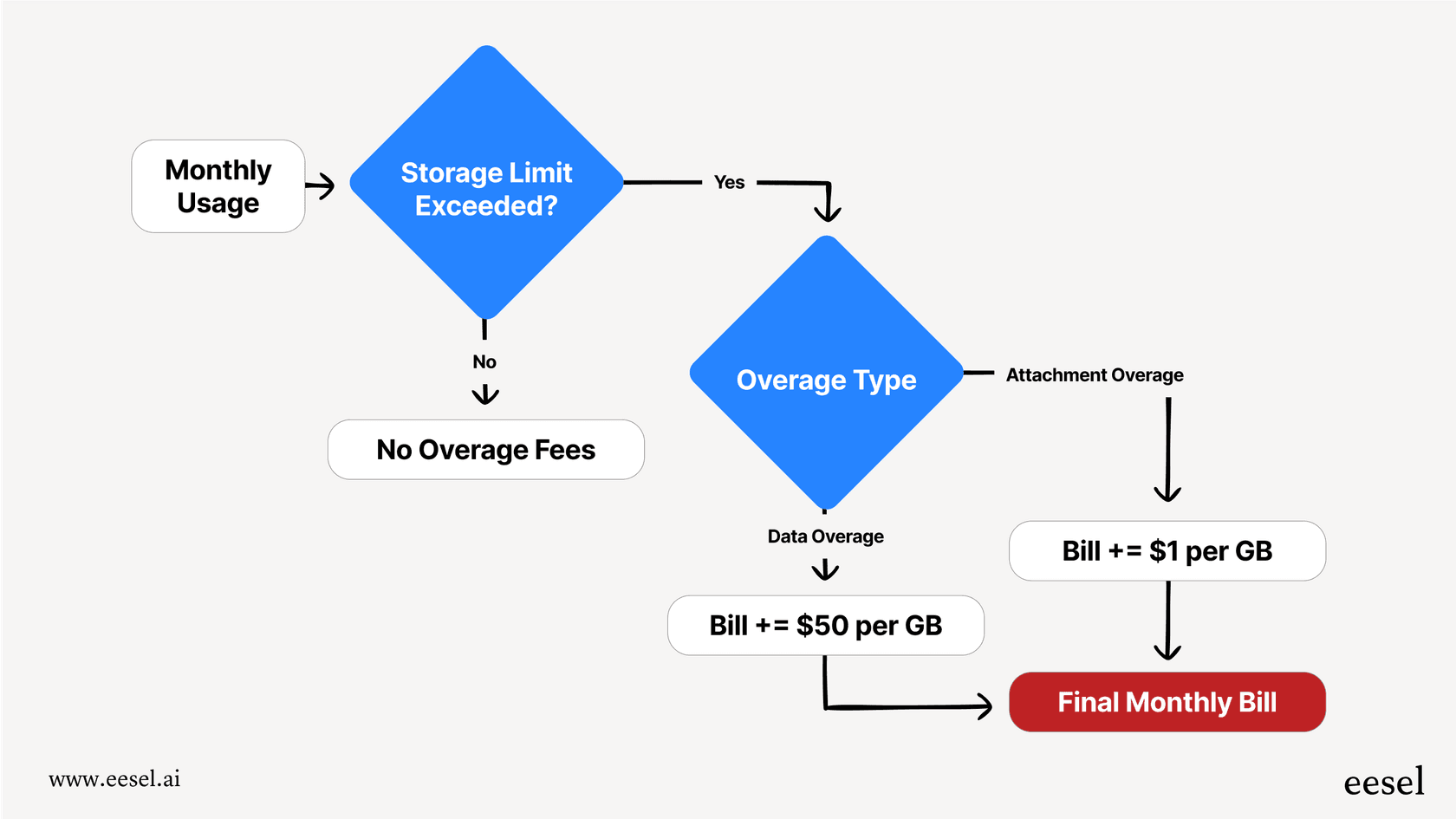
The AI + Platform path includes default data and attachment storage, but as Kustomer's help center explains, going over those limits triggers automatic overage charges.
- Data storage overage: $50 per GB per month
- Attachment storage overage: $1 per GB per month
Teams handling high ticket volumes, long conversation histories, or large file attachments should build storage costs into the budget from the start; these overages accumulate automatically without a manual approval step.
Other published costs
- Voice: Starting at $0.02 per minute, with country-by-country rates in a published PDF.
- WhatsApp: Meta's per-template fee plus a 20% Kustomer markup. No additional Kustomer charge when Meta does not bill a template fee.
- HIPAA compliance: $25 per user per month.
- Implementation: Some configurations require a statement of work and an additional fee. Kustomer does not publish a fee schedule; clarify this cost during the sales process.
A flexible alternative to Kustomer's pricing model
Kustomer is a capable, enterprise-focused platform. The AI + Platform path is well suited to teams that want to consolidate their CRM, omnichannel inbox, and AI in a single system. The tradeoff: AI capabilities land outside the base plan cost, advanced features are gated to the more expensive path, and total spend is only visible after a sales conversation.
If your goal is to add AI to helpdesks without switching platforms, a tool like eesel AI takes a different approach. It integrates directly with Zendesk, Freshdesk, Gorgias, and others, adding a customer-facing AI agent, a rep copilot, and AI triage without requiring a platform migration.
Note: Layering an AI solution on top of your current system keeps your team's existing workflows intact and often lets you move faster than a full platform migration would.
| Aspect | Kustomer | eesel AI |
|---|---|---|
| Pricing model | Base plan not publicly disclosed; AI features and storage billed separately. See kustomer.com/pricing for what's published. | Interaction-based pricing. See eesel AI's pricing page for current plans. |
| AI products | AI Agents for Customers ($0.60/engaged conversation) and AI Agents for Reps ($40/user/month) billed separately from the base plan. | AI agent, copilot, and triage tools included in plans. |
| Setup | AI + Platform path typically involves a migration project. Kustomer AI path deploys as an add-on to an existing helpdesk without migration. | Self-serve, one-click integrations. No migration required. |
| Knowledge sources | Public URLs, sitemaps, Zendesk KB, and Guru supported. No first-party Notion, Confluence, or Google Drive connectors (source). | Learns from past tickets, Confluence, Google Docs, Notion, and more. |
| Platform scope | Full CRM with omnichannel inbox, 50+ marketplace integrations, OpenAPI tools, REST API (2,000 RPM), webhooks, and bidirectional MCP server. Also available as an AI-only add-on via the Kustomer AI path. | AI layer that works alongside your current help desk; no CRM replacement needed. |
With eesel AI, the AI learns from your entire company knowledge base, including past tickets, internal docs, and connected knowledge sources, rather than only what has been loaded into a single platform. eesel AI includes AI-powered triage, a feature that is often available only in enterprise packages elsewhere.
Is Kustomer pricing worth it?
Kustomer is a capable platform. The unified customer timeline is the feature G2 reviewers praise most often, and the AI Agent Studio gives teams granular control over how AI agents behave, including multi-agent teams, code procedures, and OpenAPI tool integrations. The March 2026 addition of bidirectional MCP and April 2026 Slack thread integration show consistent platform investment.
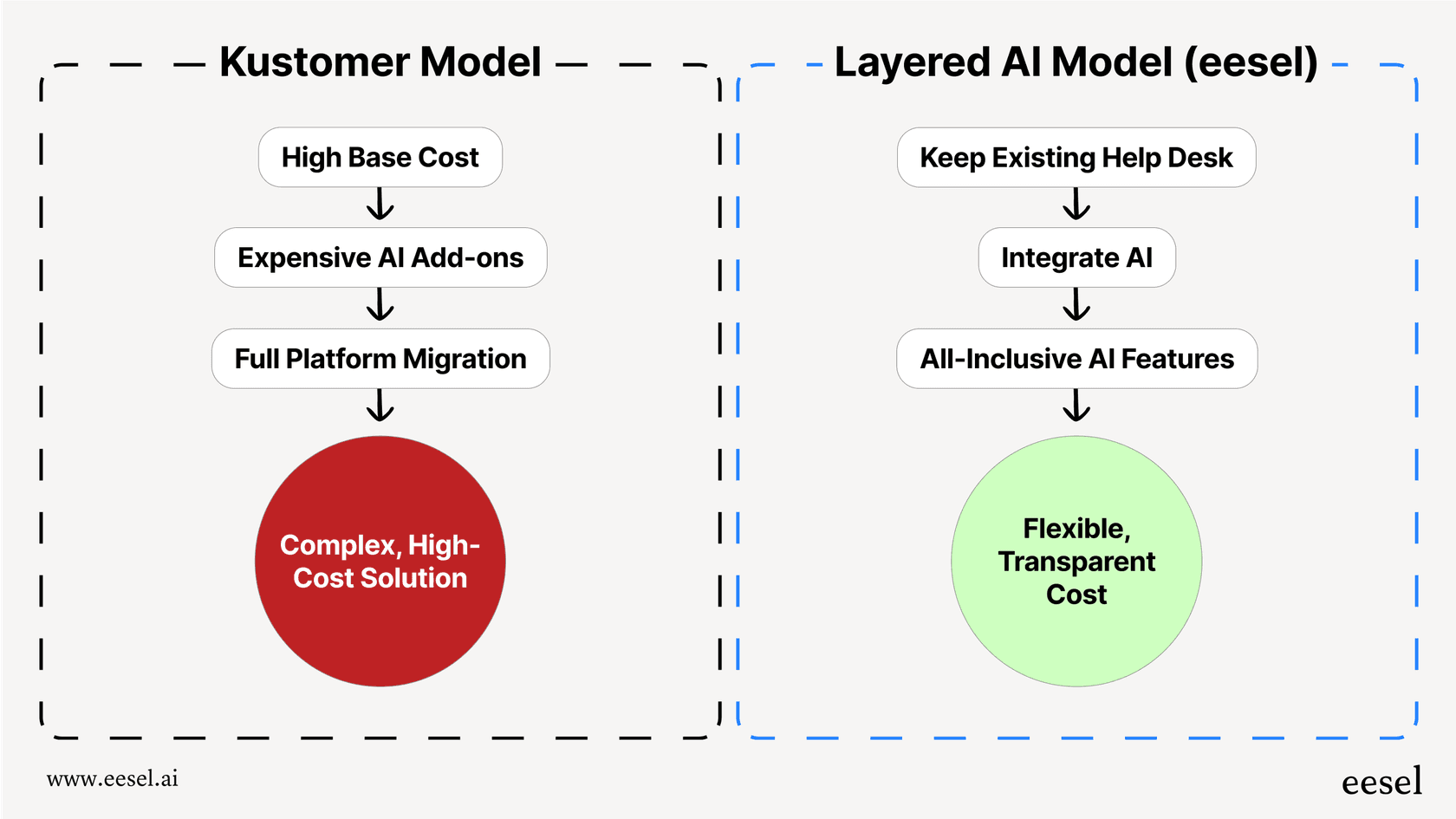
The pricing tradeoffs to weigh: base costs require a sales conversation; AI for Reps and several advanced features are exclusive to the more expensive Platform path; and G2 data puts ROI at roughly 15 months. Teams that need a full CRM replacement with deep AI integration will find the feature set justifies a detailed evaluation. Teams whose primary goal is AI automation on top of an existing helpdesk have more room to compare options.
Ready to see how a layered AI approach works alongside your current tools? Try eesel AI and see how quickly you can add AI resolution to your existing workflow.
Frequently asked questions
Does Kustomer publish its pricing publicly?
Kustomer does not publish base plan prices. Both purchase paths (Kustomer AI and Kustomer AI + Platform) require an annual contract and a sales quote. A handful of pay-as-you-go line items are listed on their pricing page, including AI Agents for Customers at $0.60 per engaged conversation and AI Agents for Reps at $40 per user per month. For all other costs, you need to speak with their sales team.
What is the difference between Kustomer AI and Kustomer AI + Platform?
Kustomer AI is sold as an AI layer that sits on top of your existing helpdesk; you keep your current tools and add Kustomer's AI capabilities. Kustomer AI + Platform is a full CRM replacement that brings Kustomer's omnichannel inbox, workflow engine, and AI together in one system. Several capabilities, including the AI for Reps copilot, AI Summaries, and Data Explorer, are only available on the Platform path. See Kustomer's pricing page for the full feature comparison.
What are the main add-on costs to budget for with Kustomer?
Several capabilities are priced on top of the base plan. Kustomer's comprehensive pricing page lists: AI Agents for Customers at $0.60 per engaged conversation, AI Agents for Reps at $40 per user per month, HIPAA compliance at $25 per user per month, data storage overages at $50 per GB, and Voice calling starting at $0.02 per minute. WhatsApp carries an additional 20% markup on Meta's per-template fee.
How long does Kustomer typically take to implement?
According to G2 review data, the average time to implement Kustomer is around two months. For larger teams, Kustomer notes that some configurations may require a statement of work and an additional implementation fee. G2 data puts typical return on investment at around 15 months.
Is there an AI alternative that works with my existing help desk?
Yes. eesel AI is built to plug into help desks you already use, including Zendesk, Freshdesk, and others, so you can add AI-powered triage, a customer-facing agent, and a rep copilot without switching platforms. See eesel AI's pricing page for plan details.


Article by
Kurnia Kharisma Agung Samiadjie
Kurnia is a software engineer and writer at eesel AI with two years of SEO experience, writing about AI tools, helpdesk software, and customer support. He pairs a developer's understanding of how these products are built with search-driven research into what actually ranks and resonates with the people searching for them.