

Replace your stack of WordPress plugins with one
SMTP, duplicate pages, code snippets, login security, admin clean-up and 46 more modules in one plugin. Switch on what each site needs. One update, one settings screen, one support team.
Free on WordPress.org · Pro from $29 a year
 Rated 4.9/5 on WordPress.org From 28 reviews (opens in a new tab)
- modules, 35 of them free
- 51
- releases since 2022
- 50
- rating on WordPress.org
- 4.9 out of 5
- developer hooks and filters
- 134
Fewer plugins, in three steps
- 01
Install the free plugin
Add WP Extended from WordPress.org like any other plugin. 35 modules are free, with no account needed.
- 02
Switch on what the site needs
Turn on SMTP, duplicate posts or login protection from one screen. Modules you leave off don’t load.
- 03
Remove the plugins it replaces
Deactivate the single-purpose plugins you no longer need. That’s fewer updates to run and fewer things to break.
The jobs you’d normally install a plugin for
Each module does the core job of a popular single-purpose plugin. Switch on the ones a site needs, and that’s one less plugin to install, update and support.
- Admin Tools Pro
Admin Columns
Show the columns your team needs in WordPress lists
- Every list screen
- Custom field columns
- Rename and hide
- Developer Tools Free
Code Snippets
Add code snippets without editing theme files
- PHP, HTML, CSS and JavaScript
- Syntax checks before saving
- Safe Mode switch
- Security & Privacy Free
Custom Login URL
Move your WordPress login page
- Your own login slug
- Choose the redirect
- Your message
- Performance & Control Pro
Disable Comments
Turn off WordPress comments everywhere
- One switch
- Cleaner admin
- WooCommerce aware
- Content Management Free + Pro
Duplicate Posts & Pages
Duplicate any post or page in one click
- One-click duplicates
- Choose what is copied
- Status and title format
- Security & Privacy Free + Pro
Limit Login Attempts
Stop brute-force attacks on your login page
- Attempts and lockout time
- Admin alerts
- Works behind Cloudflare
- Performance & Control Free + Pro
Maintenance Mode
Put WordPress into maintenance mode or coming soon
- Branded page
- Live preview
- Maintenance or coming soon
- Media Tools Pro
Media Replace
Replace an image or file without changing its URL
- Same URL, new file
- Type checks
- Permission checks
- Content Management Pro
Post Type Switcher
Change a post into a page, or any post type
- Switch from the editor
- Nothing is copied
- Bulk and quick edit
What’s inside
51 modules in six categories. Every category has free modules.

Admin Tools
12 modulesTidy dashboards, menus, columns, profiles and notices so editors and clients see only what they need.
Browse Admin Tools
Content Management
12 modulesDuplicate, reorder, switch, export and organise posts and pages without separate plugins for each job.
Browse Content Management
Developer Tools
6 modulesCode snippets, SMTP, debug mode, user switching and exports for the work that happens before and after launch.
Browse Developer Tools
Media Tools
4 modulesReplace files in place, allow safe SVG uploads, restore deleted media and stop oversized video uploads.
Browse Media Tools
Performance & Control
8 modulesSwitch off the features a site doesn’t use, manage updates and rollbacks, and put a site into maintenance mode.
Browse Performance & Control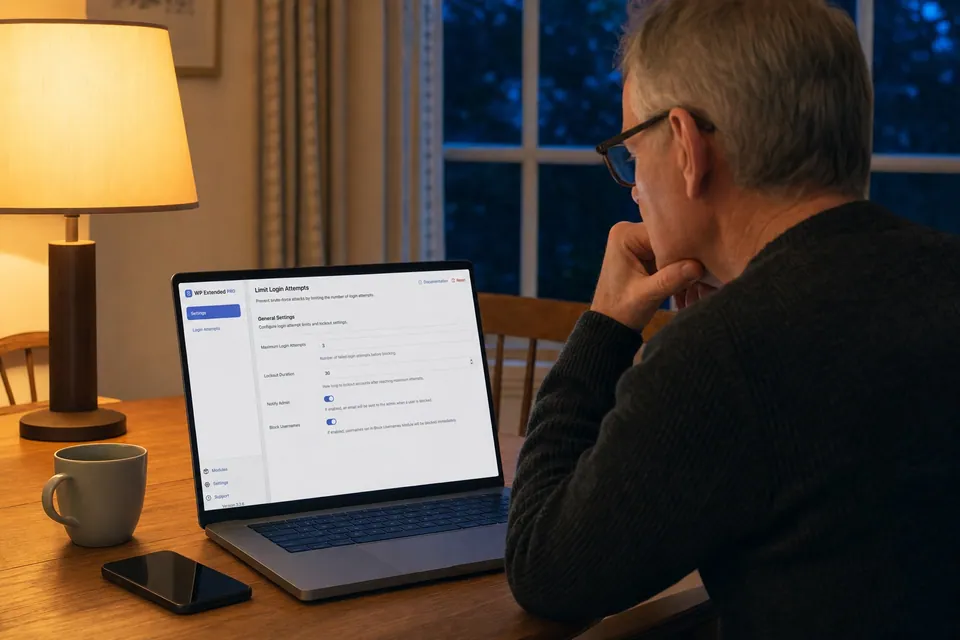
Security & Privacy
9 modulesSensible hardening for the common gaps: login URLs, brute-force attempts, usernames, XML-RPC and version details.
Browse Security & Privacy
Latest release
3.3.0
10 September 2026
- Admin: Every module’s settings now live under a single “WP Extended” screen.
- Admin: Moving between modules no longer reloads the page.
- Code Snippets: Safe Mode switch in the editor, so you can turn every snippet off from the interface instead of by editing a URL.
- Translations: Now ships in German, Spanish, French, Dutch, Brazilian Portuguese and European Portuguese.
Built to last, and still shipping
WP Extended has been on WordPress.org since September 2022, with 50 releases since then. Every module is built and tested together, by one team, with one settings screen and one place to get support.
What WordPress professionals say
4.9 from 28 reviews on WordPress.org (opens in a new tab)- ★★★★★
“Turn on what you need, leave the rest off. Duplicate posts, SMTP, rollback, custom admin URL, code snippets… stuff I used to install four or five separate plugins for. Now it’s just one with one update to run and one UI to deal with.”
jamescaddy WordPress.org review (opens in a new tab) - ★★★★★
“Anyone who has been dealing with WordPress for a long time knows how risky it is to have too many plugins from different developers – one unfortunate update, and we have a fatal error…”
- ★★★★★
“This plugin helps me manage over 15 websites and at every new installation it saves me so much time that it’s unbelievable how these functionalities are not built-in in wordpress.”
- ★★★★★
“Previously I had to install multiple plugins for each feature of this plugin. Features I love: Export Users, Duplicate Pages & Posts, Insert Headers & Footers Snippets, Debug Mode, SVG Upload.”
Shahjahan Jewel WordPress.org review (opens in a new tab) - ★★★★★
“This does things that I would normally have to deal with via code snippets or additional plugins. This plugin has become a part of my “new site base stack” – only possible because of the modularity and subsequent small footprint.”
Autistic PhD WordPress.org review (opens in a new tab) - ★★★★★
“I have removed 5 plugins from every site i work on now. Development time for new features is fast and the developer is always listening to their users!”
rubengarciajr WordPress.org review (opens in a new tab)
Questions
Compare Free and ProA WordPress plugin made of 51 modules for the jobs most sites need, such as SMTP email, duplicating pages, code snippets, login protection and admin clean-up. You switch on the modules you want and leave the rest off.
Yes. The free plugin on WordPress.org includes 35 modules, 13 of which have extra Pro options. WP Extended Pro adds 16 more modules and all the Pro options, from $29 a year.
Modules you leave switched off don’t load. Only the modules you turn on run their code, so a site using five modules carries five modules, not fifty.
Yes, but run one tool per job. For example, use either SMTP Email or another mail plugin, not both. Switch the module on, check it works, then deactivate the old plugin.
SQ1 Digital Limited, a UK company based in Northampton. WP Extended has shipped 50 releases since 2022. You can read them all in the changelog.
Start free. Switch on what you need.
Install the free plugin from WordPress.org, try the modules on a real site, and upgrade to Pro when a project needs more.
Pro from $29 a year · 14-day money-back guarantee
