

Mission Center
Install latest/stable of Mission Center
Ubuntu 16.04 or later?
Make sure snap support is enabled in your Desktop store.
Install using the command line
sudo snap install mission-centerDon't have snapd? Get set up for snaps.
Details for Mission Center
Package name
- mission-center
License
- GPL-3.0+
Last updated
- 26 July 2026 - latest/stable
- 1 May 2025 - latest/edge
Websites
Source code
Report a bug
External link warning
You are about to open
Do you wish to proceed?
Report a Snap Store violation
Report Mission Center for a Snap Store violation
Snap Store Violation Report submitted successfully
Thank you for your report. Information you provided will help us investigate further.
Error submitting report
There was an error while sending your report. Please try again later.
Share this snap
Generate an embeddable card to be shared on external websites.
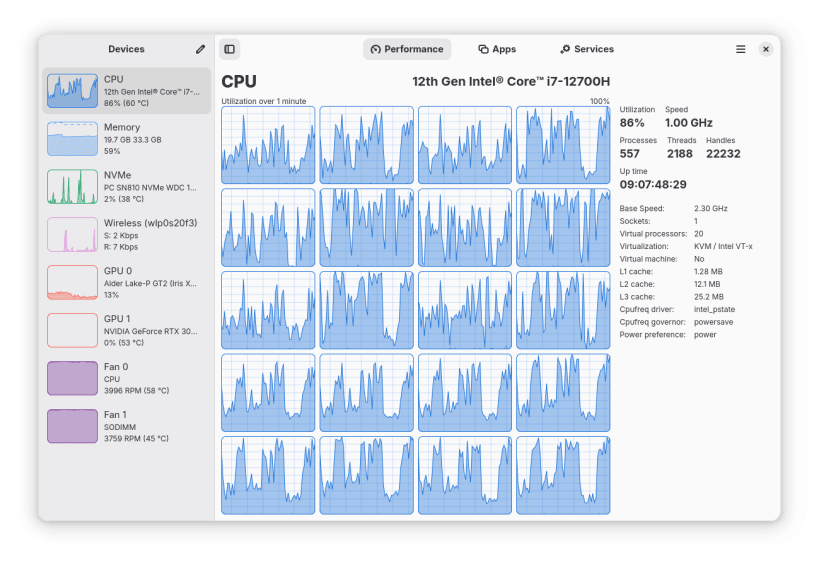
Monitor your CPU, Memory, Disk, Network and GPU usage
Features:
- Monitor overall or per-thread CPU usage
- See system process, thread, and handle count, uptime, clock speed (base and current), cache sizes
- Monitor RAM and Swap usage
- See a breakdown of how the memory is being used by the system
- Monitor Disk utilization and transfer rates
- Monitor network utilization and transfer speeds
- See network interface information such as network card name, connection type (Wi-Fi or Ethernet), wireless speeds and frequency, hardware address, IP address
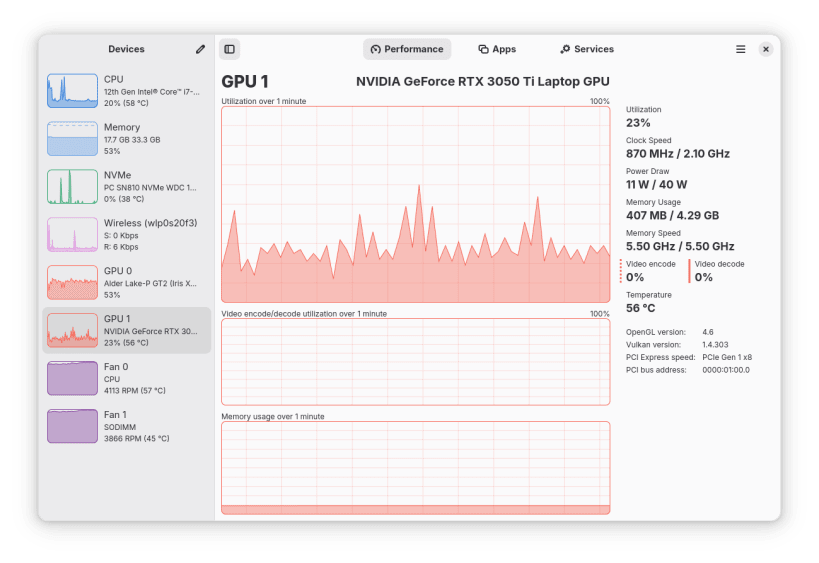
- Monitor overall GPU usage, video encoder and decoder usage, memory usage and power consumption, powered by the popular NVTOP project
- Monitor system fans
- Monitor battery charge and see detailed battery information
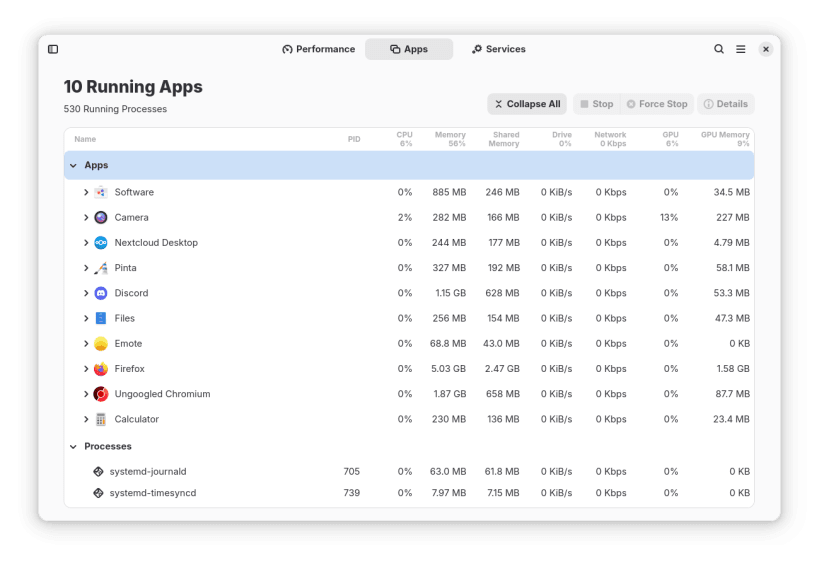
- See a breakdown of resource usage by app and process
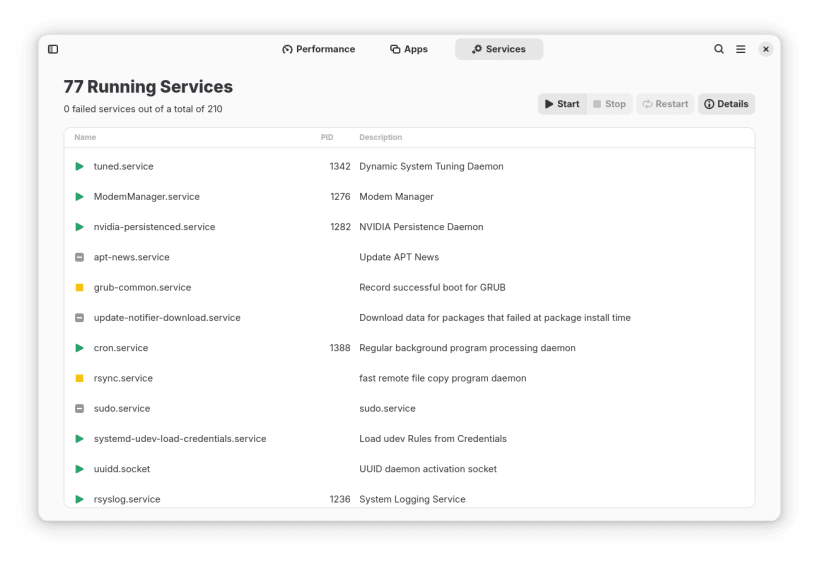
- View and control system services using systemd or OpenRC
- Supports a minified summary view for simple monitoring
- Use hardware accelerated rendering for all the graphs in an effort to reduce CPU and overall resource usage
Limitations:
- Per-process network monitoring requires manual setup, see the project wiki for more information
- Intel GPU monitoring is only supported for Broadwell and later GPUs
| Revision | Channel | Version | Build | Commit | Download SBOM |
|---|
The build and commit information is derived from build infrastructure records.
Install Mission Center on your Linux distribution
Choose your Linux distribution to get detailed installation instructions. If yours is not shown, get more details on the installing snapd documentation.













Where people are using Mission Center
Users by distribution (log)
Ubuntu 24.04
Ubuntu 26.04
Ubuntu 22.04
Ubuntu 25.10
Debian 13
Fedora 44
Ubuntu 20.04
Ubuntu 26.10
Zorin OS 18
Linux Mint 22.3
Ubuntu 25.04
KDE Neon 24.04
Debian 12
pop 24.04
pop 22.04
Fedora 43
Zorin OS 17
Manjaro
Ubuntu 18.04
Linux Mint 21.3
Linux Mint 22.1
Ubuntu 24.10
Debian sid
Kali Linux 2026.3
Linux Mint 22.2
cachyos
Arch Linux
Linux Mint 22
fedora-asahi-remix 44
Linux Mint 7
Parrot OS 7.4
Ubuntu 16.04
Ubuntu 23.10
