


My good friend and colleague @bdougieyo is at Codeland today and is giving away early access to Codespaces to three lucky people who create a profile README (a new feature we quietly launched a few weeks ago).
If you're looking for some inspiration, or information on how to actually enable this on your profile, here are a few READMEs that have jumped out at me over the last few weeks. Everything from purely cosmetic and informational, to truly hacktacular, computationally expensive impressive, and entertaining works of art 👌🏻
1 Hello, world!
Set yourself apart from everyone else with a brief biography, colorful header image, and links to find you elsewhere on the web - just like @M0nica:

Fun fact: @M0nica just published a blog post about how to create a GitHub profile README. That's a great starting point if you're thinking about adding one yourself.
2 Show off your stats 💪🏻
I may have talked about this before elsewhere, but if you're using GitHub as a resume / portfolio, this nifty little tool from @anuraghazra can show off your stats in a nice way. Enabling it on your repository is pretty easy with github-readme-stats.

3 Don’t forget to sign the guestbook on your way out
My good friend @JasonEtco is always pushing GitHub, Actions. and just about everything else web-related to it's limits. He built a guestbook on his profile using GitHub Actions. I'm just waiting on the support for hit counters, webrings, dancing babies, etc. and we'll have come full circle!

Please help me: Consider dropping by Jason's profile page, and sharing a fun joke, or perhaps a completely random fun fact on his guestbook. He doesn't know about this post, so he'll hopefully have no idea where the comments are all coming from* 😂
* Note to self: remember to remove Jason's access to the server logs tomorrow...
4 Hit counter 1️⃣ 3️⃣ 3️⃣ 7️⃣
Speaking of numbers, display your profile’s visitor count with this nifty little SVG solution. If you're as old experienced as me, you'll remember when every web page used to have one of these. Thanks @sagar-viradiya!

5 Shall we play a game?
It was only a matter of time until someone added a game to their profile README. This community-powered Connect4 game does exactly what you imagine. Very impressive, @jonathangin52 💙 ❤️

6 Wouldn’t you prefer a good game of chess? ♞ ♖
I could really get on BOARD with more games on profiles. I'd definitely CHECK them all out...
You guessed it! You can also play chess thanks to this little gem from @timburgan. Simply click a link to create an issue with your move command, and a GitHub Actions Workflow will take it from there.

7 Speaking of games…
@ethomson's contribution to the world of profile READMEs is a Game of Life simulation with a familiar look and feel 💚

Behind the scenes it uses libraries called contributions (creating a data structure with a GitHub contribution graph) and dat-life (supporting a Conway's Game of Life implementation). Read more about it here.
8 Now playing in a README near you ♩ ♪ ♫ ♬
An SVG dynamically rendered with a Vercel serverless function, and integrated with the Spotify API? BOOM! You have yourself an image displaying what you're listening to. Bravo, @natemoo-re. Bravo 👏

I can't wait to get this spun up on my profile! 🤘
9 Self-updating README
@simonw's profile literally updates itself–with latest releases, blog posts, and things learned–using GitHub Actions. Simon goes into it in more detail in this blog post if you're curious how it works under the hood.

10 Jump to it!
Last, but not least. It might just be a GIF, but by golly, I've been watching it for hours. This familiar-looking animation captured by @saadeghi shows that even the addition of a simple image can add a bit of character to your profile, and make it really jump out.

Hopefully these examples have given you some fresh ideas to add your own profile README. Enabling it is easy. Simply follow these instructions. I'd love to see yours - be sure to leave a link in the comments below :)


Top comments (60)
The chess README is pretty slick!
I really enjoy the one of @brunnerlivio too, there's something "old'school cool" there.
👉 GitHub
I am a fan of the old school and always a fan of the underrated marquee
No kidding! The
80s90s called...Source: github.com/bdougie
Omg I love it!
Aww thank you!
At this point I want to mention, its inspired by fnkys awesome README. As well as sindresorhus tweet which helped me to build the marquee :-)
Here is my new github profile README

💚💚💚💚💚
Lol amazing!
The folks contributing to this Tweet show real... commitment...
Just happy to push my changes
Gonna stash these jokes for later. Might be able to cherry-pick a few for an upcoming Dev post...
super nice
Check this out. Coding Activity Graph on your Profile README. Uses WakaTime API to automatically update your stats every night.
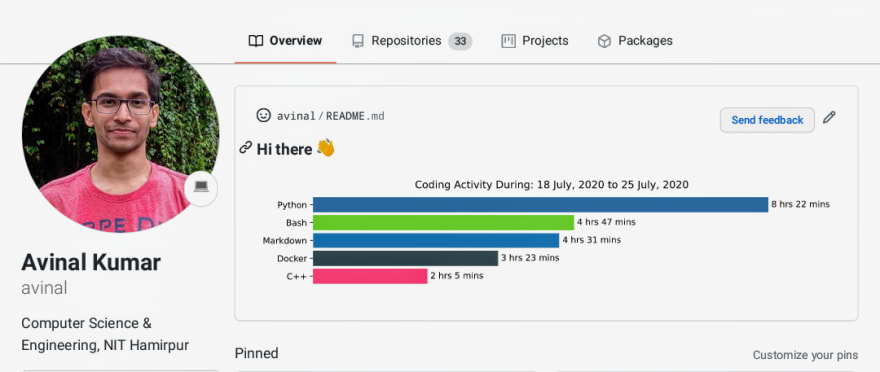
github.com/avinal/Profile-Readme-W...
Thank you for this excellent article - love this feature of GitHub, and seeing all the creative things people are doing. Especially pumped to see the visitor counter making a come back :D
If anyone wants to add the retro counter to their profile (like @sagar-viradiya's profile) you can add it like this.
Slightly more expanded version of these instructions are available here :D
For anyone that's interested in making their own visitor counter, check out this guide I wrote on creating (or forking the GlitchApp) to make your own visitor counter. 🚀 The main gist of this one is you run a node+Express app (although it could be a serverless function, other language/framework, etc) that responds to an svg request with the next count. The headers should alert GitHub's caching layer to re-request the image every time.
Thanks for creating this!
Thanks for the information! Was looking for this. 😊
glitch has removed this feature
Graphics are a bit blocky, but here's mine...
Here's a GitHub Action that updates
READMEwith the recent activity of a user:-Updates README with the recent GitHub activity of a user
GitHub Activity in Readme
Updates
README.mdwith the recent GitHub activity of a user.Instructions
Add the comment
<!--START_SECTION:activity-->(entry point) withinREADME.md. You can find an example here.It's the time to create a workflow file.
.github/workflows/update-readme.ymlThe above job runs every half an hour, you can change it as you wish based on the cron syntax.
Please note that only those public events that belong to the following list show up:-
IssueEventIssueCommentEventPullRequestEventYou can find an example here.
Override defaults
Use the following
input paramsto customize it for…Hey James George, you no longer maintain it. So here is a fork of it to use instead:
Add your recent activity to your profile readme!
Recent Activity
This GitHub Action is a Fork of the original GitHub Activity Readme Action by jamesgeorge007.
Its our goal is to improve the original GitHub Action while also providing new features for the users.
Live Preview
This is an example live preview that is updated every time a commit is pushed using github actions.
Last Updated: Thursday, May 20th, 2021, 3:17:39 PM (GMT)
Settings
The Action currently has the following Settings that you can set through the
withoption.GH_USERNAMECOMMIT_MSG⚡ Update README with the recent activityMAX_LINES5Here is a tool that could help you to get started with github readme :)
Add description / social media / badges and other stuff with just few clicks..
GitHub profile readme generator allows you to create nice and simple GitHub profile readme files that will be included in your profile previews.
Github Readme Generator
Hi there👋 .
This project allows you to easily create attractive and simple GitHub Readme files that you can copy/paste in your profile. It's currently available in English and Spanish.
You can include things like headers, subtitles, skills, a banner image, additional information, social media links, badges and GitHub statistics.
Instructions
Preview
Top Contributors
@arturssmirnovs @max-programming @fx2000 @DenverCoder1
Resources Used
I used a combination of several tools to make this piece of art you can check it out here! GitHub Account
Nice!
How do you made this Contribution Stats?
Here's mine which shows your latest medium blogs.
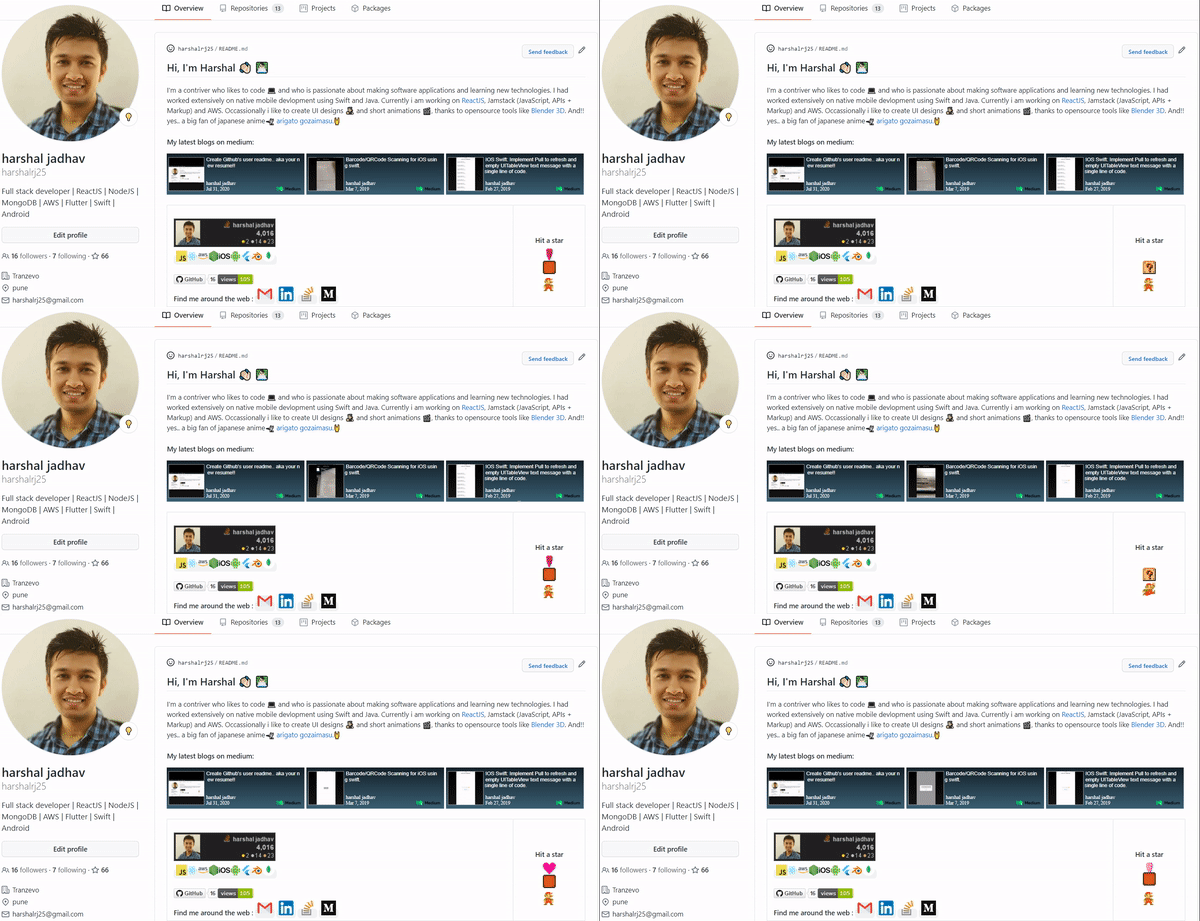
checkout my repo github.com/harshalrj25/mediumblog-... to add medium blogs to your profile.
Guys checkout my GitHub Profile :D
github.com/SarveshMankar
Feature to watch out:
Also do checkout my GFG article on GitHub Actions and GitHub Secrets!
Dynamic GitHub Readme
Do let me know your reviews!