Minisforum now sells three mini workstations that homelab builders actually shortlist, and they look almost the same from the outside. The MS-01 is the 2024 original, the MS-A2 swaps in a 16-core Ryzen, and the new MS-03 moves to Intel Panther Lake. In the Minisforum MS-03 vs MS-01 vs MS-A2 comparison, the CPU is not the interesting part. The network chips, the M.2 lanes, the PCIe slot and the iGPU are what decide how each box behaves under Proxmox.
We have not had all three in our lab, so this is built from the Minisforum spec pages, hands-on reviews and Proxmox forum reports, with sources linked. Here’s where each one wins, and the trap each one hides.
Current as of October 2026.
Specs side by side
| MS-03 | MS-01 | MS-A2 | |
|---|---|---|---|
| CPU options | Core Ultra 9 386H or Ultra 5 336H | Core i9-13900H, i9-13900HK, i9-12900H, i5-12600H | Ryzen 9 9955HX, 8945HX, 7945HX or Ryzen 7 7745HX |
| Cores / threads (top SKU) | 16C/16T, no Hyper-Threading | 14C/20T | 16C/32T |
| RAM | 2x DDR5 SODIMM, up to 128GB | 2x DDR5 SODIMM, up to 96GB | 2x DDR5 SODIMM, up to 96GB official |
| ECC | No | No | No (ECC sticks boot, ECC stays off) |
| M.2 | 2x PCIe 5.0 x4, 1x PCIe 4.0 x1 | PCIe 4.0 x4, 3.0 x4, 3.0 x2 | 3x PCIe 4.0 x4 (two default to Gen3) |
| PCIe slot | x16 physical, PCIe 4.0 x4 | x16 physical, PCIe 4.0 x8 | x16 physical, PCIe 4.0 x8, x4x4 split |
| USB4 | 2x 40Gbps | 2x 40Gbps | None (USB-C 10Gbps) |
| Power brick | 240W | 180W | 240W |
| Barebone price on Amazon | $759.99 (336H), $999 (386H) | $449 (i5), $659 (i9) | $559 (8945HX), $799 (9955HX) |
Two early MS-03 specs you will still see quoted are wrong. Pre-launch coverage listed a PCIe 4.0 x8 slot and two 2.5GbE ports. The shipping spec on the Minisforum product page is an x4 slot, one 10GbE Realtek port and one 2.5GbE Intel port, which matches the review unit Virtualization Howto tested.
NIC map: which chip is behind which port
All three share the same best feature: two 10G SFP+ cages on an Intel X710. That controller uses the in-kernel i40e driver, and its virtual functions work with SR-IOV. That means you can hand an OPNsense or pfSense VM real NIC slices instead of bridged virtio. The copper ports are where they differ.
| Port | MS-03 | MS-01 | MS-A2 |
|---|---|---|---|
| SFP+ x2 | Intel X710 | Intel X710 | Intel X710 |
| RJ45 #1 | 10GbE Realtek RTL8127 | 2.5GbE Intel i226-V | 2.5GbE Intel i226-V |
| RJ45 #2 | 2.5GbE Intel i226-LM | 2.5GbE Intel i226-LM | 2.5GbE Realtek RTL8125 |
| vPro / AMT out-of-band | Yes, on the i226-LM port | Yes, on the i226-LM port (not the new i9-13900HK SKU) | No |
The vPro row matters more than it looks. AMT gives you a remote console and power control when a host hangs, which is the closest thing to IPMI these boxes have. The MS-A2 does not have it. Its second copper port is a Realtek RTL8125, so we would keep management on its i226-V or an SFP+ link. The MS-03’s 10GbE RTL8127 is new, and long-run Proxmox reports on it are still thin. If you’re comparing add-in cards instead, our 10GbE NIC guide for Proxmox covers the X710 driver caveats in detail.
Storage lanes and U.2: the trap in each box
Each box has three M.2 slots and takes a U.2 enterprise SSD in slot 1, but the lane layout is different in every one, and each has a detail that catches people out.
| MS-03 | MS-01 | MS-A2 | |
|---|---|---|---|
| Slot 1 | PCIe 5.0 x4, or U.2 | PCIe 4.0 x4, or U.2 | PCIe 4.0 x4, or U.2 |
| Slot 2 | PCIe 5.0 x4 | PCIe 3.0 x4 | PCIe 4.0 x4 (Gen3 until changed in BIOS) |
| Slot 3 | PCIe 4.0 x1 | PCIe 3.0 x2 | PCIe 4.0 x4 (Gen3 until changed in BIOS) |
| U.2 method | Included adapter | Adapter plus on-board selector switch | Adapter board with its own power lead |
| The trap | Slot 3 is x1, about 2GB/s at best | Wrong switch position can kill an M.2 drive | Slots 2 and 3 ship at Gen3 speed |
The MS-03 trap matters for ZFS. A three-way mirror or RAIDZ1 across all three slots runs the third drive at a fraction of the other two. We would use slots 1 and 2 for the VM pool and slot 3 for ISOs, templates or backups. On the MS-A2, flip slots 2 and 3 to Gen4 in the BIOS before you build a pool. On the MS-01, check the U.2/M.2 switch before you power on with a new drive. For sizing a three-node build, our Ceph homelab hardware guide covers the per-OSD numbers.
PCIe slot and GPU passthrough
All three slots are x16 physical and low-profile, but the wiring is not. The MS-01 and MS-A2 give you PCIe 4.0 x8, and the MS-A2 can split it x4x4 for a dual-NVMe or dual-NIC card. The MS-03 drops to PCIe 4.0 x4 because Panther Lake has fewer lanes to spare. That is enough for a single-port 25GbE NIC or an HBA. Common Gen3 x8 cards drop to Gen3 x4 there, though, which caps a dual-port 25GbE card. It’s tight for a GPU.
The MS-A2 is the passthrough pick on paper, but it has a live firmware problem. Users on the Proxmox forum report that BIOS 1.03 (April 2026) stops VMs with PCIe passthrough from starting with a “1:1 IOMMU mapping” error. The fix they’ve used is downgrading to 1.02 with an EFI shell reflash. That resets BIOS settings, and the same thread warns that some owners bricked units doing it. The thread ran into August with no official Minisforum fix, so check the BIOS version before you rely on passthrough.
iGPU sharing in Proxmox
For Plex, Jellyfin or a handful of desktop VMs, slicing the iGPU with SR-IOV beats passing the whole thing to one guest. The MS-03 has the easiest path here, though the gap with the MS-01 is narrower than it used to be.
- MS-03: Panther Lake graphics use the newer Intel xe driver, which supports SR-IOV in-kernel on Proxmox VE 9.2 and later, with no out-of-tree module to rebuild after kernel updates. Nobody has published a Panther Lake VF count yet.
- MS-01: Iris Xe SR-IOV works too, but the long-standing method is the out-of-tree i915-sriov-dkms module, as in this Level1Techs guide. It is well documented. The same xe guide lists Alder Lake class iGPUs as supported on Proxmox VE 9.2 with a driver override. So the in-kernel route may work on the MS-01 too.
- MS-A2: the Radeon 610M has no SR-IOV. You can pass the whole iGPU to one VM, but forum guides need the VBIOS file and a reset workaround. The AMD reset bug can leave it stuck until the host reboots.
Power draw and noise
| MS-03 | MS-01 | MS-A2 | |
|---|---|---|---|
| Idle | About 10 to 13W | About 25 to 29W | About 23 to 26W |
| Full load | About 76W | About 90 to 95W | About 129 to 145W |
| Source | Virtualization Howto, NAS Compares | ServeTheHome | ServeTheHome, NAS Compares |
For a box that runs all year, the MS-03’s idle figure is the headline. Roughly 15W less than the MS-01 at idle works out to about 130kWh a year per node, which adds up across a three-node cluster. The reviewers measured with different setups, so treat it as a rough figure. The MS-A2 was louder than the MS-01 under load, at around 50 dBA in ServeTheHome testing, and the MS-03’s fan ramps more audibly than the MS-01’s, according to Virtualization Howto.
ECC: none of the three
If ECC is a hard requirement, none of these three meets it. The MS-01 and MS-03 do not support it. On the MS-A2, ECC SODIMMs will boot and show full capacity but ECC is not enabled, because that needs a Ryzen PRO chip. The Minisforum answer is the larger MS-02 Ultra, which takes up to 256GB of ECC memory and has two 25GbE SFP28 ports on the Core Ultra 9 285HX version linked here. ServeTheHome called it the new homelab king, and it costs more and is a bigger box. For memory pricing on any of these, our DDR5 RAM guide has current kits.
1. Minisforum MS-03

The MS-03 is the one we’d buy new for most homelabs. It keeps the MS-01’s X710 pair and vPro port, adds a 10GbE copper port, moves two M.2 slots to PCIe 5.0, and idles at roughly half the power. Native xe SR-IOV makes it the easiest of the three for iGPU sharing. The Minisforum CPU benchmark shows the 386H about 30% ahead of the MS-01’s i9-13900H in multi-core.
The 336H barebone at $759.99 is the value SKU. The 386H barebone at $999 adds four efficiency cores, and stock was down to a handful of units when we checked. Where it falls short: the PCIe slot is only x4, slot 3 is x1, and its Realtek 10GbE port has the least track record.
2. Minisforum MS-A2
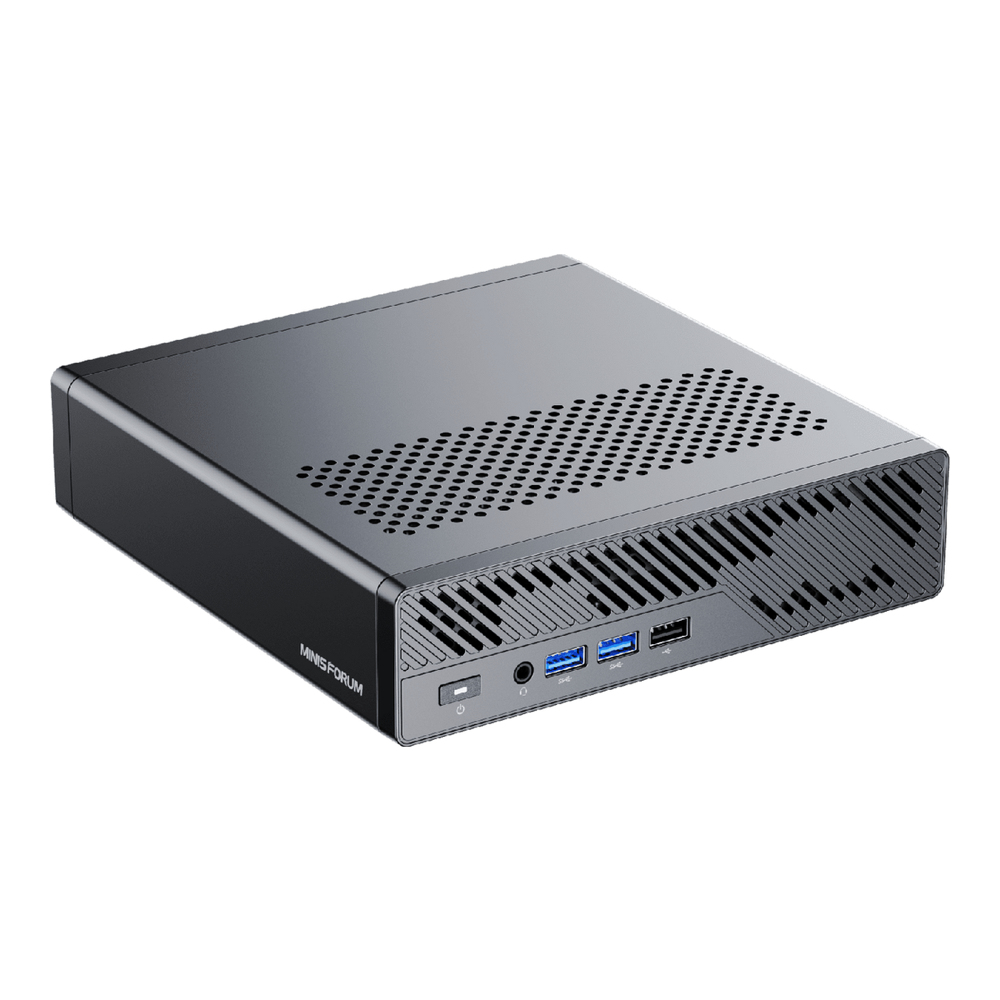
Pick the MS-A2 when cores and PCIe bandwidth matter more than idle power. Sixteen Zen cores with 32 threads, a PCIe 4.0 x8 slot that bifurcates, and three Gen4 M.2 slots make it the best hyperconverged node and the best fit for a low-profile GPU. The 8945HX barebone at $559 is the value pick if Zen 4 is enough.
Where it falls short: no vPro, no USB4, a Realtek second port, the highest load power, and the BIOS 1.03 passthrough bug. The 9955HX barebone was $799.
3. Minisforum MS-01
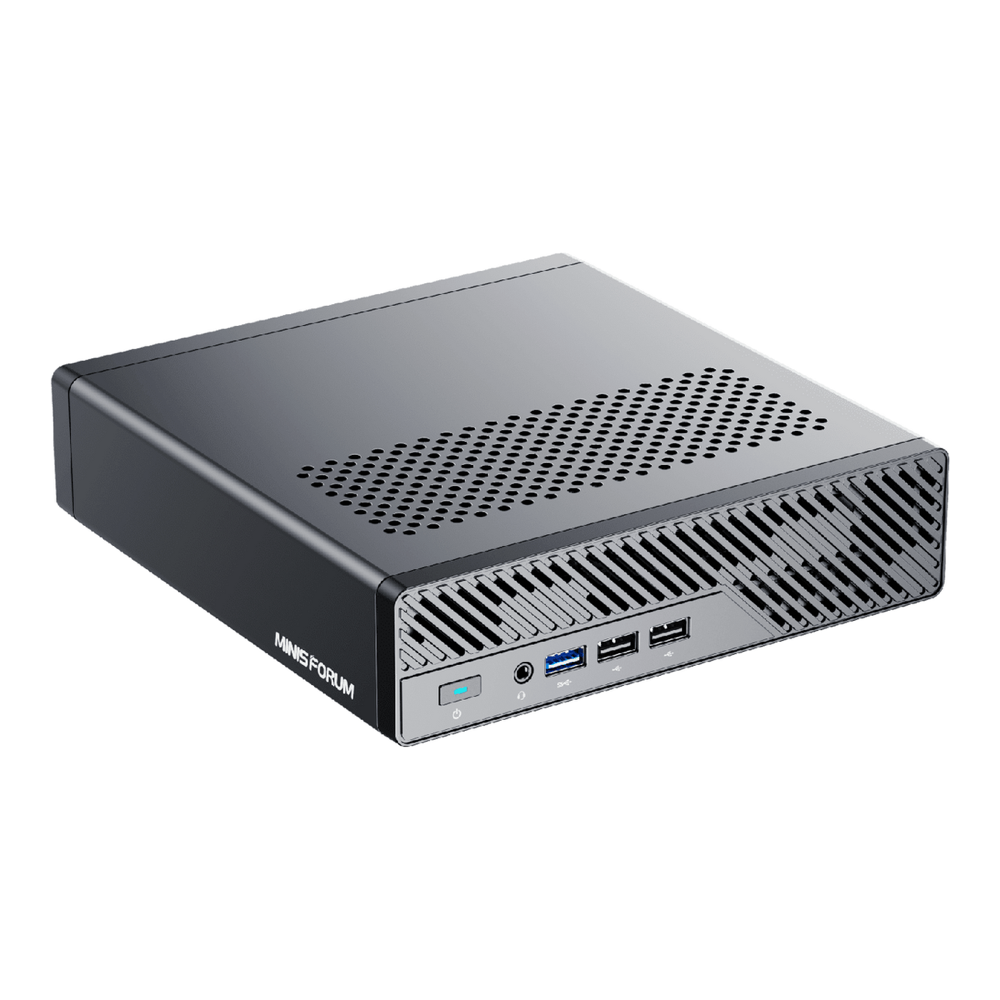
The MS-01 is now the budget entry to the same idea, and it is still a solid Proxmox host. It has the X710 pair, the vPro port and an x8 slot, at a lower price than the others. The i5-12600H barebone at $449 is the cheapest way into a three-node X710 cluster.
Where it falls short: the highest idle power, slower Gen3 slots, the U.2 selector switch, and a history of random reboots on i9-13900H units, often with 96GB of RAM. Most owners on the Proxmox forum report fixing with BIOS 1.24 or later plus current microcode. The i9 barebone was $659. We cover it as a single-box pick in our mini PC for Proxmox guide.
Which box for which homelab job
| Job | Pick | Why |
|---|---|---|
| Ceph or storage node | MS-03 | Two Gen5 x4 slots (slot 1 takes U.2), X710 pair for public and cluster networks, lowest idle |
| Router or firewall VM host | MS-03 (MS-01 on a budget) | X710 SR-IOV for the WAN/LAN VFs, i226-LM with AMT for management |
| GPU passthrough | MS-A2 | PCIe 4.0 x8 with bifurcation and a 240W brick; avoid BIOS 1.03 |
| Plex or Jellyfin with iGPU sharing | MS-03 | In-kernel xe SR-IOV by default |
| Most cores per node | MS-A2 9955HX | 16 cores and 32 threads |
| Cheapest three-node cluster | MS-01 i5 | $449 barebone with the same X710 pair |
| ECC required | None of these | MS-02 Ultra |
Building the cluster itself? Our Ceph homelab build walks through a three-node setup, and the GNS3 and EVE-NG mini PC guide covers these boxes for network labs.
Where each one falls short
- MS-03: PCIe slot cut to x4, a third M.2 slot at x1, and a Realtek 10GbE port with little long-term Proxmox history. The hybrid P, E and low-power E core layout also makes CPU pinning worth planning for latency-sensitive VMs.
- MS-A2: no out-of-band management, no USB4, the hungriest under load, and a BIOS release that broke passthrough.
- MS-01: the oldest platform, the highest idle draw, Gen3 storage on two slots, and an i9 that needed BIOS and microcode updates to stay stable for many owners.