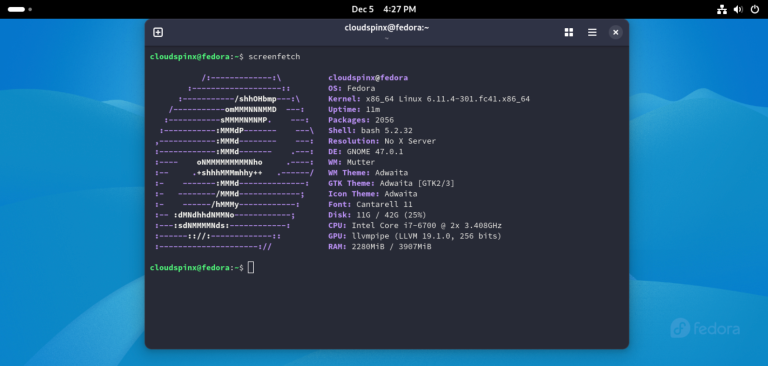
The c-development group gives you GCC, G++, make, gdb and the autotools on Fedora in one dnf command. It is the group most people mean when they search for “Development Tools”. The group actually called Development Tools adds git, patch and systemtap, and on Fedora it doesn’t list a compiler at all.
This guide shows which group to install, why the old groupinstall "Development Tools" line fails on dnf5, and how to compile C, C++, CMake and kernel module projects once the tools are in. We checked every command in October 2026 on a Fedora 45 VM with GCC 16.2, and in Fedora 44 and 43 containers for the version differences.
Which dnf group installs GCC on Fedora?
Install c-development if you want to compile C or C++ code. Fedora splits the toolchain differently from RHEL. On Rocky Linux 10 the Development Tools group carries gcc, g++, make and gdb, while on Fedora the group with that name holds none of them. The IDs differ too: Rocky calls the group development, which does not exist on Fedora, so a RHEL command fails here either way. These are the three groups that matter, as dnf group info listed them on Fedora 45, with the size each one would pull onto a fresh Fedora 45 Cloud VM.
| Group ID | Display name | What it lists | Fresh VM install |
|---|---|---|---|
c-development | C Development Tools and Libraries | gcc, gcc-c++, make, gdb, binutils, autoconf, automake, libtool, bison, flex, pkgconf, strace, plus valgrind, perf and ccache as defaults | 59 packages, 576 MiB |
development-tools | Development Tools | gettext, git, patch, patchutils, diffstat, doxygen, subversion, systemtap | 187 packages, 1 GiB |
rpm-development-tools | RPM Development Tools | rpm-build, redhat-rpm-config, plus rpmdevtools, mock and koji | 110 packages, 271 MiB |
For most people, c-development is the whole answer, because it is the only group that brings a C compiler, a C++ compiler, a debugger and the build tools together. The other two serve narrower jobs and cost more disk than their names suggest, so pick them by what you actually build:
- Pick
c-developmentto compile C or C++ code. - Add
development-toolsto trace kernel or user-space code with systemtap. - Add
rpm-development-toolsto build RPM packages with rpmbuild and mock.
Clang sits outside all three groups, and CMake is only an optional package in c-development, so you install both by name later on this page. dnf skips optional packages unless you pass --with-optional, which would also pull in the 13 other optional tools in that group.
Why does “Development Tools” fail on dnf5?
Two things changed with dnf5, which Fedora has shipped since release 41. The groupinstall shortcut is gone, and group install only matches group IDs, not the display names older guides quote. The first form fails with exit code 2 before dnf even reads the repositories.
Unknown argument "groupinstall" for command "dnf5". Add "--help" for more information about the arguments.
It could be a command provided by a plugin, try: dnf5 install 'dnf5-command(groupinstall)'
Switching to dnf group install "Development Tools" gets further, then stops on the name. We got the same “No match” for every display name we tried, including “C Development Tools and Libraries” and “RPM Development Tools”, and in Fedora 44 and 43 containers too. The message reads like the group does not exist, so it sends people looking for a missing repository or a broken mirror. Nothing is missing, because the same group installs the moment you pass its ID instead of its name.
Failed to resolve the transaction:
No match for argument: Development Tools
You can try to add to command line:
  --skip-unavailable to skip unavailable packages
The help text explains it: the install argument is a “pattern matching group or environment identifiers”. Confusingly, dnf group info "C Development Tools and Libraries" does accept the name, and so does dnf group list, which makes the failure easy to misread as a missing group.

Use the name to look a group up, then install by the ID it prints. The dnf5 cheat sheet lists the other dnf4 habits that changed the same way.
How do you install the C and C++ toolchain?
You need three things before you start, and each one takes a second to confirm:
- The machine runs Fedora 45, 44 or 43, as
cat /etc/fedora-releaseshows. - Your account can run commands with sudo.
dnf repolistlists thefedoraandupdatesrepositories.
Then install the group by its ID.
sudo dnf group install -y c-developmentOn a fresh Fedora 45 Cloud VM this was a 163 MiB download that finished in 38 seconds. This excerpt of the transaction summary is the part worth reading, because it tells you how much the group pulls before you commit to it.
 Installing:        59 packages
Total size of inbound packages is 163 MiB. Need to download 163 MiB.
After this operation, 576 MiB extra will be used (install 597 MiB, remove 22 MiB).
Complete!
Check that the main tools answer. Each command prints one version line, so a missing tool shows up straight away as “command not found”.
gcc --version | head -1
g++ --version | head -1
make --version | head -1
gdb --version | head -1
ld --version | head -1
Your patch versions will move with updates. The GCC major version stays put for the life of a Fedora release, because Fedora only rebases the compiler in a new release.
gcc (GCC) 16.2.1 20260819 (Red Hat 16.2.1-2)
g++ (GCC) 16.2.1 20260819 (Red Hat 16.2.1-2)
GNU Make 4.4.1
GNU gdb (Fedora Linux) 17.2-6.fc45
GNU ld version 2.47.20260726
The same group also installs autoconf, automake, pkgconf, valgrind and strace, so autotools projects and memory checks work without another install. Valgrind, perf and ccache are default members of the group rather than mandatory ones, and a plain group install includes default packages. You only need to add tools by hand when they sit in the optional list.

If any of those lines is missing, run dnf group list --installed and confirm c-development shows as installed. A partial install usually means the transaction was interrupted, and running the group install again finishes it.
Do you need the development-tools group too?
Probably not, and it costs more than its package list suggests. On our VM sudo dnf group install -y development-tools installed 187 packages and used 1 GiB, largely because systemtap builds its probes as kernel modules. That one default package pulls in systemtap-devel, which requires gcc and make, and its weak dependency kernel-devel came to about 238 MiB on its own.
So the group does leave you with gcc and make, which is why some people think it is the compiler group. You get them as dependencies of a tracing tool, though, without g++, gdb or the autotools. If all you wanted was git, sudo dnf install git is the light way to add it.
How do you compile a first C and C++ program?
A two-file test proves the compiler, the C library headers and the linker work together. Create a project directory and open a C file in it.
mkdir -p ~/hello && cd ~/hello
vim hello.c
Paste this program. It prints the GCC major and minor version from the compiler’s own macros, which makes it a quick check of which compiler actually built the binary.
#include <stdio.h>

int main(void)
{
    printf("Hello from GCC %d.%d on Fedora\n", __GNUC__, __GNUC_MINOR__);
    return 0;
}
Open a second file, hello.cpp, in the same directory for the C++ test.
vim hello.cppThis one uses std::format, which only exists from C++20 onwards, so it also tells you which language standard g++ picked.
#include <format>
#include <iostream>

int main()
{
    std::cout << std::format("C++ standard {} from g++\n", __cplusplus);
}
Compile both with warnings on and run them.
gcc -O2 -Wall -o hello-c hello.c && ./hello-c
g++ -O2 -Wall -o hello-cpp hello.cpp && ./hello-cpp
Both built cleanly on Fedora 45. The value 202002 is how the compiler spells C++20.
Hello from GCC 16.2 on Fedora
C++ standard 202002 from g++
For anything bigger than one file you will want make. Save this as Makefile in ~/hello. It builds the same C program with one explicit rule, and the recipe line under the target has to start with a tab, not spaces.
CFLAGS = -O2 -Wall

hello: hello.c
	$(CC) $(CFLAGS) -o $@ $<

clean:
	rm -f hello
Run make, then ./hello. Make echoed cc -O2 -Wall -o hello hello.c before building, because CC defaults to cc, which is GCC on Fedora. That default is useful, because you can switch compilers without editing the file: make CC=clang overrides the variable for one run. Keep the compiler out of the Makefile for that reason, so the same file works on every machine you build on.
Which C and C++ standard does GCC use by default?
Fedora 45 and 44 default to the GNU dialects of C23 and C++20 (gnu23 and gnu++20), while Fedora 43 still defaults to gnu++17. That difference matters if you share code between machines, because a C++20 feature that builds on a Fedora 45 laptop fails on a Fedora 43 CI runner. We read each default from the compiler’s predefined macros.
| Release | GCC | Default C (__STDC_VERSION__) | Default C++ (__cplusplus) | CMake in repos | Clang in repos |
|---|---|---|---|---|---|
| Fedora 45 | 16.2.1 | 202311L (C23) | 202002L (C++20) | 4.3.0 | 23.1.2 |
| Fedora 44 | 16.2.1 | 202311L (C23) | 202002L (C++20) | 4.3.0 | 22.1.8 |
| Fedora 43 | 15.3.1 | 202311L (C23) | 201703L (C++17) | 3.31.11 | 21.1.8 |
The C++20 default is new in GCC 16, as the GCC 16 release notes say. On Fedora 43 the same hello.cpp stopped at the compile step, and the error names the fix.
/src/hello.cpp: In function 'int main()':
/src/hello.cpp:6:23: error: 'format' is not a member of 'std'
    6 |     std::cout << std::format("C++ standard {} from g++\n", __cplusplus);
      |                       ^~~~~~
/src/hello.cpp:6:23: note: 'std::format' is only available from C++20 onwards
Passing -std=c++20 made the Fedora 43 build print the same 202002 line as Fedora 45. Set the standard explicitly in your build files, with -std= in a Makefile or CMAKE_CXX_STANDARD in CMake, and the code builds the same on every release. CMake still picks the GNU dialect unless you also set CMAKE_CXX_EXTENSIONS to OFF, which matters if you want strict ISO C++.
How do you fix “fatal error: curl/curl.h: No such file or directory”?
Install the library’s -devel package. Fedora ships headers separately from the runtime library, so a box can run curl all day and still fail to compile a program that includes curl/curl.h. This small program reproduces it.
#include <stdio.h>
#include <curl/curl.h>

int main(void)
{
    curl_version_info_data *v = curl_version_info(CURLVERSION_NOW);
    printf("linked against libcurl %s\n", v->version);
    return 0;
}
Save it as fetch.c and build it with gcc -o fetch fetch.c -lcurl. With only the toolchain installed, GCC stops on the include line.
fetch.c:2:10: fatal error: curl/curl.h: No such file or directory
    2 | #include <curl/curl.h>
      |          ^~~~~~~~~~~~~
compilation terminated.
Ask dnf which package owns the missing path. The glob in front of the header name matters, because dnf matches it against the full file path in the repository metadata. Without the prefix, dnf provides curl.h answered “No matches found” and suggested the wildcard itself. Quote the pattern as well, so your shell passes the asterisk to dnf instead of expanding it against the current directory.
dnf provides '*/curl/curl.h'It returned libcurl-devel for both architectures. Install the x86_64 one by plain name, then let pkgconf supply the compiler and linker flags, so you never have to guess include paths.
sudo dnf install -y libcurl-devel
gcc -o fetch fetch.c $(pkg-config --cflags --libs libcurl) && ./fetch
The build went through and the binary reported the library it linked against, which proves the headers and the shared library came from the same package set.
linked against libcurl 8.21.0The same steps work for any missing header, in this order:
dnf provides '*/name.h'names the package that owns the header.- The
-develpackage it names installs without errors. pkg-config --cflags --libsprints flags for the library, and the build uses them.
Expect a -devel package to bring company. libcurl-devel pulled 21 packages, mostly the -devel halves of libraries curl links to, such as krb5, nghttp2 and brotli, because its pkg-config file lists them as private requirements for static linking, and Fedora turns each of those into a package dependency. That is normal, so there is no reason to hunt for a slimmer package, and what it adds is mostly headers and pkg-config files.
How do you add CMake and Clang?
Install them by package name, because neither is a default member of the groups above. CMake is only an optional package in c-development, so the group install left cmake: command not found on our VM.
sudo dnf install -y cmake clangAdd a CMakeLists.txt next to hello.c to try CMake on the same program; this is the file we built with.
cmake_minimum_required(VERSION 3.20)
project(hello C)
add_executable(hello hello.c)
Configure into a separate build directory, then build, so the generated files stay out of your source tree.
cmake -S . -B build
cmake --build build
./build/hello
CMake found GCC on its own and the binary printed the same greeting. To build with Clang instead, add -DCMAKE_C_COMPILER=clang to the first command on a fresh build directory.
One Clang detail caught us out. We compiled hello.c with clang -O2 -Wall -o hello-clang hello.c and the program printed “Hello from GCC 4.2 on Fedora”. Clang defines __GNUC__ as 4 and __GNUC_MINOR__ as 2 so that code written for GCC still compiles, which means those macros can’t tell you which compiler you have. Check __clang__ first if your code needs to know.
How do you build a kernel module on Fedora?
You need kernel-devel for the kernel you are running, and c-development does not include it. That is where most module builds break. On our first VM the development-tools group had installed kernel-devel-7.2.11, matching the kernel an earlier dnf upgrade had installed, while the machine was still running 7.2.7 because it had not rebooted since. This is a minimal module and the standard out-of-tree Makefile for it.
#include <linux/module.h>
#include <linux/init.h>

static int __init hello_init(void)
{
	pr_info("hello: loaded\n");
	return 0;
}

static void __exit hello_exit(void)
{
	pr_info("hello: unloaded\n");
}

module_init(hello_init);
module_exit(hello_exit);
MODULE_LICENSE("GPL");
Save that as hello.c in its own directory, with this Makefile beside it. As with any Makefile, the two recipe lines start with a tab.
obj-m += hello.o

all:
	make -C /lib/modules/$(shell uname -r)/build M=$(CURDIR) modules

clean:
	make -C /lib/modules/$(shell uname -r)/build M=$(CURDIR) clean
Running make on the mismatched machine failed straight away. The build link under /lib/modules points at /usr/src/kernels/7.2.7-300.fc45.x86_64, and nothing had installed that directory. The link itself belongs to kernel-modules-core, so it exists for every installed kernel, while the tree it points to only arrives with the matching kernel-devel. A link that exists but leads nowhere is exactly what make reports here.
make[1]: *** /lib/modules/7.2.7-300.fc45.x86_64/build: No such file or directory.  Stop.
make: *** [Makefile:4: all] Error 2
The obvious fix, sudo dnf install kernel-devel-$(uname -r), returned “No match for argument”, because the mirrors only carried kernel-devel for the newer kernel. Headers for a superseded kernel update leave the mirrors once the next update lands, so the reliable order is to bring the kernel up to date, boot into it, then install the headers for exactly that kernel. Start with the upgrade and the reboot.
sudo dnf upgrade --refresh
sudo systemctl reboot
Then install the headers for the kernel you booted. On a fresh Fedora 45 VM with only c-development installed, this added six packages, and rpm -q kernel-devel-$(uname -r) then printed the package name instead of “is not installed”.
sudo dnf install -y kernel-devel-$(uname -r)After the reboot uname -r read 7.2.11 and make produced hello.ko on both VMs. Loading it ran into the next wall, Secure Boot, which our VM had enabled. A clean build is not proof that the module will load, because Fedora with Secure Boot on refuses any module the kernel cannot verify, whoever built it.
insmod: ERROR: could not insert module hello.ko: Key was rejected by serviceThe kernel log added “Loading of unsigned module is rejected”. The build was fine; the kernel only loads modules signed by a key it trusts. Check mokutil --sb-state, and if it reports Secure Boot enabled, sign the module with your own key and enroll that key as shown in our Secure Boot and MOK guide for Fedora.

For drivers you don’t write yourself, such as NVIDIA or VirtualBox, the akmods packages rebuild the module on every kernel update and sign it once a signing key exists. In our VirtualBox on Fedora test that key only appeared after running kmodgenca -a, and it still had to be enrolled once with mokutil --import before Secure Boot accepted the module.
How do you remove the development tools?
Remove the group by ID, the same way you installed it, and add development-tools to the command if you installed that group too. dnf removes most of the packages each group brought in, but not all of them, so read the transaction summary before you confirm, the same way you did on install.
sudo dnf group remove -y c-developmentOn the fresh VM, which had only c-development plus the kernel-devel package from the module section, dnf removed 29 packages and freed 304 MiB, but kept 12 group members and switched them to dependencies. For gcc, make, bison and flex the reason is clear, because kernel-devel requires them. It also kept automake, ccache and ctags, which nothing on the box required, so group removal alone does not leave a clean machine. Run dnf history info last to see what it kept, then clear the leftovers. autoremove removes every package on the system that nothing needs any more, not only these, so read its list before you confirm.
sudo dnf autoremoveOn our VM autoremove offered 18 packages and 62 MiB, including autoconf, automake, ccache, ctags and valgrind. gcc and make stay until you also remove kernel-devel, which is the package still holding them.
If you also work in Python, Node.js, Go or Rust, our language runtimes guide for Fedora covers those toolchains, and the GCC guide for RHEL, Rocky and AlmaLinux covers the RHEL side, where the group names differ.
How do you check the setup is complete?
Run through these on a new Fedora machine and each item tells you on its own whether that step worked.
dnf group list --installedlistsc-development.gcc --versionandg++ --versionprint the same GCC release.hello-candhello-cppbuild with-Walland print their greetings.- Your build files set the language standard with
-std=orCMAKE_CXX_STANDARD. cmake --versionanswers, if you build with CMake.rpm -q kernel-devel-$(uname -r)prints a package name before you build a module.
When a header is missing later, run dnf provides for it before searching the web, since the -devel package it names is almost always the whole fix. Editor setup comes next for most people, and VS Code on Fedora picks up GCC, gdb and CMake from the paths this group installs.