Choosing Minecraft server hardware for home comes down to two questions: how many players are online at once, and whether they play modded Java or Bedrock. Your answers move the right box from a $349 mini PC to a $1,000 one. A Java server runs its game loop on one main thread, so single-core speed decides how many people you can host smoothly. RAM is the easier thing to get wrong, because most guides tell you to buy far more than the server can use.
We pushed a Paper server on a 4-core lab VM from zero to 40 sprinting bots, then measured Fabric and Bedrock on the same box. The sizing below comes from those tick times, while the hardware itself is judged on maker spec sheets, PassMark scores and live Amazon listings, since we did not run these boxes in person. If you still need the install steps, our Minecraft server on Ubuntu guide covers Java, systemd and the firewall. Prices and stock below were checked in October 2026.
Which Minecraft server hardware should you buy?
For most households the Beelink SER8 is the best mini PC for a Minecraft server. Its Ryzen 7 8745HS scores 3,718 in PassMark’s single-thread test, it ships with 32GB of DDR5, and it runs Paper or lightly modded Fabric for a group of friends with room to spare. Pick by who is playing, not by the biggest spec you can afford:
- Two to five players, vanilla Java or Bedrock: Beelink Mini S13 (Intel N150, 16GB). Cheap to buy and to run 24/7, and Bedrock idled at 344 MiB in our test.
- Five to twenty players on Paper or Fabric: Beelink SER8 (Ryzen 7 8745HS, 32GB). Over 1.6 times the single-thread score of the CPU we load-tested on.
- Big modpacks or two servers at once: Minisforum UM890 Pro (Ryzen 9 8945HS, 32GB, up to 96GB). Swapping both SODIMMs for a 2x48GB kit takes it to 96GB for a second server, and a second M.2 slot holds the backups.
- Building a tower instead: AMD Ryzen 5 9600X. Its single-thread score is within 2% of the Ryzen 7 9700X for about half the price.
You don’t need a graphics card for any of these. The server never renders a frame, so a GPU only adds idle watts to a box that runs all day. The money you’d spend on one buys a faster CPU instead, and that is the part a tick actually waits on.
How much RAM and CPU a Minecraft server needs by player count
A Paper server for up to about 20 players needs a 4GB to 8GB heap and a CPU with strong single-core speed, a big modpack needs 10GB to 12GB, and Bedrock needs well under 1GB at idle. The table below turns our load test, PaperMC’s memory guidance and a host’s figure for a 500-mod pack into a starting point for each group size. The “heap” column is what you pass to Java with -Xmx; the “box” column is the total RAM the machine needs so the OS, backups and a second service have room.
| Who plays | Server type | Java heap | Box RAM | CPU class | Our pick |
|---|---|---|---|---|---|
| 2-5 players | Bedrock Dedicated Server | n/a (no heap setting) | 8GB | Intel N150 | Beelink Mini S13 |
| 2-5 players | Vanilla Java or Paper | 4GB | 8-16GB | Intel N150 | Beelink Mini S13 |
| 5-20 players | Paper, Purpur or Fabric with performance mods | 6-8GB | 16-32GB | Ryzen 7 8745HS | Beelink SER8 |
| 20-40 players | Paper with plugins | 8-10GB | 32GB | Ryzen 9 8945HS or Ryzen 5 9600X | UM890 Pro or a 9600X tower |
| Any size, 300+ mods | NeoForge or Forge modpack | 10-12GB | 32GB | Ryzen 9 8945HS or Ryzen 7 9700X | UM890 Pro or a 9700X tower |
| Two or more servers | Any mix, on Proxmox or Docker | Per server, as above | 64GB | Ryzen 7 9700X | 9700X tower |
The 4GB row deliberately goes below PaperMC’s advice. Its tuning guide recommends at least 6GB to 10GB however few players a server has, but our Paper server’s memory flattened out at 3.7 to 3.9 GiB with a 4GB heap all the way to 40 bots, so a small vanilla group fits in 4GB. Move to PaperMC’s 6GB floor once you add plugins or real farms. The same guide says giving a single server 32GB will only waste your money with minimal returns, and that point we fully agree with. For the modpack row, the Minecraft host WinterNode lists 10GB to 12GB for All the Mods 10, a pack of around 500 mods. Big packs also tend to sit on an older Minecraft version than the current release, so check which version your pack targets before you install Java.
Core count is the column people over-buy. The Minecraft Wiki’s server requirements page says the Java server wants good single-core performance and uses about three cores at most, with simultaneous multithreading adding little. Our own numbers agree: the Java process never used more than about 0.8 of a core while tick times climbed with every player added.
What 40 bots did to a 4-core Paper server
Paper held a perfect 20 TPS with 40 bots on a 4-core VM backed by a 2015 Intel Core i7-6700, and the average tick time grew from 5.3 ms at 10 bots to 23.0 ms at 40. A server has 50 ms per tick at 20 TPS. The average stayed well inside that at 40 bots, but from 20 bots on single ticks already spiked past 50 ms, so for real players we’d treat about 20 as that machine’s comfortable limit. A newer CPU pushes that line further out. We used mineflayer bots that join about 1.5 seconds apart, then sprint and jump in different directions across a pre-generated world:
- Host: Proxmox VM with 4 vCPUs (one thread per core) on an Intel Core i7-6700, 12GB RAM, Ubuntu 26.04 LTS.
- Server: Paper with
-Xms4G -Xmx4G, view-distance 10 and simulation-distance 10 (the defaults), and a 1,000-block radius pre-generated with Chunky. - Reading: Paper’s
msptandtpscommands, Java’s resident memory fromps, and CPU fromtop, all taken 180 seconds after each run started.
One snag shaped the test. The mineflayer README lists support up to Minecraft 26.1, while the current release is 26.3, so the bot runs used the newest Paper that mineflayer supports on the same VM. For the 30 and 40 bot runs we raised max-players to 40 and restarted the server, and a few bots died and respawned during the runs. The idle and chunk generation figures further down come from the current release.
| Bots online | Avg tick, last 5 s | Worst tick, last 1 min | TPS | Java memory (RSS) | Java CPU |
|---|---|---|---|---|---|
| 0 | 0.2 ms | 0.4 ms | 20.0 | 1.82 GiB | under 4% |
| 5 | 5.4 ms | 13.2 ms | 20.0 | 3.22 GiB | 10-20% |
| 10 | 5.3 ms | 14.5 ms | 20.0 | 3.68 GiB | 10-21% |
| 20 | 10.4 ms | 53.7 ms | 20.0 | 3.74 GiB | 30-56% |
| 30 | 16.5 ms | 73.5 ms | 20.0 | 3.75 GiB | 59-61% |
| 40 | 23.0 ms | 81.5 ms | 20.0 | 3.91 GiB | 64-82% |
Read the average and the worst column separately. The average roughly doubled from 10 to 20 bots and kept rising in a straight line, which is what a CPU-bound main thread looks like. The worst tick tells the other story: from 20 bots up, single ticks in the last minute ran past the 50 ms budget, and players feel those as rubber-banding even while TPS still reads 20.0. Memory flattened out at about 3.7 GiB from 10 bots on, because the 4GB heap cap was doing its job. More RAM would not have helped this server at all.

Bots are a light load, and real players cost more. They don’t build redstone clocks, breed animals or run hopper-heavy farms, which is where survival servers usually spend their tick time. Treat these numbers as the best case for a given CPU, then scale by single-thread score. The SER8’s 8745HS scores about 1.6 times our i7-6700, so you can expect the average for the same 40-bot load to land well inside the budget, with the worst ticks close to it. The N150 in the Mini S13 scores about 17% lower, so keep it for small groups.
Paper, Fabric and Bedrock idle on the same box
Bedrock is the lightest server by a wide margin, and that changes the budget pick for families who play on consoles and phones. On the same VM, with nobody connected, each server settled at these figures about a minute after it finished starting:
| Server | Java flags | Idle memory (RSS) | Default port | Default max players |
|---|---|---|---|---|
| Paper (current release) | -Xms4G -Xmx4G | 2.40 GiB | 25565 | 20 |
| Fabric + Fabric API + Lithium | -Xms4G -Xmx4G | 1.72 GiB | 25565 | 20 |
| Bedrock Dedicated Server | none (native binary) | 344 MiB | 19132 (IPv6 19133) | 10 |
The Java numbers depend mostly on the heap you set and how much of it the JVM has touched so far. That is why Fabric with Lithium sat lower than Paper at the same 4GB heap. Bedrock has no memory setting at all. The Minecraft Wiki notes it is less memory hungry than Java, and that matches what we saw. Bedrock also shipped with an empty allow list switched on: its first boot printed Allow list is enabled but contains no entries, so nobody can join until you run allowlist add <playername> for each player or turn the list off.
Whichever server you pick, friends outside your home reach it through your router, so the ports in that table are the ones to forward to the box:
- Java (vanilla, Paper, Fabric): TCP 25565, the
server-portdefault inserver.properties. - Bedrock over IPv4: UDP 19132, the
server-portdefault in Bedrock’sserver.properties. - Bedrock over IPv6: UDP 19133, set by
server-portv6.
Chunk generation didn’t reward extra cores much either. Pre-generating a 1,000-block radius (16,129 chunks) with Chunky took 5 minutes 44 seconds and 8 minutes 29 seconds on two four-core runs, and 6 minutes 46 seconds with Java pinned to two cores, so the difference sat inside run-to-run noise. During the fast run the whole VM averaged under 29% user CPU, roughly one core of four. The pre-generated world used about 170MB to 210MB of disk, so you won’t run out of space; drive speed matters more when players fly into new terrain.
The picks at a glance
Single-thread score is the column to compare first, then RAM capacity. Prices move daily during the 2026 memory shortage, so treat the bands as a guide and check the listing before you buy:
| Pick | CPU / spec | PassMark single-thread | RAM | Best for | Approx price |
|---|---|---|---|---|---|
| Beelink SER8 | Ryzen 7 8745HS, 8C/16T | 3,718 | 32GB DDR5-5600, 2 SODIMM | 5-20 players, Paper or Fabric | about $859 |
| Beelink Mini S13 | Intel N150, 4C/4T | 1,890 | 16GB DDR4, 16GB max | 2-5 players, Bedrock or vanilla | about $349 |
| Minisforum UM890 Pro | Ryzen 9 8945HS, 8C/16T | 3,795 | 32GB DDR5-5600, 96GB max | Modpacks, 20+ players | about $989 |
| AMD Ryzen 5 9600X | 6C/12T, up to 5.4 GHz | 4,569 | DDR5, AM5 | Tower build, one big server | about $179 |
| AMD Ryzen 7 9700X | 8C/16T, up to 5.5 GHz | 4,643 | DDR5, AM5 | Several servers on one host | about $325 |
| Crucial DDR5-5600 SODIMM | 2x16GB kit | n/a | 32GB | Mini PC upgrades | about $541 |
| TEAMGROUP T-Force Vulcan | 2x32GB DDR5-6000 CL38 | n/a | 64GB | AM5 tower with several servers | about $990 |
| Samsung 990 PRO 2TB | PCIe 4.0 x4 NVMe | n/a | n/a | World storage and backups | about $410 |
Look at the RAM rows before the CPU rows. A 32GB SODIMM kit costs more than the whole Mini S13, and the SER8 arrives with 32GB already fitted for $859. In this market a mini PC that ships with its memory installed is usually the cheaper way to get RAM, which is a reversal of the usual advice to buy a barebone and add your own.
1. Beelink SER8 (best mini PC for a Minecraft server)
The SER8 wins because it has a fast Zen 4 core, enough memory and a sensible price in one box. AMD rates the Ryzen 7 8745HS at 8 cores and 16 threads with a 4.9 GHz boost and a 45W default TDP. Beelink pairs it with dual-channel DDR5-5600 in two SODIMM slots, two PCIe 4.0 M.2 slots and a 2.5GbE port. Its single-thread score is about 1.6 times the i7-6700 that ran our 40-bot test at 20 TPS, so we’d expect a Paper server for 20 friends to leave plenty of headroom, though that is an estimate from bots rather than a measurement on this box.
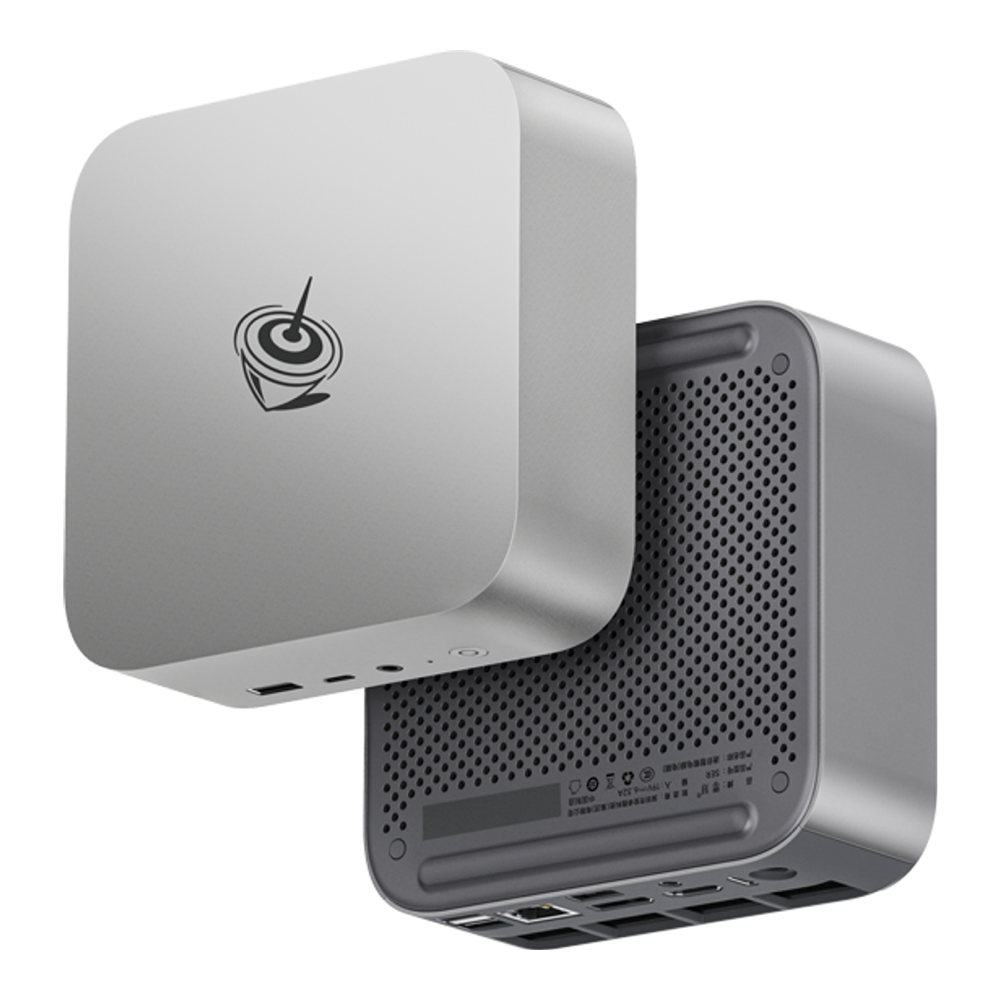
Buy it if you host five to twenty players on Paper, Purpur or Fabric, or want Docker and a second small service on the same box. Pass on it if you only run Bedrock for two kids, because the Mini S13 does that for less than half the price. The Amazon listing was marked as scarce when we checked, and Beelink’s own US store listed the SER8 as pre-order, so stock can disappear before a sale.
Price: approx $859 with 32GB and 1TB. Check the live price on Amazon.
2. Beelink Mini S13 (budget pick for Bedrock and small groups)
The Mini S13 is the cheapest box here that still makes sense, and it’s the right one for Bedrock. Its Intel N150 has four cores without SMT, a 3.6 GHz turbo and a 6W TDP, and the box comes with 16GB of DDR4, which is also the most this platform takes. A PassMark single-thread score of 1,890 puts it about 17% behind our test CPU, so plan on a handful of players on vanilla Java or Paper, while Bedrock’s 344 MiB idle footprint leaves it nearly untouched.

This is the box for a family Bedrock world, or for two to five friends on vanilla Java who never install mods. Rule it out the moment anyone mentions a modpack, since a 10GB to 12GB heap on a 16GB machine leaves almost nothing for the OS. The Amazon title advertises dual 2.5G LAN, Beelink publishes no Mini S13 spec page to confirm it, and the unit pictured shows one port; either way, one 2.5GbE port is all a Minecraft server needs. Beelink’s EQ14 uses the same N150 and would be an equal pick, but every EQ14 listing on Amazon was unavailable when we checked.
Price: approx $349. Check the live price on Amazon.
3. Minisforum UM890 Pro (best for modded servers)
The UM890 Pro is the mini PC to buy when a modpack is on the table. Its Ryzen 9 8945HS is the same 8-core Zen 4 design as the SER8 with a 5.2 GHz boost, and Minisforum supports up to 96GB of DDR5-5600 across two SODIMM slots. Two PCIe 4.0 M.2 slots, two 2.5GbE ports and an OCuLink port round it out. The single-thread score is only 2% above the SER8, so the extra money buys memory headroom and expansion rather than faster ticks.

Pick it when you run a NeoForge or Forge modpack that wants a 10GB to 12GB heap, or a modded server and a vanilla one side by side under Proxmox containers. If your group plays vanilla or Paper, the SER8 ticks just as fast for about $130 less. If you plan to grow it past 32GB, budget for the memory now; the 64GB kit below was a single third-party offer when we looked.
Price: approx $989 with 32GB and 1TB. Check the live price on Amazon.
4. AMD Ryzen 5 9600X (best CPU for a Minecraft server build)
If you’re building a tower, the Ryzen 5 9600X is the best CPU for a Minecraft server on value. AMD lists it at 6 cores and 12 threads, up to 5.4 GHz, 65W on the AM5 socket, and PassMark rates its single thread at 4,569, roughly twice our test CPU and 23% above the 8745HS in the SER8. Since a Java server leans on about three cores at most, the six it has are already more than one server uses, and the money you save over the 9700X goes to RAM.

It suits a single large Paper server for 20 to 40 players, or anyone reusing a case, PSU and drives from an old gaming PC. A mini PC is the better buy if you want something small and quiet on a shelf, because the CPU is only the start of a tower. The wider CPU picture for always-on machines is in our home server CPU guide.
Before you price the build, add the parts a bare AM5 CPU needs around it:
- A cooler: AMD ships the 9600X without one, so budget for a tower air cooler.
- DDR5 memory: AM5 takes DDR5 only, and AMD rates it at DDR5-5600 with two sticks.
- An AM5 board and a case: reuse a case and PSU if you have them, since the server draws little power.
Price: approx $179, from a third-party seller when we checked. Check the live price on Amazon.
5. AMD Ryzen 7 9700X (for several servers on one host)
The 9700X earns its place only when you run more than one server. It has 8 cores, 16 threads and a 5.5 GHz boost at the same 65W, but its PassMark single-thread score of 4,643 is within 2% of the 9600X, so one server ticks no faster on it. The gain is the two extra cores and a PassMark multi-thread score about 23% higher (36,921 against 30,030), which counts once several servers, their chunk generation and other homelab VMs share the box.

The 9700X makes sense for a small community network, or a homelab box where Minecraft shares the CPU with other VMs. If you’ll only ever run one world, the 9600X gives you the same tick speed for about $145 less. Like the 9600X, it ships without a cooler, and the Amazon offer when we checked was a third-party seller with one unit left, so expect stock to come and go.
Price: approx $325. Check the live price on Amazon.
6. Crucial DDR5-5600 SODIMM kit (RAM for a mini PC server)
Buy SODIMMs only when a mini PC needs more than it shipped with, and buy the 32GB kit unless you have a reason not to. Crucial’s CT2K16G56C46S5 is two 16GB DDR5-5600 sticks that run at 5600, 5200 or 4800 depending on the platform, and Amazon itself was selling it in stock when we checked. The 64GB version (CT2K32G56C46S5) is the upgrade for a UM890 Pro running several servers, but it was a single third-party offer at about $1,160 with one unit left.
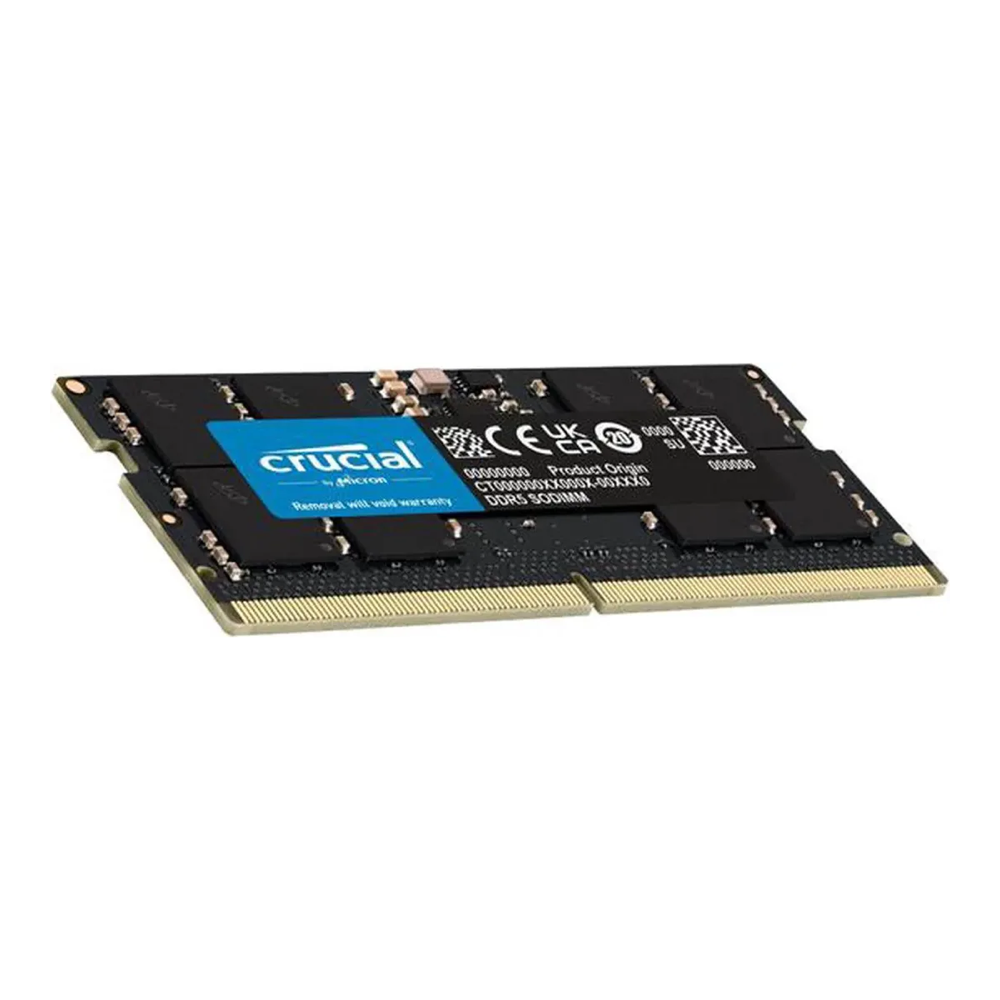
You need this kit if you own a barebone mini PC, or a 16GB unit that now hosts a modpack. Leave it alone if your mini PC already has 32GB, since our test server never used more than 3.91 GiB with a 4GB heap and even a big modpack fits in 12GB. Both DDR5 picks above ship with 32GB, and the Mini S13 has a DDR4 SODIMM slot, so this kit does not fit it. For stick-by-stick detail, see our DDR5 RAM guide.
Price: approx $541 for 2x16GB, about $1,160 for 2x32GB. Check the live price on Amazon.
7. TEAMGROUP T-Force Vulcan 64GB DDR5-6000 (RAM for an AM5 tower)
For a Ryzen 9000 tower that will run several servers, the T-Force Vulcan 64GB kit was the cheapest 64GB DDR5-6000 kit we found on Amazon. It’s two 32GB sticks at CL38 and 1.35V with both AMD EXPO and Intel XMP 3.0 profiles and a lifetime warranty. AMD rates Ryzen 9000 memory at DDR5-5600 with two DIMMs, so 6000 is an EXPO overclock; turn the profile on in the BIOS, or the kit runs at its slower JEDEC default.

Fit it to the 9700X build hosting two or three servers, or to a Minecraft box that is also your homelab. A tower running one server doesn’t need it; a 32GB kit is plenty, and at shortage prices this kit costs about three times as much as the 9700X itself. The G.Skill Trident Z5 Neo at CL30 is the faster alternative, at about $1,200.
Price: approx $990. Check the live price on Amazon.
8. Samsung 990 PRO 2TB (storage for worlds and backups)
Every mini PC here already ships with a 1TB or 500GB SSD. A second drive earns its slot as the place your backups land, away from the drive the world lives on. The 990 PRO 2TB is a PCIe 4.0 x4 drive that Samsung rates at 7,450 MB/s read, 6,900 MB/s write and 1,200 TBW, with a 5-year warranty. Our pre-generated world took about 210MB at most, so 2TB holds years of nightly world copies and a few modpack installs.

It belongs in the SER8 or UM890 Pro, which both have a free PCIe 4.0 M.2 slot, or in any tower build. Skip it on the Mini S13, where the drive would cost more than the computer, and skip it if you already back up to a NAS. Our NVMe guide for servers covers cheaper drives if speed is not the point.
Price: approx $410. Check the live price on Amazon.
What to look for in Minecraft server hardware
Four things decide whether a box hosts your group well, in this order. Get the first one right and the rest are easy:
- Single-thread speed: the main tick runs on one core, so compare PassMark single-thread scores, not core counts. In our test, tick time rose in a straight line with players while the Java process used under one core.
- RAM you can actually give the heap: size the box at roughly twice the heap. Our server’s memory levelled off just under 4 GiB with a 4GB heap, so the machine only needs the heap plus room for the OS and backups.
- Java or Bedrock: Bedrock idled at 344 MiB against 1.72 GiB to 2.40 GiB for the Java servers, which is why it runs well on the cheapest box.
- Wired network and upload speed: the Minecraft Wiki’s Bedrock page calls Ethernet faster and more stable than Wi-Fi and asks for about 5 Mbps up per 10 players. Your home upload is often the real limit for friends joining from outside.
Every mini PC here has at least one 2.5GbE port, which is far more than a game server uses, so the port count only matters if the box also routes or serves media. Power draw matters more, because your server runs all day. A 45W mobile Ryzen or a 6W N150 costs much less to keep on than a desktop tower with a graphics card it never uses. For the install itself, an Ubuntu box with Docker Compose makes it easy to run Paper and Bedrock side by side and back up each world folder on its own.
Minecraft server sizing mistakes to avoid
Most bad Minecraft server builds come from one of four beliefs that our numbers don’t support:
- “More RAM means less lag”: lag is tick time, and tick time is CPU. Our server held 3.7 GiB to 3.9 GiB from 10 to 40 bots while the average tick went from 5.3 ms to 23.0 ms.
- “16 cores will run more players”: the main thread uses one core, and the Minecraft Wiki puts the server at about three cores at most. Our two-core chunk pre-generation run landed between two four-core runs.
- “TPS 20 means no lag”: at 20 bots our TPS read 20.0 while single ticks hit 53.7 ms. Watch Paper’s
msptmaximum, not only TPS. - “Set -Xmx to everything the box has”: a heap that fills the machine leaves nothing for the OS, backups or a second service. Set
-Xmsequal to-Xmx, as PaperMC advises, and leave the rest free.
If you still can’t decide, start with the SER8 and a 6GB heap on Paper, watch mspt for a week of real play, and only spend more when the worst-tick number keeps crossing 50 ms. That reading tells you whether the next upgrade is a faster CPU or simply fewer farms, and it costs nothing to check. If the same box should also run VMs, our mini PCs for Proxmox list is the next step.