


osw.close();//close包含了close和flush的作用
一般默认编码就够了。
查看源码,发现OutputStreamWriter有5个write方法。
/*
-
OutputStreamWriter的方法:
-
public void write(int c):写一个字符
-
public void write(char[] cbuf):写一个字符数组
-
public void write(char[] cbuf,int off,int len):写一个字符数组的一部分
-
public void write(String str):写一个字符串
-
public void write(String str,int off,int len):写一个字符串的一部分
-
面试题:close()和flush()的区别?
-
A:close()关闭流对象,但是先刷新一次缓冲区。关闭之后,流对象不可以继续再使用了。
-
B:flush()仅仅刷新缓冲区,刷新之后,流对象还可以继续使用。
*/
OutputStreamWriter osw = new OutputStreamWriter(new FileOutputStream(“c.txt”));//查看源码,java8 默认utf-8
//写一个字符
osw.write(‘a’);
osw.write(97);
osw.write(‘中’);
// 为什么数据没有进去呢?
// 原因是:字符 = 2字节
// 文件中数据存储的基本单位是字节。
// void flush()
osw.flush();
//写一个字符数组
char[] chars = {‘a’,‘b’,‘中’,‘国’};
osw.write(chars);
osw.flush();
//写一个字符数组的一部分
osw.write(chars,2,2);
osw.flush();
//写一个字符串
osw.write(“\n\r中国”);
//写一个字符串的一部分
osw.write(“中国你好”,2,2);
osw.close();
InputStreamReader(InputStream is):用默认的编码读取数据,默认utf-8
InputStreamReader(InputStream is,String charsetName):
用指定的编码读取数据
//创建对象
InputStreamReader isr = new InputStreamReader(new FileInputStream(“b.txt”));//默认编码utf-8
InputStreamReader isr1 = new InputStreamReader(new FileInputStream(“b.txt”),“gbk”);//可指定编码
//读数据
int ch = 0;
while ((ch = isr.read()) != -1) {
System.out.print((char)ch);//中国
}
//释放资源
isr.close();
//只有文档的编码和读取的编码一致才不会乱码。
查看源码知道InputStreamReader有2个read方法。
/*
-
InputStreamReader的方法:
-
int read():一次读取一个字符
-
int read(char[] chs):一次读取一个字符数组
*/
InputStreamReader isr = new InputStreamReader(new FileInputStream(“c.txt”));
//读一个字符
// int ch = 0;
// while ((ch = isr.read()) != -1) {
// System.out.print((char) ch);//9797200139798200132226920013222691020013222692032022909/
// //aa中ab中国中国
// //中国你好
// }
//isr.close();
//读一个字符数组
char[] chars =new char[1024];
int len = 0;
while ((len = isr.read(chars)) != -1) {
System.out.println(chars.length);//1024
System.out.println(new String(chars,0,len));
//aa中ab中国中国
//中国你好
}
isr.close();
现在我们可以通过转换流升级字节流复制文件的方式了。
InputStreamReader isr = new InputStreamReader(new FileInputStream(“a.txt”));
OutputStreamWriter osw = new OutputStreamWriter(new FileOutputStream(“e:\a.txt”));
char [] chars = new char[1024];
int len = 0 ;
while ((len = isr.read(chars)) != -1) {
osw.write(chars,0,len);
osw.flush();
}
osw.close();
isr.close();
字符流的诞生:
转换流已经是字符流了,但是他们的名字太长了,Java就提供了其子类供我们使用。
FileWriter 、FileReader 继承了其父类的所有方法。
字符流=字节流+编码表
OutputStreamWriter = FileOutputStream + 编码表(GBK)
FileWriter = FileOutputStream + 编码表(GBK)
InputStreamReader = FileInputStream + 编码表(GBK)
FileReader = FileInputStream + 编码表(GBK)
复制改写:
FileWriter fw = new FileWriter(“e:\b.txt”);
FileReader fr = new FileReader(“b.txt”);
char[] chars =new char[1024];
int len = 0;
while ((len = fr.read(chars)) != -1) {
fw.write(chars,0,len);
fw.flush();
}
fw.close();
fr.close();
/**
- 总结,到现在为止,加上字节流,复制文本的方式有8种,但是复制图片视频等文件只有四种字节流的方式,因为不能用字符流复制图片视频mp3等
*/
字符流学习前辈字节流的经验,也设计了字符缓冲流。
BufferedReader、
BufferedWriter
和字节缓冲流的设计基本一样,也有两个构造方法,但是我们只要默认的缓冲大小的构造方法就可以了。
用字符缓冲流改写复制功能:
BufferedReader br = new BufferedReader(new FileReader(“c.txt”));
BufferedWriter bw = new BufferedWriter(new FileWriter(“e:\d.txt”));
char[] chars = new char[1024];
int len = 0 ;
while ((len = br.read(chars)) != -1) {
bw.write(chars,0,len);
bw.flush();
}
br.close();
bw.close();
然而字符缓冲流还有自己特殊的读写功能。
BufferedWriter :void newLine() 换行
BufferedReader :String readLine() 读一行数据
public static void main(String args[]) throws IOException {
// write();
read();
}
private static void read() throws IOException {
BufferedReader br = new BufferedReader(new FileReader(“bw.txt”));
String line = null;
while ((line = br.readLine()) != null) {
System.out.println(line);
//readLine不会读取换行符
//读到末尾返回null
}
br.close();
}
private static void write() throws IOException {
BufferedWriter bw = new BufferedWriter(new FileWriter(“bw.txt”));
for (int i = 0; i <10 ; i++) {
bw.write(“你好哈哈哈哈哈”);
bw.newLine();//换行,并且自动检测不同系统的换行符
bw.flush();
//一般三个连用
}
bw.close();
}
用字符缓冲流的特殊方式升级复制功能:
BufferedReader br = new BufferedReader(new FileReader(“bw.txt”));
BufferedWriter bw = new BufferedWriter(new FileWriter(“e:\bw.txt”));
String line = null;
while ((line = br.readLine()) != null) {
bw.write(line);
bw.newLine();
bw.flush();
}
bw.close();
br.close();
//总结 字符流复制文本有5种方式
字符流的基础基本就聊完了,还有一个比较常用的类LineNumberReader
查看源码可知LineNumberReader继承自BufferedReader,并且增加了行号的操作。
LineNumberReader lnr = new LineNumberReader(new FileReader(“a.txt”));
String line = null;
while ((line = lnr.readLine()) != null) {
System.out.println(lnr.getLineNumber()+“:”+line);
}
1:A
2:S
3:F
但是LineNumberWriter。源码很简单,更多的操作请看源码。
io流总结:
[外链图片转存失败,源站可能有防盗链机制,建议将图片保存下来直接上传(img-bVWoVKMC-1603815111548)(http://p5kllyq5h.bkt.clouddn.com/read.png)]
java 中文api :
http://tool.oschina.net/apidocs/apidoc?api=jdk-zh
查看api源码,深入理解io设计理念。
io流面试题:
题一:复制单级文件夹
/**
-
封装
-
新建文件夹
-
获得源文件夹下文件列表
-
复制文件到新文件夹
*/
public class copyFolder {
public static void main(String args[]) throws IOException {
File file1 = new File(“F:\汤包\IT时代\java基础\day21\code\demo”);
File file2 = new File(“e:\demo”);
//判断文件夹是否存在
if (!file2.exists()){
file2.mkdir();
}
//获取源文件夹下文件列表
File[] files = file1.listFiles();
for (File file : files) {
File newfile = new File(file2,file.getName());
copyFun(file,newfile);
}
}
private static void copyFun(File file1,File file2) throws IOException {
BufferedInputStream bis = new BufferedInputStream(new FileInputStream(file1));
BufferedOutputStream bos = new BufferedOutputStream(new FileOutputStream(file2));
byte[] bytes = new byte[1024];
int len = 0;
while ((len = bis.read(bytes)) != -1) {
bos.write(bytes,0,len);
}
bis.close();
bos.close();
}
}
题二:复制多极文件夹
/*
-
需求:复制多极文件夹
-
数据源:F:\汤包\IT时代\java基础\day21\code\demos
-
目的地:E:\
-
分析:
-
A:封装数据源File -
B:封装目的地File -
C:判断该File是文件夹还是文件 -
a:是文件夹 -
就在目的地目录下创建该文件夹 -
获取该File对象下的所有文件或者文件夹File对象 -
遍历得到每一个File对象 -
回到C -
b:是文件 -
就复制(字节流)
*/
public class copyFolder2 {
public static void main(String args[]) throws IOException {
File file1 = new File(“F:\汤包\IT时代\java基础\day21\code\demos”);
File file2 = new File(“e:\”);
copyFolder(file1,file2);
}
private static void copyFolder(File srcFile, File destFile) throws IOException {
if (srcFile.isDirectory()){
File newFolder = new File(destFile, srcFile.getName());
newFolder.mkdir();
File[] files = srcFile.listFiles();
for (File file1 : files) {
copyFolder(file1,newFolder);
}
}else {
File newFile = new File(destFile,srcFile.getName());
copyFile(srcFile,newFile);
}
}
private static void copyFile(File file1,File file2) throws IOException {
BufferedInputStream bis = new BufferedInputStream(new FileInputStream(file1));
BufferedOutputStream bos = new BufferedOutputStream(new FileOutputStream(file2));
byte[] bytes = new byte[1024];
int len = 0;
while ((len = bis.read(bytes)) != -1) {
bos.write(bytes,0,len);
}
bis.close();
bos.close();
}
}
复制多级文件夹,构思用到了递归,可知递归真的很重要,之后也会总结一下递归的知识。
题三:键盘录入5个学生信息(姓名,语文成绩,数学成绩,英语成绩),按照总分从高到低打印到控制台。
Student.java
public class Student {
// 姓名
private String name;
// 语文成绩
private int chinese;
// 数学成绩
private int math;
// 英语成绩
private int english;
public Student() {
super();
}
public Student(String name, int chinese, int math, int english) {
super();
this.name = name;
this.chinese = chinese;
this.math = math;
this.english = english;
}
public String getName() {
return name;
}
public void setName(String name) {
this.name = name;
}
public int getChinese() {
return chinese;
}
public void setChinese(int chinese) {
this.chinese = chinese;
}
public int getMath() {
return math;
}
public void setMath(int math) {
this.math = math;
}
public int getEnglish() {
return english;
}
public void setEnglish(int english) {
this.english = english;
}
public int getSum() {
return this.chinese + this.math + this.english;
}
}
StendentDemo.java
/*
-
键盘录入5个学生信息(姓名,语文成绩,数学成绩,英语成绩),按照总分从高到低存入文本文件
自我介绍一下,小编13年上海交大毕业,曾经在小公司待过,也去过华为、OPPO等大厂,18年进入阿里一直到现在。
深知大多数Java工程师,想要提升技能,往往是自己摸索成长或者是报班学习,但对于培训机构动则几千的学费,着实压力不小。自己不成体系的自学效果低效又漫长,而且极易碰到天花板技术停滞不前!
因此收集整理了一份《2024年Java开发全套学习资料》,初衷也很简单,就是希望能够帮助到想自学提升又不知道该从何学起的朋友,同时减轻大家的负担。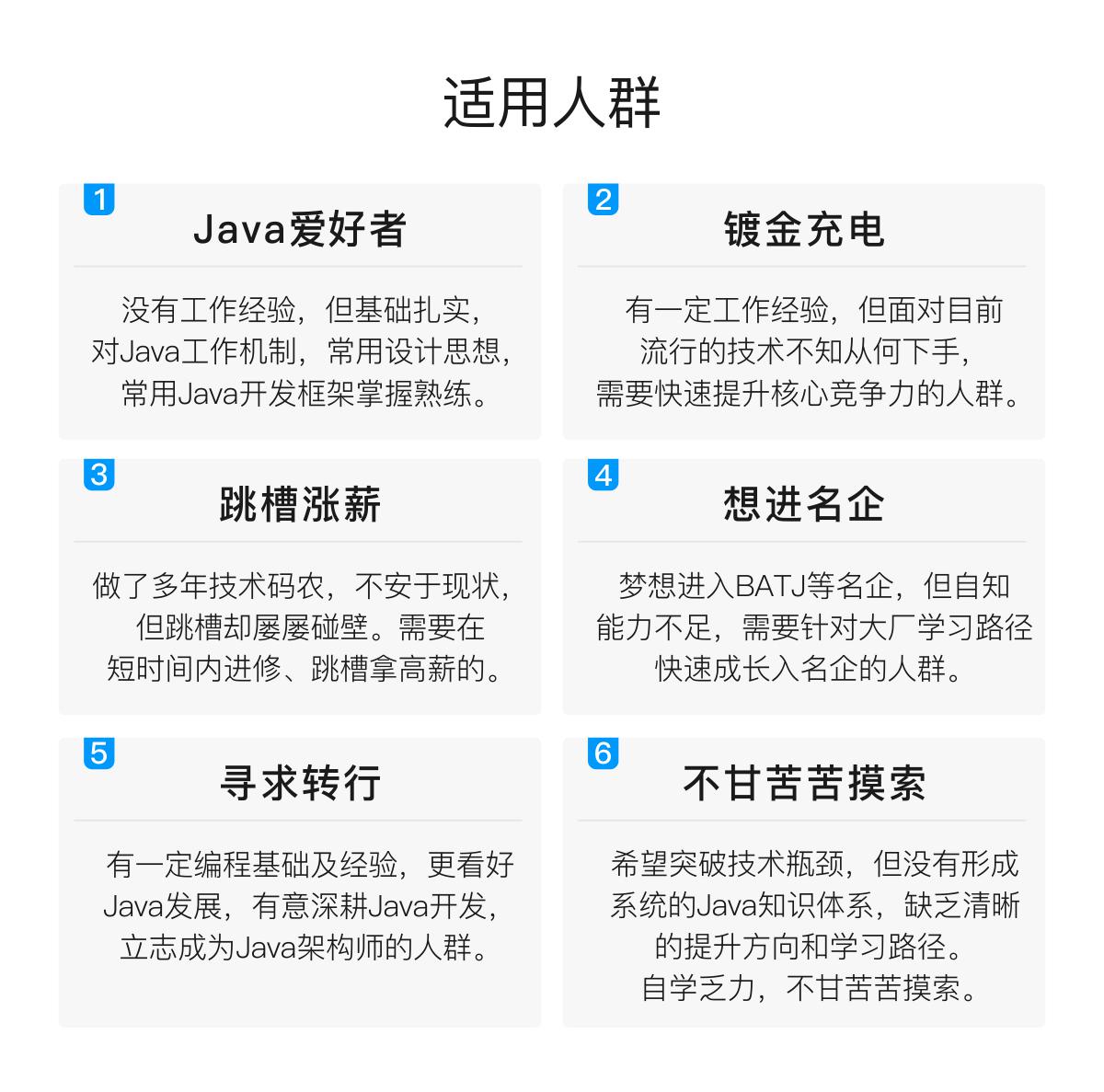
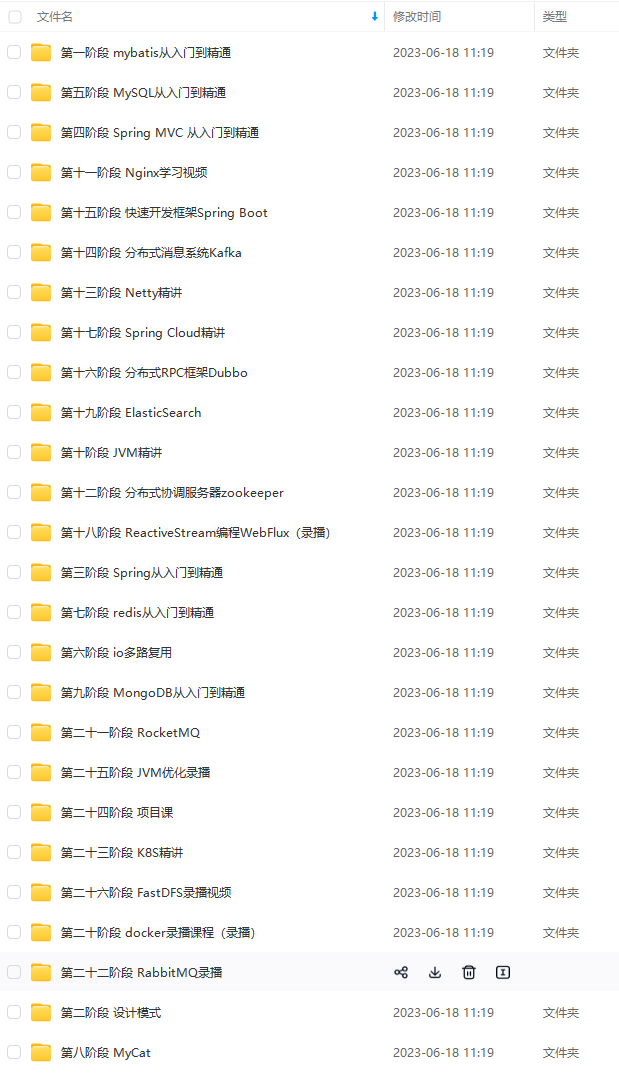
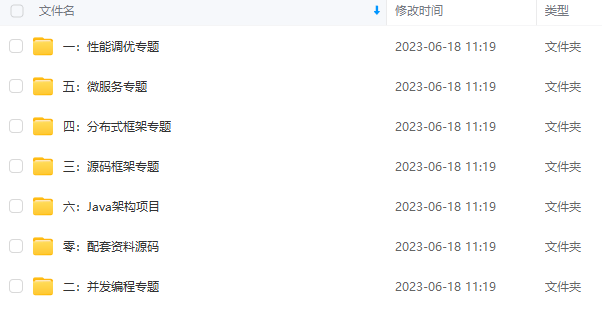
既有适合小白学习的零基础资料,也有适合3年以上经验的小伙伴深入学习提升的进阶课程,基本涵盖了95%以上Java开发知识点,真正体系化!
由于文件比较大,这里只是将部分目录截图出来,每个节点里面都包含大厂面经、学习笔记、源码讲义、实战项目、讲解视频,并且会持续更新!
如果你觉得这些内容对你有帮助,可以扫码获取!!(备注Java获取)

完结
Redis基于内存,常用作于缓存的一种技术,并且Redis存储的方式是以key-value的形式。Redis是如今互联网技术架构中,使用最广泛的缓存,在工作中常常会使用到。Redis也是中高级后端工程师技术面试中,面试官最喜欢问的问题之一,因此作为Java开发者,Redis是我们必须要掌握的。
Redis 是 NoSQL 数据库领域的佼佼者,如果你需要了解 Redis 是如何实现高并发、海量数据存储的,那么这份腾讯专家手敲《Redis源码日志笔记》将会是你的最佳选择。
《一线大厂Java面试题解析+核心总结学习笔记+最新讲解视频+实战项目源码》,点击传送门即可获取!
学习资料》,初衷也很简单,就是希望能够帮助到想自学提升又不知道该从何学起的朋友,同时减轻大家的负担。**[外链图片转存中…(img-bkIMczVD-1711986449162)]
[外链图片转存中…(img-wigEk3oR-1711986449163)]
[外链图片转存中…(img-XJQnlXhV-1711986449164)]
既有适合小白学习的零基础资料,也有适合3年以上经验的小伙伴深入学习提升的进阶课程,基本涵盖了95%以上Java开发知识点,真正体系化!
由于文件比较大,这里只是将部分目录截图出来,每个节点里面都包含大厂面经、学习笔记、源码讲义、实战项目、讲解视频,并且会持续更新!
如果你觉得这些内容对你有帮助,可以扫码获取!!(备注Java获取)
完结
Redis基于内存,常用作于缓存的一种技术,并且Redis存储的方式是以key-value的形式。Redis是如今互联网技术架构中,使用最广泛的缓存,在工作中常常会使用到。Redis也是中高级后端工程师技术面试中,面试官最喜欢问的问题之一,因此作为Java开发者,Redis是我们必须要掌握的。
Redis 是 NoSQL 数据库领域的佼佼者,如果你需要了解 Redis 是如何实现高并发、海量数据存储的,那么这份腾讯专家手敲《Redis源码日志笔记》将会是你的最佳选择。
[外链图片转存中…(img-lq4Xes7v-1711986449164)]
《一线大厂Java面试题解析+核心总结学习笔记+最新讲解视频+实战项目源码》,点击传送门即可获取!

 2829
2829


 扫一扫
扫一扫


&spm=1001.2101.3001.11974&articleId=137250810&d=1&t=3&u=d394fc1c55624d4590c684bbdeecf70d)

 被折叠的 条评论
为什么被折叠?
被折叠的 条评论
为什么被折叠?
 到【灌水乐园】发言


