


简介
vue项目,当需要裁剪图片时,vue插件中有一个很方便的图片裁剪工具:vue-picture-cropper。
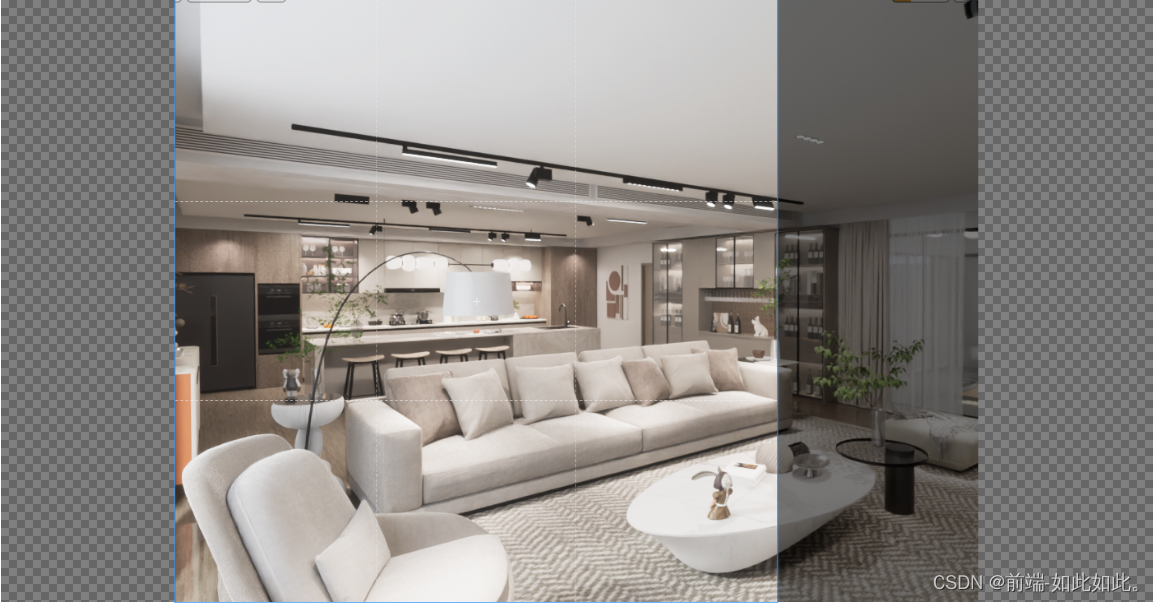
参看文献:Vue 3.0图片裁切插件:vue-picture-cropper
此处是以vue3.x + Ant Design 3.x进行编码示范。
具体实现
第一步,安装
npm i vue-picture-cropper
第二步,组件
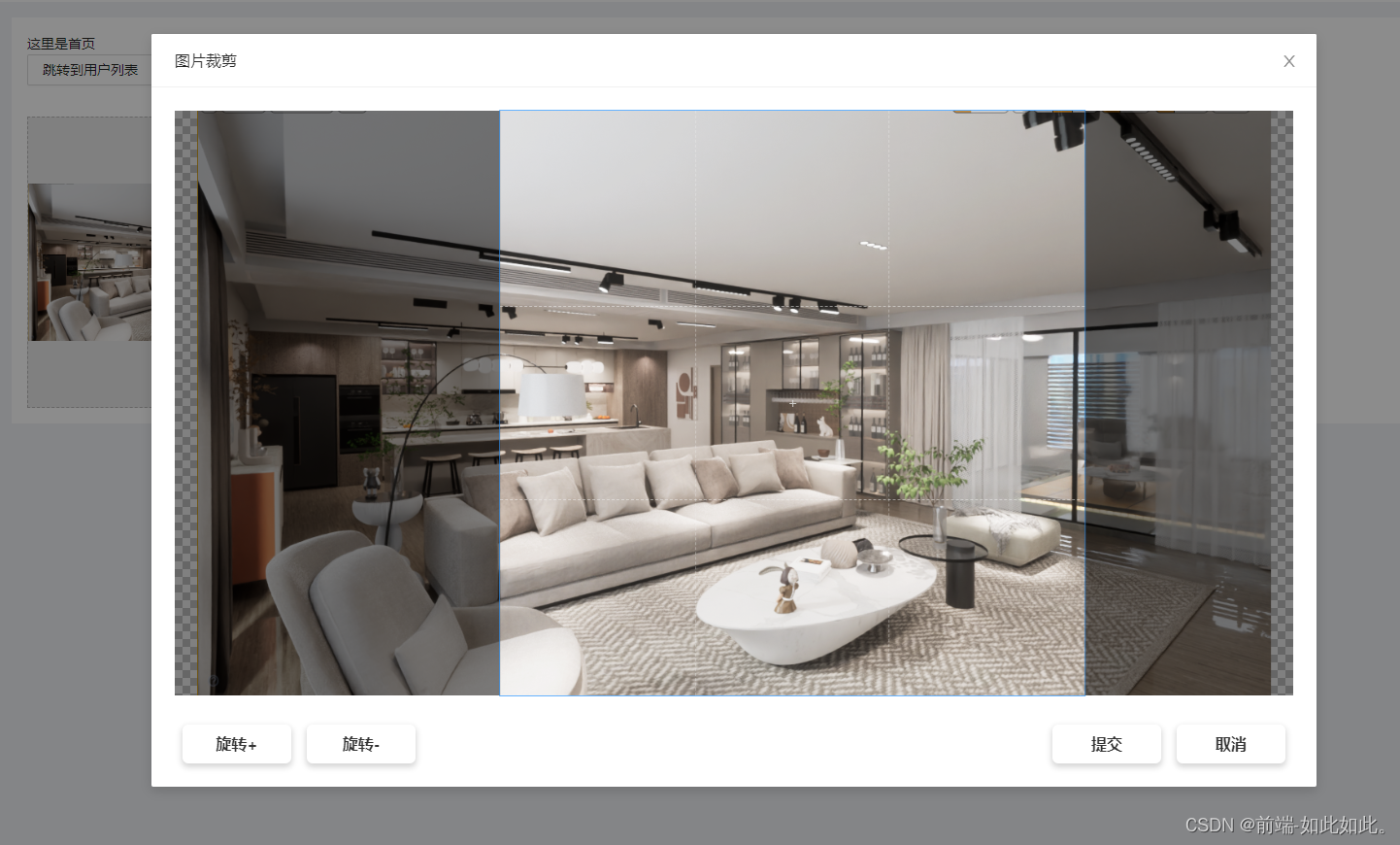
此处举例固定最大选择范围框(默认为所传图片的宽高的最小值为界限)
目录:components/globalCrop/index.vue
<template>
  <a-modal
    class="image-crop-box"
    :visible="displayCropModal"
    :destroyOnClose="true"
    :footer="null"
    :maskClosable="false"
    :width="1200"
    title="图片裁剪"
    @cancel="handleModalCancel"
  >
    <div class="modal-content">
      <!-- 图片裁切插件 -->
      <VuePictureCropper
        :boxStyle="{
          width: '100%',
          height: '100%',
          backgroundColor: '#f8f8f8',
          margin: 'auto'
        }"
        :img="pic"
        :options="{
          viewMode: 1,
          dragMode: 'move',
          aspectRatio: 1,
          cropBoxResizable: false
        }"
        :presetMode="{
          mode: 'fixedSize',
          width: imgSize,
          height: imgSize
        }"
      />
    </div>
    <div class="modal-foot">
      <div class="modal-foot-contain">
        <div class="modal-foot-btn" @click="rorateImg(1)">旋转+</div>
        <div class="modal-foot-btn" @click="rorateImg(-1)">旋转-</div>
      </div>
      <div class="modal-foot-contain">
        <div class="modal-foot-btn" @click="handleModalSure">提交</div>
        <div class="modal-foot-btn" @click="handleModalCancel">取消</div>
      </div>
    </div>
  </a-modal>
</template>

<script>
import VuePictureCropper, { cropper } from 'vue-picture-cropper'
import { reactive, ref, toRefs, onMounted } from 'vue'
export default {
  components: {
    VuePictureCropper
  },
  setup(props, context) {
    // #region 变量
    const state = reactive({
      displayCropModal: false, // 弹框是否可见
      degreeNum: 0, // 旋转度数的次数
      onLoading: false, // 是否加载中
      imgSize: 300 // 图片固定宽高
    })
    // 图片显示
    const result = reactive({
      dataURL: '',
      blobURL: ''
    })
    const pic = ref('')
    // #endregion

    // #region 生命周期、监听、计算 函数
    onMounted(() => {})
    // #endregion

    // #region 页面操作方法
    // 生成:所选图片的裁剪画布
    const initCropInfo = file => {
      // 重置上一次的结果
      result.dataURL = ''
      result.blobURL = ''
      // 如果有多个裁剪框,也需要重置掉裁剪目标的值,避免使用同一张图片无法触发watch
      pic.value = ''
      if (!file) return
      // 转换为base64传给裁切组件
      const reader = new FileReader()
      reader.onload = () => {
        // 更新裁切弹窗的图片源
        pic.value = String(reader.result)
        // 获取加载出来的图片的最小宽或高
        let img = new Image()
        img.src = reader.result
        img.onload = function () {
          if (this.width <= this.height) {
            state.imgSize = this.width
          } else {
            state.imgSize = this.height
          }
        }
        // cropper.reset() // 重置默认的裁切区域
        // 显示裁切弹窗
        state.displayCropModal = true
      }
      reader.readAsDataURL(file)
    }
    // 操作:旋转
    const rorateImg = async num => {
      state.degreeNum += num
      // 设置旋转一次的幅度为 90°
      cropper.rotateTo((state.degreeNum % 4) * 90)
    }
    // 操作:裁剪框-确定
    const handleModalSure = async () => {
      if (state.onLoading) return
      state.onLoading = true
      // 获取生成的base64图片地址
      const base64 = cropper.getDataURL()
      // 获取生成的blob文件信息
      const blob = await cropper.getBlob()
      // 获取生成的file文件信息
      const file = await cropper.getFile({
        // fileName: '测试文件名,可不传'
      })
      // console.log({ base64, blob, file })
      // 把base64赋给结果展示区
      result.dataURL = base64
      try {
        result.blobURL = URL.createObjectURL(blob)
      } catch (e) {
        result.blobURL = ''
      }
      context.emit('handleModalSure', file)
      state.displayCropModal = false
      state.onLoading = false
    }
    // 操作:裁剪框-取消
    const handleModalCancel = () => {
      context.emit('handleModalCancel')
      state.displayCropModal = false
    }
    // #endregion

    return {
      ...toRefs(state),
      initCropInfo,
      result,
      pic,
      rorateImg,
      handleModalSure,
      handleModalCancel
    }
  }
}
</script>

<style lang="less">
.image-crop-box {
  position: relative;
  top: calc(50% - 40vh);
  .ant-modal-content {
    .ant-modal-body {
      width: 100%;
      height: calc(80vh - 55px);
      overflow: hidden;
      .modal-title {
        width: 100%;
        margin-top: 18px; // 42 - 24
        margin-bottom: 40px;
        text-align: center;
        font-size: 36px;
        font-weight: bold;
        color: #333;
      }
      .modal-content {
        height: calc(100% - 40px - 30px);
        width: 100%;
      }
      .modal-foot {
        margin-top: 30px;
        display: flex;
        justify-content: space-between;
        align-items: center;
        .modal-foot-contain {
        display: flex;
        align-items: center;
        }
        .modal-foot-btn {
          width: 112px;
          height: 40px;
          margin: 0 8px;
          border-radius: 6px;
          line-height: 40px;
          text-align: center;
          font-size: 16px;
          font-weight: bold;
          color: #333;
          box-shadow: 0px 3px 6px 1px rgba(0, 0, 0, 0.16);
          cursor: pointer;
          &:hover {
            box-shadow: 0px 1px 2px 1px rgba(0, 0, 0, 0.16);
          }
        }
      }
    }
  }
}
</style>
第三步,使用
将目标图片文件,通过proxy.$refs.globalCropRef.initCropInfo(file)进行初始化调用。在调用裁剪组件中的initCropInfo方法时,需要传递file。
// html
<template>
  <div>
    <GlobalCrop
      ref="globalCropRef"
      @handleModalSure="handleCropModalSure"
      @handleModalCancel="handleCropModalCancel" />
  </div>
</template>
// js
import GlobalCrop from '@/components/globalCrop'
import { getCurrentInstance } from 'vue'
export default {
  setup() {
    const { proxy } = getCurrentInstance()
    // 准备上传文件的选择结果
    const handleUpload = file => {
      console.log(file)
      proxy.$refs.globalCropRef.initCropInfo(file)
    }
    // 操作:裁剪框-确定
    const handleCropModalSure = file => {
      console.log(file)
      // 进行图片上传到服务器
      // TODO。。。
      // 注意上传组件的显示内容的更新
      // TODO。。。
    }
    // 操作:裁剪框-取消
    const handleCropModalCancel = () => {
      // 取消裁剪后需要做的操作,TODO。。。
    }
    return {
      handleUpload,
      handleCropModalSure,
      handleCropModalCancel
    }
  }
}
最后
觉得有用的朋友请用你的金手指点一下赞,或者评论留言一起探讨技术!

 2062
2062


 扫一扫
扫一扫


 被折叠的 条评论
为什么被折叠?
被折叠的 条评论
为什么被折叠?
 到【灌水乐园】发言


