




 本文介绍了一种微信小程序中实现下拉刷新动画的方法,通过创建动画实例并使用translateY进行位移来达到动画效果。动画在下拉刷新时启动,随机定位多个图像元素,形成动态视觉体验。
微信小程序动画之下拉刷新动画
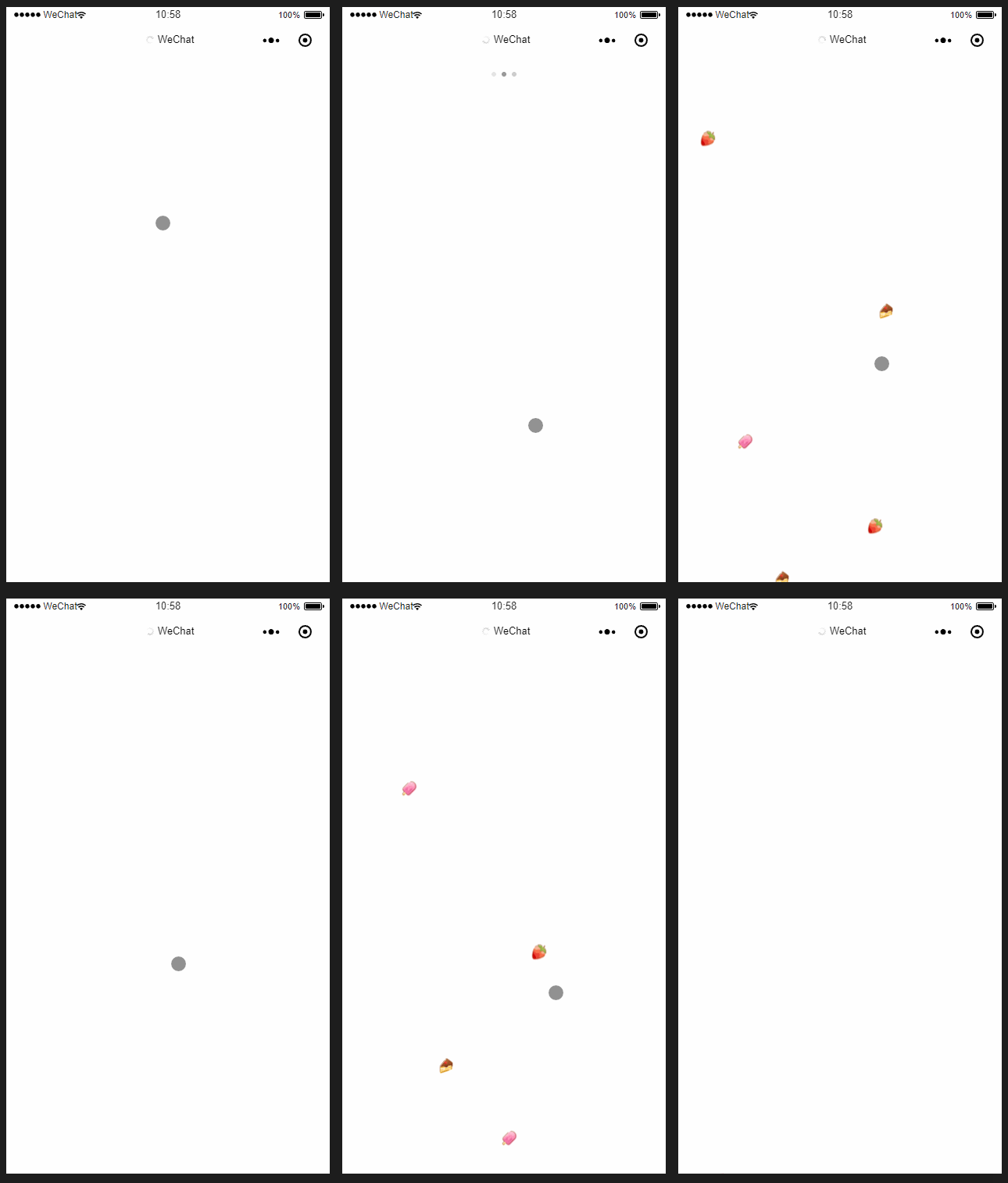
简易的效果
下面放代码:
js:
var animation = wx.createAnimation({})
var i = 1;
Page({
  data: {
    donghua: true,
    left1: Math.floor(Math.random() * 250 + 1),
    left2: Math.floor(Math.random() * 250 + 1),
    left3: Math.floor(Math.random() * 250 + 1),
    left4: Math.floor(Math.random() * 250 + 1),
    left5: Math.floor(Math.random() * 250 + 1),
    left6: Math.floor(Math.random() * 250 + 1),
    left7: Math.floor(Math.random() * 250 + 1),
    left8: Math.floor(Math.random() * 250 + 1),
  },

  //动画
  donghua: function () {
    var that = this;
    setTimeout(function () {
      animation.translateY(800).step({
        duration: 1600,
        timingFunction: 'ease'
      })
      that.setData({
        ["animationData" + i]: animation.export()
      })
      i++;
    }.bind(that), 200)
    if (i < 9) {
      setTimeout(function () {
        that.donghua()
      }.bind(that), 200)
    } else {
      i = 0;
      animation.translateY(-800).step({
        duration: 10,

      })
      setTimeout(function () {
        for (var y = 0; y < 9; y++) {
          that.setData({
            ["animationData" + y]: animation.export()
          })
          that.setData({
            ["animationData" + y + '.actions[0].animates[0].args[0]']: 0
          })
        }
      }.bind(that), 1500)

    }
  },
  onPullDownRefresh: function () {

    wx.showNavigationBarLoading();


    this.donghua();


    wx.stopPullDownRefresh();
  },

})
wxml:
<!-- 动画 -->
<block wx:if="{{donghua}}">
  <view class='donghua'>
    <image bindtap='hua' style='left:{{left1}}px' animation="{{animationData1}}"  src='../../images/1.png'></image>
    <image bindtap='hua' style='left:{{left2}}px' animation="{{animationData2}}"  src='../../images/2.png'></image>
    <image bindtap='hua' style='left:{{left3}}px' animation="{{animationData3}}"  src='../../images/3.png'></image>
    <image bindtap='hua' style='left:{{left4}}px' animation="{{animationData4}}"  src='../../images/1.png'></image>
    <image bindtap='hua' style='left:{{left5}}px' animation="{{animationData5}}"  src='../../images/2.png'></image>
    <image bindtap='hua' style='left:{{left6}}px' animation="{{animationData6}}"  src='../../images/3.png'></image>
    <image bindtap='hua' style='left:{{left7}}px' animation="{{animationData7}}"  src='../../images/1.png'></image>
        <image bindtap='hua' style='left:{{left8}}px' animation="{{animationData8}}"  src='../../images/2.png'></image>
  </view>
</block>
wxss:
image{
  margin-top: -150rpx;
  width: 40rpx;
  height: 40rpx;
  margin-left: 5%;
  position: absolute;

}


 扫一扫
扫一扫


 1万+
1万+

 被折叠的 条评论
为什么被折叠?
被折叠的 条评论
为什么被折叠?
 到【灌水乐园】发言


