





 在Mac系统使用Python写代码,有GUI显示界面时点击该界面会报错。源代码为读取并显示图片,报错主要信息表明中文输入法下点击GUI会出错,将输入法切换成英文输入即可解决问题,还给出了英文回答及解决步骤。
Macbook / 苹果系统写代码出现显示问题
当使用Mac系统,在写代码的时候,如果是有一个GUI显示界面,然后你又去点击这个界面。此时,将报错。
我的源代码,是读取图片,显示图片。
import cv2 as cv
pic = cv.imread("test.jpeg")
dst = cv.resize(pic, (512, 512))
cv.imshow("This is the test pic!", dst)
cv.waitKey(5000)
报错信息如下:
2021-01-10 19:54:02.332 python[8857:163844] _TIPropertyValueIsValid called with 4 on nil context!
2021-01-10 19:54:02.332 python[8857:163844] imkxpc_getApplicationProperty:reply: called with incorrect property value 4, bailing.
2021-01-10 19:54:02.332 python[8857:163844] Text input context does not respond to _valueForTIProperty:
2021-01-10 19:54:02.334 python[8857:163844] _TIPropertyValueIsValid called with 4 on nil context!
2021-01-10 19:54:02.334 python[8857:163844] imkxpc_getApplicationProperty:reply: called with incorrect property value 4, bailing.
2021-01-10 19:54:02.334 python[8857:163844] Text input context does not respond to _valueForTIProperty:
2021-01-10 19:54:02.344 python[8857:163844] _TIPropertyValueIsValid called with 4 on nil context!
2021-01-10 19:54:02.344 python[8857:163844] imkxpc_getApplicationProperty:reply: called with incorrect property value 4, bailing.
2021-01-10 19:54:02.344 python[8857:163844] Text input context does not respond to _valueForTIProperty:
2021-01-10 19:54:04.070 python[8857:163844] _TIPropertyValueIsValid called with 4 on nil context!
2021-01-10 19:54:04.070 python[8857:163844] imkxpc_getApplicationProperty:reply: called with incorrect property value 4, bailing.
2021-01-10 19:54:04.070 python[8857:163844] Text input context does not respond to _valueForTIProperty:
2021-01-10 19:54:04.087 python[8857:163844] _TIPropertyValueIsValid called with 4 on nil context!
2021-01-10 19:54:04.087 python[8857:163844] imkxpc_getApplicationProperty:reply: called with incorrect property value 4, bailing.
2021-01-10 19:54:04.087 python[8857:163844] Text input context does not respond to _valueForTIProperty:
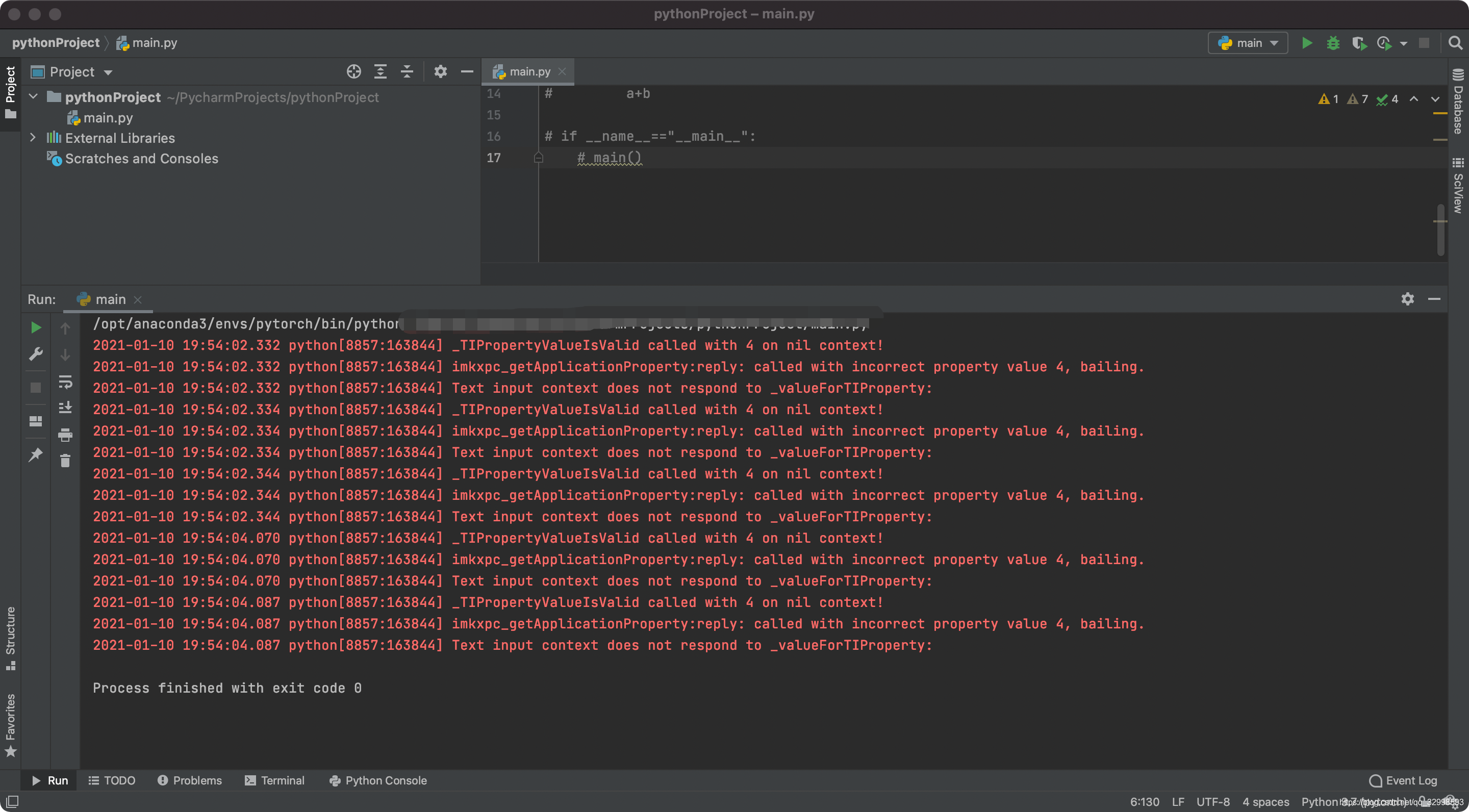
报错的主要信息是:
2021-01-10 19:54:04.087 python[8857:163844] Text input context does not respond to _valueForTIProperty:
这表明你现在的输入法,是中文,然后点击这个GUI,就出现这个错误。需要将你的输入法切换成英文输入即可解决这个问题。
下面是英文的回答:
This problem is not related to the Swift code at all. I code the Swift application with Japanese input source on macOS because my keyboard layout is Japanese, hence the error messages are shown on Terminal/console when the application window get/lost focus.
Changing the Input Sources to English - ABC solves the problem. You can change the Input Sources from macOS System Preferences - Keyboard. Add or change the Input Source to English - ABC from Input Sources tab.
如果有用,记得点赞👍加收藏哦。!!!!


 扫一扫
扫一扫


 695
695


 被折叠的 条评论
为什么被折叠?
被折叠的 条评论
为什么被折叠?
 到【灌水乐园】发言


