



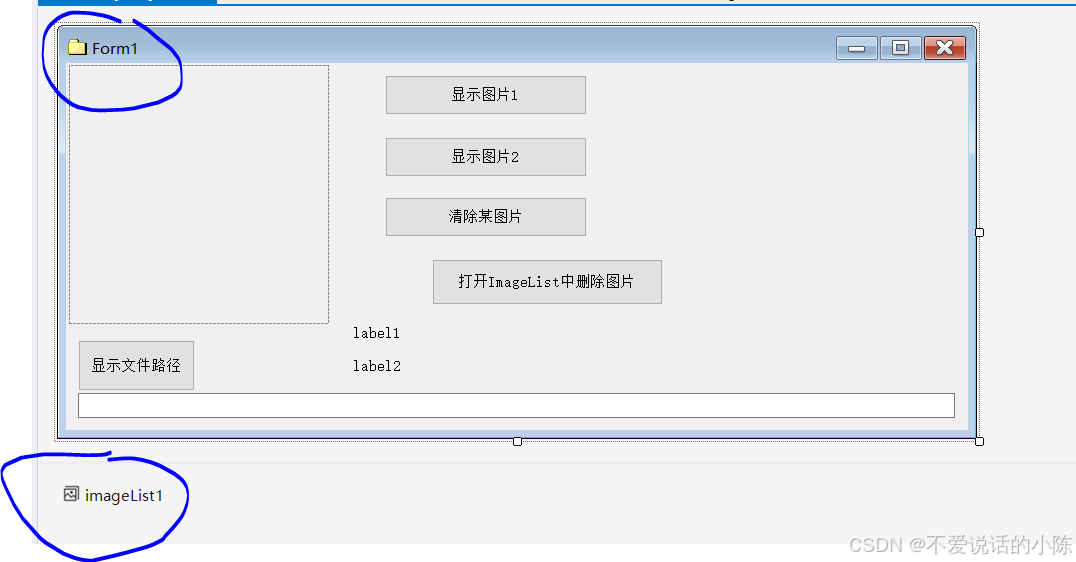
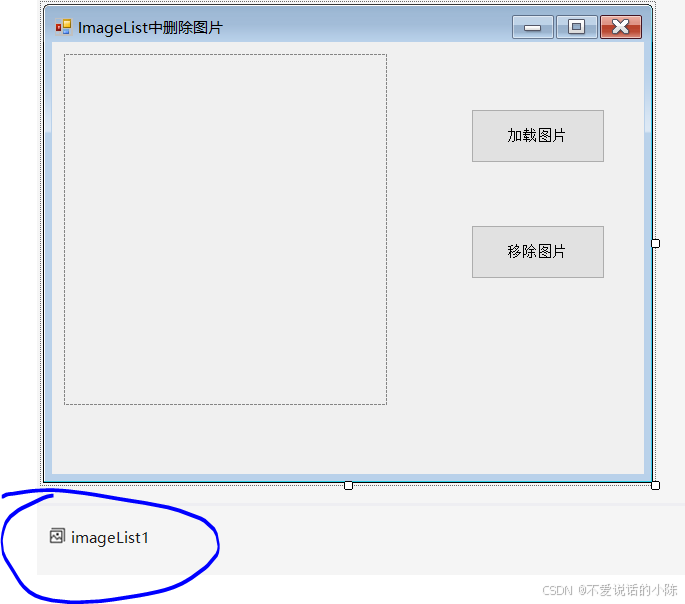
using System;
using System.Collections.Generic;
using System.ComponentModel;
using System.Data;
using System.Drawing;
using System.Linq;
using System.Text;
using System.Threading.Tasks;
using System.Windows.Forms;
namespace ImageList控件
{
public partial class Form1 : Form
{
public string Path, Path1, Path2, Path3;
public Form1()
{
InitializeComponent();
}
private void button1_Click(object sender, EventArgs e)
{
pictureBox1.Image = imageList1.Images[6];
label1.Text = Path1;
label2.Text = Path2;
textBox1.Text = Path3;
}
private void button5_Click(object sender, EventArgs e)
{
ImageList中删除图片 form2 = new ImageList中删除图片();
form2.Show();
}
private void button2_Click(object sender, EventArgs e)
{
pictureBox1.Image = imageList1.Images[0];
textBox1.Text = Path;
label1.Text = "";
label2.Text = " ";
}
private void Form1_Load(object sender, EventArgs e)
{
//string Path = Application.StartupPath.Substring(0, Application.StartupPath.Substring(0, Application.StartupPath.LastIndexOf("\\")).LastIndexOf("\\"));
//Path += @"\01.jpg";
//string Path2 = Application.StartupPath.Substring(0, Application.StartupPath.Substring(0, Application.StartupPath.LastIndexOf("\\")).LastIndexOf("\\"));
//Path2 += @"\02.jpg";
//Image image1 = Image.FromFile(Path, true);
//imageList1.Images.Add(image1);
//Image image2 = Image.FromFile(Path2, true);
//imageList1.Images.Add(image2);
imageList1.ImageSize = new Size(200, 200);
pictureBox1.Width = 200;
pictureBox1.Height = 200;
Path = Application.StartupPath;
Path1 = Application.StartupPath.Substring(0, Path.LastIndexOf(@"\"));
Path2 = Application.StartupPath.Substring(0, Path1.LastIndexOf(@"\"));
Path3 = Application.StartupPath.Substring(0, Path2.LastIndexOf(@"\"));
}
private void button3_Click(object sender, EventArgs e)
{
imageList1.Images.RemoveAt(0);
}
}
}



 扫一扫
扫一扫


 931
931

 被折叠的 条评论
为什么被折叠?
被折叠的 条评论
为什么被折叠?
 到【灌水乐园】发言


