



今天有人问我想实现一个流光效果。我简单的录了一下他想实现效果的GIF。

实际效果如下:因为今天有事情,只是大概实现了一个效果。主要使用PointAnimationUsingKeyFrames动画效果来实现。以后有空了会写一些更好看的。
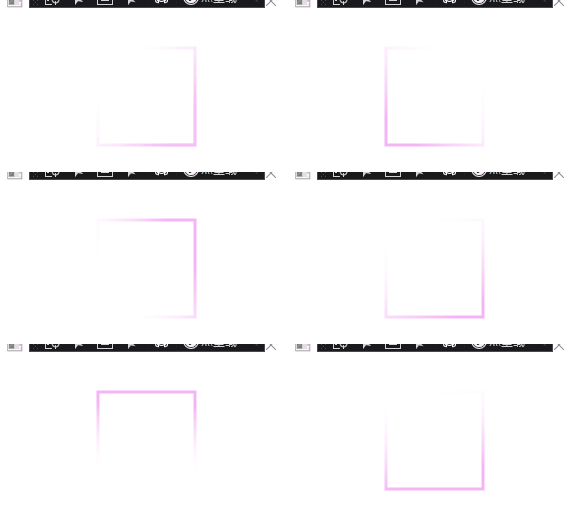
代码如下:
<Window x:Class="StreamerEffect.MainWindow"
        xmlns="http://schemas.microsoft.com/winfx/2006/xaml/presentation"
        xmlns:x="http://schemas.microsoft.com/winfx/2006/xaml"
        xmlns:d="http://schemas.microsoft.com/expression/blend/2008"
        xmlns:mc="http://schemas.openxmlformats.org/markup-compatibility/2006"
        xmlns:local="clr-namespace:StreamerEffect"
        mc:Ignorable="d"
        Title="MainWindow" Height="450" Width="800">
    <Window.Resources>

        <Storyboard x:Key="Storyboard1" RepeatBehavior="Forever">
            <PointAnimationUsingKeyFrames Storyboard.TargetProperty="(Shape.Stroke).(LinearGradientBrush.StartPoint)"
                                          Storyboard.TargetName="rectangle">
                <EasingPointKeyFrame KeyTime="0:0:0.5" Value="0.855,0.148"/>
                <EasingPointKeyFrame KeyTime="0:0:1" Value="0.852,0.855"/>
                <EasingPointKeyFrame KeyTime="0:0:1.5" Value="0.148,0.855"/>
                <EasingPointKeyFrame KeyTime="0:0:2" Value="0.144,0.149"/>
                <EasingPointKeyFrame KeyTime="0:0:2.5" Value="0,0"/>

            </PointAnimationUsingKeyFrames>
            <PointAnimationUsingKeyFrames Storyboard.TargetProperty="(Shape.Stroke).(LinearGradientBrush.EndPoint)"
                                          Storyboard.TargetName="rectangle">
                <EasingPointKeyFrame KeyTime="0:0:0.5" Value="0.145,0.852"/>
                <EasingPointKeyFrame KeyTime="0:0:1" Value="0.148,0.145"/>
                <EasingPointKeyFrame KeyTime="0:0:1.5" Value="0.852,0.145"/>
                <EasingPointKeyFrame KeyTime="0:0:2" Value="0.856,0.851"/>
                <EasingPointKeyFrame KeyTime="0:0:2.5" Value="0,1"/>

            </PointAnimationUsingKeyFrames>
        </Storyboard>
    </Window.Resources>
    <Window.Triggers>
        <EventTrigger RoutedEvent="FrameworkElement.Loaded">
            <BeginStoryboard Storyboard="{StaticResource Storyboard1}"/>
        </EventTrigger>
    </Window.Triggers>
    <Grid>
        <Rectangle x:Name="rectangle" Width="100" Height="100"
                   StrokeThickness="3">
            <Rectangle.Stroke>
                <LinearGradientBrush  Opacity="0.6">
                    <GradientStop Color="Transparent" Offset="0"/>
                    <GradientStop Color="Violet"  Offset="1"/>
                </LinearGradientBrush>
            </Rectangle.Stroke>

        </Rectangle>
    </Grid>
</Window>


 扫一扫
扫一扫


 2899
2899

 被折叠的 条评论
为什么被折叠?
被折叠的 条评论
为什么被折叠?
 到【灌水乐园】发言


