


引入依赖
compile 'io.reactivex.rxjava2:rxjava:2.0.7'
compile 'io.reactivex.rxjava2:rxandroid:2.0.1'
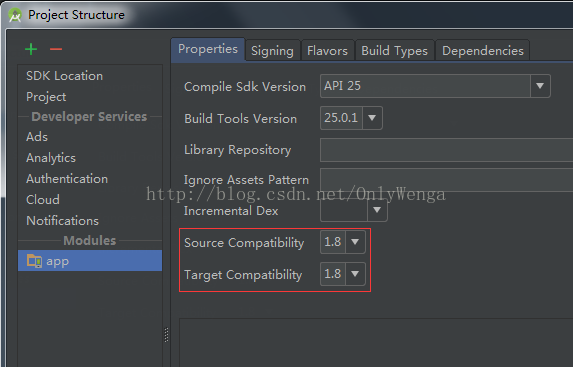
Android Studio怎么使用java 8
file > Project Structure, 找到项目对应module,更改Source Compatibility和Target Compatiblility为1.8
(当然你要已经安装java 8)
编译不过的解决方案
编译器 (1.8.0_112) 中出现异常错误。如果在 Bug Database (http://bugs.java.com) 中没有找到该错误, 请通过 Java Bug 报告页 (http://bugreport.java.com) 建立该 Java 编译器 Bug。请在报告中附上您的程序和以下诊断信息。谢谢。
目前只有Android7.0才支持Java 8,推荐非官方兼容库retrolambda
Retrolambda使用
project的gradle文件里面添加
buildscript {
    repositories {
        jcenter()
        mavenCentral()  <-- 添加
    }
    dependencies {
        classpath 'com.android.tools.build:gradle:2.0.0'
        classpath 'me.tatarka:gradle-retrolambda:3.6.0'   <-- 添加
        // NOTE: Do not place your application dependencies here; they belong
        // in the individual module build.gradle files
    }
}apply plugin: 'com.android.application'
apply plugin: 'me.tatarka.retrolambda' <-- 添加
android {
compileSdkVersion 25
buildToolsVersion "25.0.1"
compileOptions {
sourceCompatibility JavaVersion.VERSION_1_8 <-- 添加
targetCompatibility JavaVersion.VERSION_1_8 <-- 添加
}
...
}
 1125
1125


 扫一扫
扫一扫


 被折叠的 条评论
为什么被折叠?
被折叠的 条评论
为什么被折叠?
 到【灌水乐园】发言


