




 本文详细指导如何在Linux系统中修改SSH默认端口,包括编辑sshd_config文件,解除端口注释并设置新的端口,以及重启sshd服务以确保更改生效。
五、修改linux的ssh连接端口
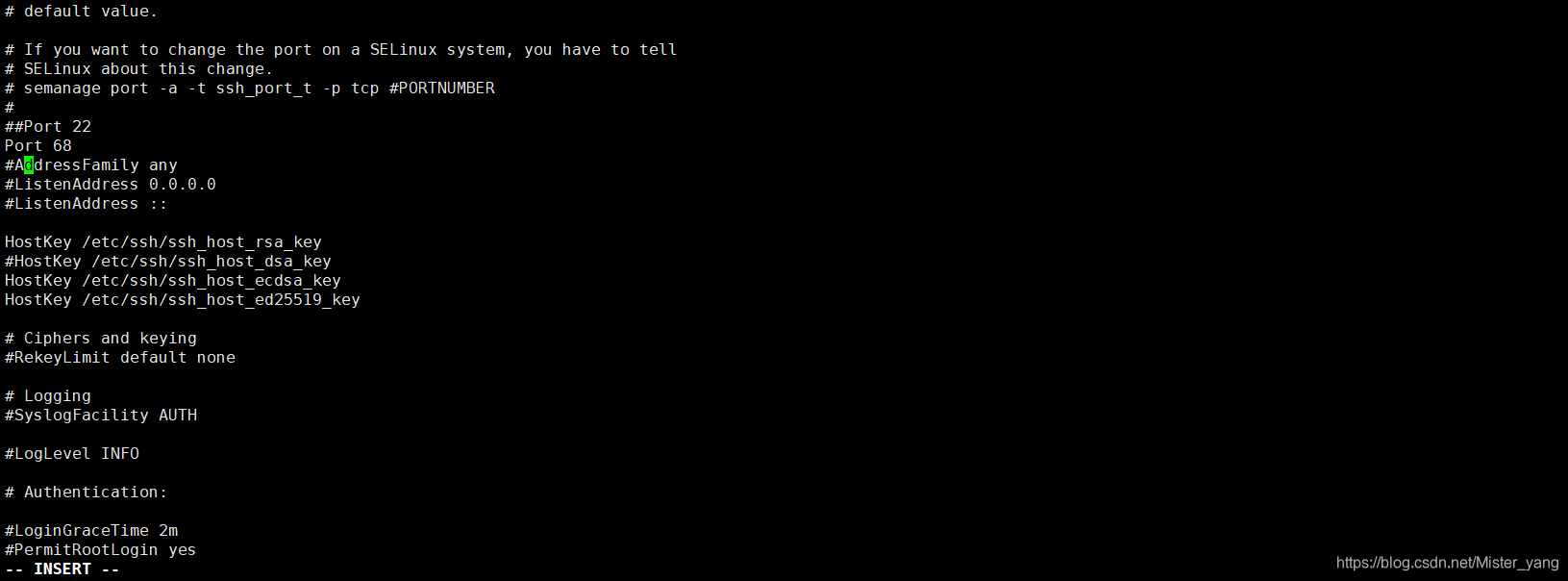
1、编辑sshd_config配置文件
# vim /etc/ssh/sshd_config
2、修改配置文件中的端口
## 2、找到#Port 22,默认是注释掉的,先把前面的#号去掉,再插入一行设置成你想要的端口号,不要跟现有端口号重复
# If you want to change the port on a SELinux system, you have to tell
# SELinux about this change.
# semanage port -a -t ssh_port_t -p tcp #PORTNUMBER
#
##Port 22
Port 68
#AddressFamily any
#ListenAddress 0.0.0.0
#ListenAddress ::
3、重启sshd服务
# systemctl restart sshd.service


 扫一扫
扫一扫


 5349
5349

 被折叠的 条评论
为什么被折叠?
被折叠的 条评论
为什么被折叠?
 到【灌水乐园】发言


