




目录
1.介绍
使用open manus的时候往往需要操作浏览器,这里使用到“playwright“这个工具
如果没有安装,open manus则会一直循环进程,无法执行操作
2.报错提示
BrowserType.launch: Executable doesn't exist at /home/zucker/.cache/ms-playwright/chromium-1148/chrome-linux/chrome
╔════════════════════════════════════════════════════════════╗
║ Looks like Playwright was just installed or updated.       ║
║ Please run the following command to download new browsers: ║
║                                                            ║
║     playwright install                                     ║
║                                                            ║
║ <3 Playwright Team                                         ║
╚════════════════════════════════════════════════════════════╝
3.解决
在conda环境中安装
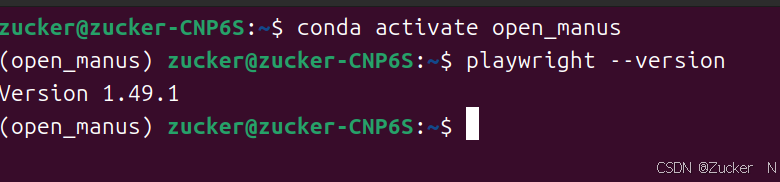
conda activate open_manus #启动conda环境安装playwright
playwright install 检查
playwright --version #查看安装的版本然后重新运行一下open manus应该就能顺利使用了。
有问题欢迎留言


 扫一扫
扫一扫


&spm=1001.2101.3001.5002&articleId=146225999&d=1&t=3&u=d665b00881dd455791a5aa5510b0a062)
 4705
4705

 被折叠的 条评论
为什么被折叠?
被折叠的 条评论
为什么被折叠?
 到【灌水乐园】发言


