


问题描述:
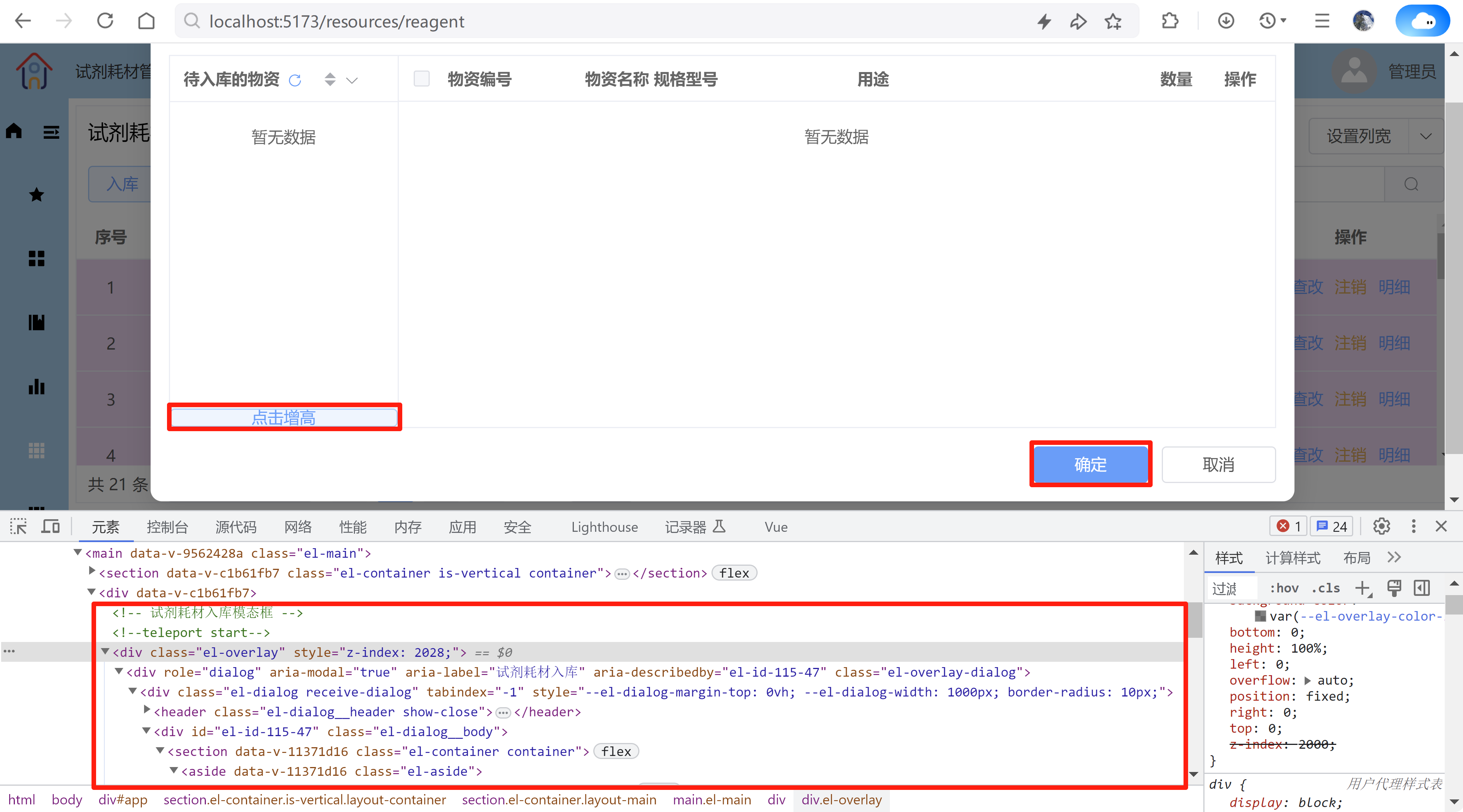
使用 v-bind() 动态设置对话框 el-dialog 或 抽屉 el-drawer 中按钮元素的CSS样式高度,没有效果
浏览器开发工具看到的内容:
代码:
ReagentInDialog.vue
<script setup lang="ts" name="ReagentInDialog">
......

//确定按钮的高度
const confirmButtonHeight = ref(0);
const confirmButtonHeight_px = computed(() => `${confirmButtonHeight.value}px`);

// 获取【确定】按钮的高度
const getConfirmButtonHeight = () => {
  // 第一个 class="dialog-btn" 的元素
  let ConfirmButton = document.querySelector(".dialog-btn") as HTMLButtonElement | null;
  return ConfirmButton?.offsetHeight ?? 0;
};

// 点击增高
const onAddInClick = () => {
  confirmButtonHeight.value = confirmButtonHeight.value + 10;
};

......
</script>

<template>
  <el-dialog
    ......
              <div class="btn-div">
                <el-button class="in-btn" type="primary" plain @click="onAddInClick">点击增高</el-button>
              </div>
    ......
    </template>
  </el-dialog>
</template>

<style scoped lang="scss">
......
        .btn-div {
          display: flex;
          justify-content: center;
          align-items: center;
          height: v-bind("confirmButtonHeight_px");
          .in-btn {
            height: 100%;
            width: 100%;
          }
        }
......
</style>
此处省略排查过程一万字
直接经验总结:
对话框 el-dialog 或 抽屉 el-drawer 样式的设置说明:
要想有效设置 el-dialog 或 el-drawer 的样式,需确保 el-dialog 或 el-drawer 的上层不是template,须被其他元素包裹
如:
<template><div><el-dialog></el-dialog></div></template>
<template><div><el-drawer></el-drawer></div></template>
或者
<template><el-main><el-dialog></el-dialog></el-main></template>
<template><el-main><el-drawer></el-drawer></el-main></template>
这样设置 el-dialog 或 el-drawer 的样式不起效果:
<template><el-dialog></el-dialog></template>
<template><el-drawer></el-drawer></template>
修改:排查很艰难,修改很简单!
只需使用 div 将 el-dialog 包裹即可!
......
<template>
  <div>
  <el-dialog
    ......
  </el-dialog>
  </div>
</template>
......
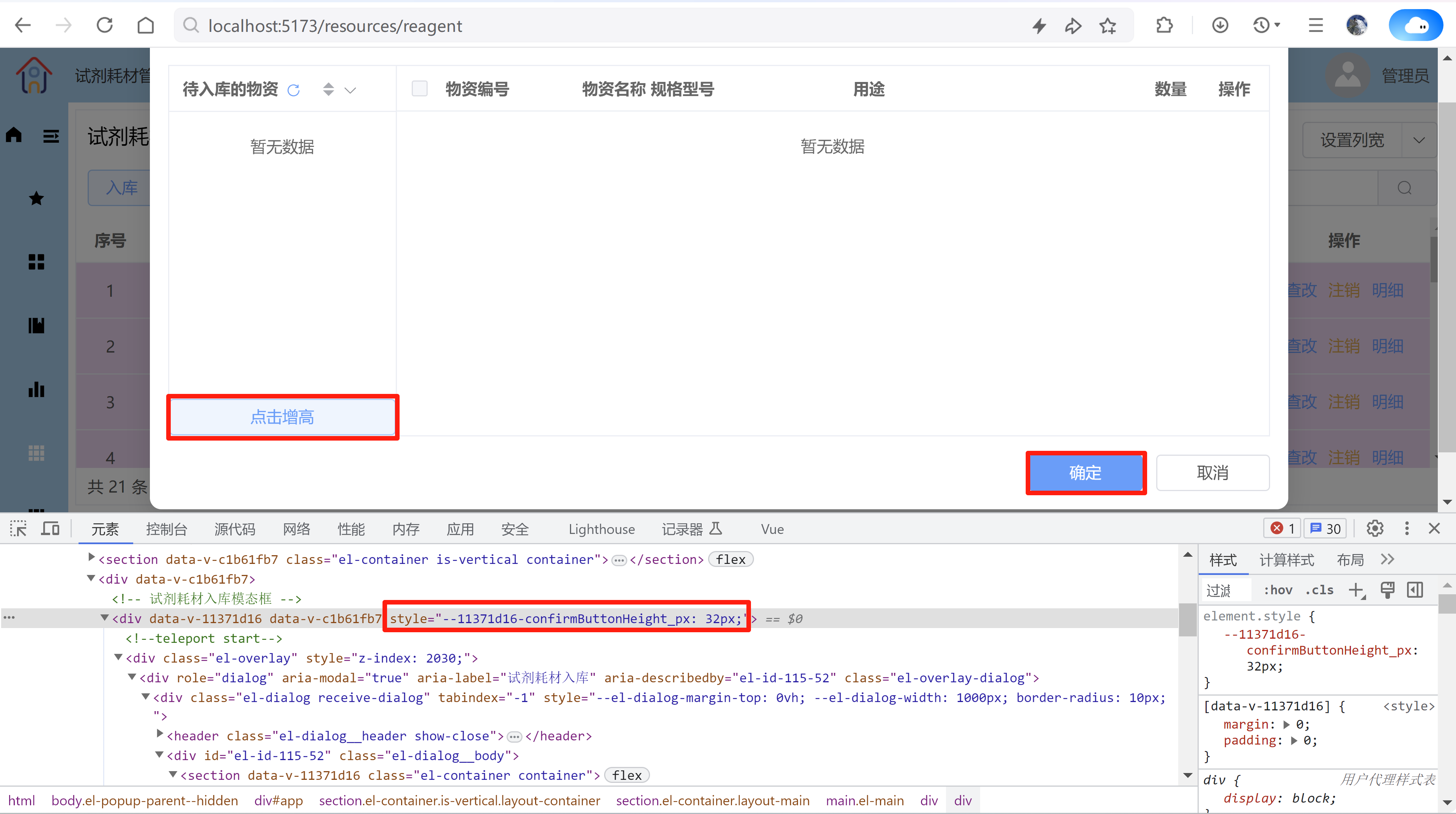
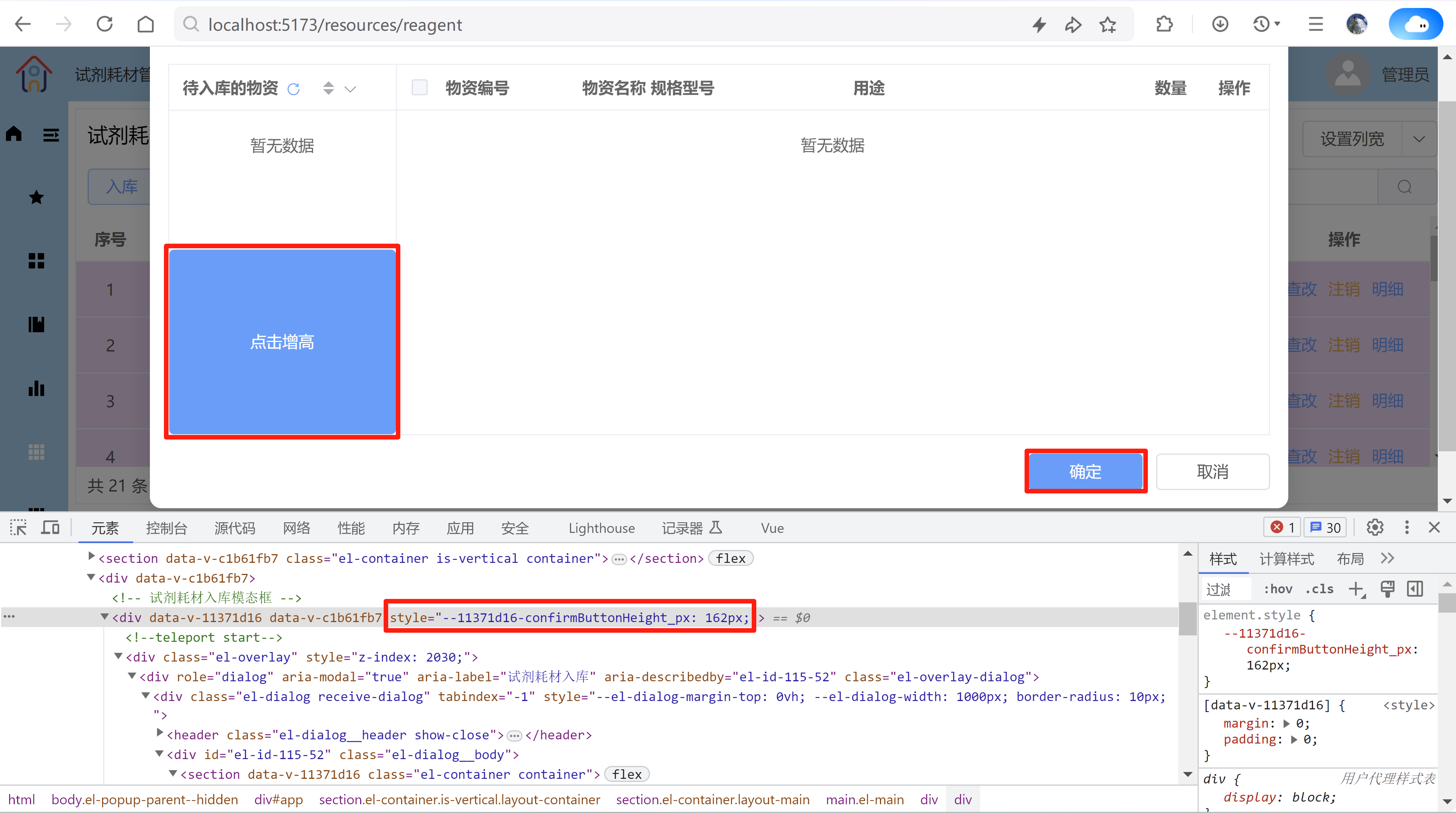
修改后的应用效果:
⚠️ 常见问题及解决方案
问题 1:Scoped CSS 作用域限制
-
原因:
<el-dialog>内容默认渲染到<body>末尾,不在当前组件的 DOM 树中 -
表现:Scoped 样式无法作用于对话框内部元素
-
解决:
vue
复制
下载
<style scoped>
/* 深度选择器 */
:deep(.dialog-content) {
  background: red;
}

/* 或全局样式 */
</style>
问题 2:对话框未渲染时访问 DOM
-
原因:
v-if="false"时内部元素不存在 -
解决:使用
ref+nextTickvue
复制
下载
<el-dialog v-model="dialogVisible" @opened="onOpened">
  <div ref="contentEl">需要操作的元素</div>
</el-dialog>

<script setup>
import { nextTick, ref } from 'vue'

const dialogVisible = ref(false)
const contentEl = ref(null)

const openDialog = async () => {
  dialogVisible.value = true
  await nextTick()
  // 此时可安全操作 contentEl
}

// 或使用 opened 事件
const onOpened = () => {
  contentEl.value.style.color = 'blue'
}
</script>
问题 3:响应式更新延迟
-
原因:对话框动画期间可能无法立即应用样式
-
解决:在
opened事件中更新vue
复制
下载
<el-dialog @opened="applyDynamicStyles">
  <div :style="dynamicStyle">内容</div>
</el-dialog>
💡 完整示例
vue
复制
下载
<template>
  <el-button @click="openDialog">打开对话框</el-button>

  <el-dialog
    v-model="dialogVisible"
    title="动态样式示例"
    @opened="handleOpened"
  >
    <!-- 动态样式绑定 -->
    <div
      :style="{
        backgroundColor: bgColor,
        padding: '20px',
        transition: 'all 0.3s'
      }"
      :class="{ 'rotate': shouldRotate }"
      ref="contentBox"
    >
      动态样式内容
    </div>

    <el-button @click="changeStyle">改变样式</el-button>
  </el-dialog>
</template>

<script setup>
import { ref } from 'vue'

const dialogVisible = ref(false)
const bgColor = ref('#e0f7fa')
const shouldRotate = ref(false)
const contentBox = ref(null)

const openDialog = () => {
  dialogVisible.value = true
}

const changeStyle = () => {
  bgColor.value = bgColor.value === '#e0f7fa' ? '#ffecb3' : '#e0f7fa'
  shouldRotate.value = !shouldRotate.value
}

const handleOpened = () => {
  // 对话框打开后操作DOM
  if(contentBox.value) {
    contentBox.value.style.border = '2px dashed #4caf50'
  }
}
</script>

<style scoped>
/* 深度穿透作用域样式 */
:deep(.rotate) {
  transform: rotate(5deg);
}
</style>
总结要点
-
v-bind 完全支持:
:style和:class在对话框内部正常工作 -
作用域穿透:使用
:deep()选择器解决 scoped CSS 问题 -
DOM 时机:通过
nextTick()或opened事件确保 DOM 可用 -
动画延迟:样式变化可配合 CSS transition 获得平滑效果
✅ 最佳实践:优先使用
:style/:class绑定 +:deep()选择器,需要操作 DOM 时配合opened事件或nextTick()。


 扫一扫
扫一扫


 2348
2348

 被折叠的 条评论
为什么被折叠?
被折叠的 条评论
为什么被折叠?
 到【灌水乐园】发言


