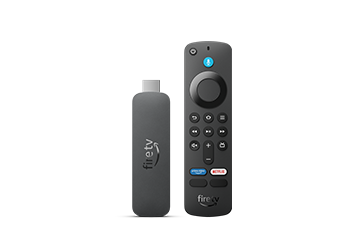
Enhance your Fire TV Stick 4K Plus streaming device
Buy this device, upgrade to Alexa+ Early Access for free
Try our smartest AI assistant yet. After Early Access ends (with at least 30 days' notice), Alexa+ will be included with Prime. Learn more about Alexa+.
Alexa+ Early Access requires a personal, UK-based Amazon account with English language set on all compatible Alexa+ devices. See setup details.
Alexa+ is currently only available in English in the UK.
Amazon Fire TV Stick 4K Plus streaming device, supports Wi-Fi 6, Dolby Vision/Atmos, HDR10+, find TV programmes faster with Alexa+
Sustainability features
- Advanced 4K streaming: elevate your entertainment with the next generation of our best-selling 4K stick, with improved streaming performance.
- The newest Fire TV experience (2026) – Our biggest update to Fire TV has a new, modern design that gets you to your entertainment fast. Browse dedicated content categories, pin more of your favourite apps and get personalised recommendations from Alexa+. Spend less time scrolling and more time watching.
- Wi-Fi 6 support: enjoy smooth 4K streaming, even when other devices are connected to your router.
- Smarter picks with Alexa+ – Getting to what you love has never been easier. Press the voice remote button and talk naturally to find what to watch across your apps, manage your smart home, or dive into virtually any topic.
- Cinematic experience: watch in vibrant 4K Ultra HD with support for Dolby Vision, HDR10+ and immersive Dolby Atmos audio.
- Endless entertainment: stream thousands of films and TV episodes. Watch favourites from Netflix, Prime Video, Disney+ and more. Subscription fees may apply.
- Stream for free: access thousands of free films and TV episodes from popular ad-supported streaming apps like Twitch and Pluto TV.
- The only streaming media player with the Xbox app: stream Forza Motorsport, Starfield, Palworld and discover hundreds of other high-quality games directly on your Fire TV Stick 4K Plus with Xbox Game Pass Ultimate via cloud gaming. No console required.
- Alexa Voice Remote: quickly find, launch and control content with your voice. Get to your favourite apps with preset buttons, and control TV power and volume with one remote.
- Do more with your smart home: control compatible devices such as cameras, lights and more. Press and ask Alexa to check the weather or dim the lights.
We want you to know:
Due to a recent name update from the Fire TV Stick 4K to the Fire TV Stick 4K Plus, packaging appearance, including product name, may vary. Device functionality remains the same.
To benefit from Wi-Fi 6, a compatible Wi-Fi 6 router, such as the eero 6+, is required. Fire TV Stick 4K Plus is also compatible with earlier Wi-Fi routers.
Dolby Atmos is only available on select streaming services when connected to compatible equipment.
Alexa Voice Remote includes 4 pre-programmed app buttons including Prime Video and Netflix; the other two app buttons will vary.
Enhance your Fire TV Stick 4K Plus streaming device
Unlock the
power of Alexa+
When you buy this Fire TV, you get access to the best Alexa+ experience on TV. With personalised recommendations and faster discovery, Alexa+ lets you talk naturally to find your new favourite TV programme, get quick answers about what you’re watching, and even manage your smart home and cameras. Learn more about Alexa+.
Easy to talk to
Have natural conversations and ask questions about what you're watching.
Gets more done
Control your smart home and multitask – all from your Fire TV.
Tailored to you
Discover new TV programmes and films with customised recommendations.
Smarter discovery
Find your next favourite TV programme by actor, plot or even iconic quote.
After Early Access ends (with at least 30 days' notice), Alexa+ will stay free for Prime members. For Non-Prime members, Alexa+ will not auto-renew and will be available as a standalone subscription for £19.99/month. Learn more.
Subscriptions may be required. Feature and content availability may vary.
The next generation of our most popular 4K streaming stick
Upgrade your 4K streaming experience with Fire TV Stick 4K Plus – now powered by a quad-core 1.7 GHz processor for faster app starts and more fluid navigation. It makes getting to the good stuff even easier – all for an affordable price.
An ultra-cinematic 4K experience
From playoffs to premieres, experience it all like you're there with support for cinematic 4K Ultra HD. Experience vivid colour and brightness with support for Dolby Vision and HDR10+, immersive sound with Dolby Atmos and smooth streaming with Wi-Fi 6. Add compatible Echo speakers for a complete Alexa home cinema.
Wi-Fi 6 Support
Smart Home
Dolby Vision/Atmos
HDR10+
Press and Ask Alexa
Enjoy smooth 4K streaming in your home
Our most popular streaming stick now supports Wi-Fi 6 for smooth 4K streaming, with less interference from other connected devices. To use Wi-Fi 6, you’ll need a compatible router like the eero 6+. If you have a Wi-Fi 6E router, we recommend Fire TV Stick 4K Max. Fire TV Stick 4K Plus works with earlier Wi-Fi routers, too.
Wi-Fi 6 support
Reduces network congestion for smoother video streaming across multiple devices.
Fast speeds
Enjoy fast speeds and low latency when streaming 4K content or playing games in the cloud.
Dual-band
Supports 2.4 GHz and 5 GHz bands, so you can connect to the least-crowded frequency.
Searching made easy
Press and hold the voice button and ask Alexa to take you to your favourite programmes. Not sure what to watch? Search by genre or helpful categories, like sports or action films.
Subscription fees may apply.
“Alexa, find action films.”
Stream free films,
series and clips
Turn on and start watching a world of free entertainment through ad-supported streaming apps like YouTube, Tubi, Twitch and Pluto TV. You can access thousands of films and TV episodes without paying for subscriptions.
From smart home control
to smart living
Control compatible smart home devices right from your TV. You can press and ask Alexa to do things like show Live View Picture-in-Picture camera feeds without interrupting your programme, check the weather, order a pizza and stream music. And Fire TV is always getting smarter with new Alexa skills and voice functionality. Learn more about compatible smart home devices.
“Alexa, show me the baby's room camera.”
Light
Lock
Smart Camera
Soundbar
Smart Plug
Thermostat
Simple to set up and use
Step 1
Plug Fire TV Stick 4K Plus directly into your HDMI input.
Step 2
Attach power cable
and plug into wall outlet.
Step 3
Pair remote with TV, connect to
internet and enjoy.
Every day is an Earth Day
You don't have to be an environmental scientist to make sustainable choices. We've integrated sustainability into the design of this device. Here's how:
Low Power mode
To reduce its energy consumption, this device will enter Low Power mode when it goes to sleep. Learn more about Low Power mode.
Device packaging
99% of this device's packaging is made of wood-fibre-based materials from responsibly managed forests or recycled sources.
Technical details
Fire TV Stick 4K Plus
|
Size |
99 x 30 x 14 mm (only housing) |
|
Weight |
43.5 g |
|
Processor |
Quad-core 1.7 GHz |
|
GPU |
650 MHz |
|
Storage |
8 GB (actual formatted capacity will be less) available for apps and games. |
|
Wi-Fi |
Wi-Fi 6 dual-band: 802.11 a/b/g/n/ac/ax (2.4 GHz and 5 GHz) |
|
Bluetooth |
Bluetooth 5.2 + BLE |
|
Voice support |
Yes, with the Alexa Voice Remote (included) or free Fire TV app (available for download on Fire OS, Android and iOS) |
|
IR device control with included Alexa Voice Remote |
The included Alexa Voice Remote can control Fire TV Stick 4K Plus and certain functions (such as power and volume) on a wide range of compatible IR-enabled devices, including TVs, soundbars and A/V receivers. Note: certain functions may not be available on some IR-enabled devices. |
|
Cloud storage |
Free cloud storage for digital content purchased from Amazon. |
|
Ports |
HDMI 2.1 output with ARC input support, micro USB |
|
Audio support |
Dolby Atmos, 7.1 surround sound, 2-channel stereo and HDMI audio pass-through up to 5.1. Dolby Atmos is only available on select streaming services when connected to compatible equipment. |
|
4K support |
To watch films and TV programmes in 4K Ultra HD, you need a compatible Ultra HD TV. All services may not be available in 4K/HDR. Certain services are subject to change at any time, may not be available in all areas or in 4K/HDR, and may require separate subscriptions. Learn more about services. |
|
Content formats supported |
Video: Dolby Vision, HDR 10, HDR10+, HLG, H.265, H.264, VP9, AV1. Audio: xHE-AAC, AAC-LC, AAC+, eAAC+, AAC-ELD, MP3, AMR-NB, FLAC, PCM/WAV, Vorbis, Dolby AC3, eAC3 (Dolby Digital Plus), Dolby Atmos (EC3_JOC), Dolby AC4, Dolby MAT, Dolby TrueHD pass-through, MPEG-H pass-through, DTS pass-through, DTS-HD pass-through (basic profile). Photo: JPEG, PNG, GIF, BMP. |
|
Output resolution supported |
2160p, 1080p and 720p up to 60 fps. |
|
System requirements |
High-definition television with available high-speed HDMI input, high-speed internet connection via Wi-Fi. Wi-Fi 6 router needed for Wi-Fi 6 support. Auto-Low Latency Mode is included in the HDMI 2.1 standard. |
|
TV compatibility |
TV must support minimum HDCP requirements for protected content playback. Compatible with 1) 4K UHD TVs with HDMI capable of 2160p at 24/25/30/50/60 Hz and HDCP 2.2 or 2) high-definition TVs with HDMI capable of 1080p or 720p at 50/60 Hz. Learn more about high definition. |
|
Warranty and service |
Fire TV Stick 4K Plus is sold with a limited warranty of one year provided by the manufacturer. If you are a consumer, the limited warranty is in addition to your consumer rights, and does not jeopardise these rights in any way. This means you may still have additional rights at law even after the limited warranty has expired (further information on your consumer rights can be found here). Use of Fire TV Stick 4K Plus is subject to the terms found here. |
|
Content availability |
Certain apps and services are subject to change or withdrawal at any time, may not be available in all areas and languages, and may require separate subscriptions. |
|
Accessibility features |
VoiceView screen reader enables access to the vast majority of Fire TV features for users who are blind or visually impaired. Watch videos and TV programmes with subtitles displayed. Subtitles are not available for all content. You can also listen to Fire TV with compatible Bluetooth headphones. Learn more about accessibility. |
|
Included in the box |
Fire TV Stick 4K Plus, Alexa Voice Remote, power cable and power adaptor, HDMI extender cable for Fire TV Stick 4K Plus, 2 x AAA batteries and Quick-Start Guide. |
|
Software security updates |
This device receives guaranteed software security updates until at least four years after the device is last available for purchase as a new unit on our websites. Learn more about these software security updates. If you already own a Fire TV, visit Manage Your Content and Devices for information specific to your device. |
Alexa Voice Remote
|
Size |
38.68 mm x 141.3 mm x 17.6 mm |
|
Weight |
45 g (without batteries)
|
|
Batteries |
2 x AAA (included) |
|
Technology |
Bluetooth |
|
Compatibility |
Fire TV Stick 4K Plus, Fire TV Stick 4K Max (1st generation and later), Fire TV Stick (3rd generation) |
Compare Fire TV Streaming devices
|
DEVICE
|
|||||
|---|---|---|---|---|---|
|
PRICE
|
Not available
|
Not available
|
Not available
|
Not available
|
Not available
|
|
RATINGS
|
|
|
|
|
|
|
BEST FOR
|
Start streaming with fast HD
|
Essential 4K streaming
|
Cinematic 4K streaming
|
Powerful 4K streaming
|
The ultimate hands-free 4K streaming experience
|
|
SUPPORTED PICTURE QUALITY
|
1080p Full HD (High Definition)
|
4K Ultra HD
|
4K Ultra HD
|
4K Ultra HD
|
4K Ultra HD
|
|
SUPPORTED VIDEO
|
HDR10, HDR10+, HLG
|
HDR10, HDR10+, HLG
|
Dolby Vision, plus HDR, HDR10, HDR10+, HLG
|
Dolby Vision, plus HDR, HDR10, HDR10+, HLG
|
Dolby Vision, plus HDR, HDR10, HDR10+, HLG
|
|
SUPPORTED AUDIO
|
Dolby-encoded audio (HDMI pass-through)
|
Dolby-encoded audio (HDMI pass-through)
|
Dolby Atmos audio
|
Dolby Atmos audio
|
Dolby Atmos audio
|
|
INCLUDED REMOTE WITH TV/SOUNDBAR CONTROLS
|
Alexa Voice Remote
|
Alexa Voice Remote
|
Alexa Voice Remote
|
Alexa Voice Remote Enhanced
|
Alexa Voice Remote Enhanced
|
|
STORAGE
|
8 GB
|
8 GB
|
8 GB
|
16 GB
|
16 GB
|
|
WI-FI SUPPORT & CONNECTIVITY
|
Wi-Fi 6
|
Wi-Fi 5
|
Wi-Fi 6
|
Wi-Fi 6E
|
Wi-Fi 6E + Ethernet port
|
|
CLOUD GAMING
|
Amazon Luna, Xbox Game Pass
|
Amazon Luna, Xbox Game Pass
|
Amazon Luna, Xbox Game Pass
|
Amazon Luna, Xbox Game Pass
|
Amazon Luna, Xbox Game Pass
|
|
WORKS WITH ALEXA+
|
|
|
|
|
|
|
NEWEST FIRE TV EXPERIENCE (2026)
|
|
|
|
|
|
|
FIRE TV AMBIENT EXPERIENCE
|
|
|
—
|
|
—
|
|
LIVE VIEW PICTURE-IN-PICTURE
|
—
|
—
|
|
|
|
|
ALEXA HOME THEATRE
|
—
|
—
|
|
|
|
|
HANDS-FREE WITH ALEXA
|
—
|
—
|
—
|
—
|
|
|
CONNECT AND CONTROL YOUR DEVICES (SET-TOP BOX, GAME CONSOLE, WEBCAM, ETC.)
|
—
|
—
|
—
|
—
|
|
Sustainability features
This product has sustainability features recognised by trusted certifications.
Carbon emissions from the lifecycle of this product were reduced compared to similar products or previous models.
Customer reviews
Customer Reviews, including Product Star Ratings, help customers to learn more about the product and decide whether it is the right product for them.
To calculate the overall star rating and percentage breakdown by star, we don’t use a simple average. Instead, our system considers things like how recent a review is and if the reviewer bought the item on Amazon. It also analyses reviews to verify trustworthiness.
Learn more how customers reviews work on AmazonCustomers say
Generated from the text of customer reviewsSelect to learn more
Reviews with images
Sharper, Faster, Smarter.
Top reviews from the United Kingdom
- 5 out of 5 stars
Great Upgrade
Reviewed in the United Kingdom on 17 September 2026Bought because of the upgrade offer , I thought my fire stick was fine , bought this on a whim , wow its such an improvement. My internet connect is fairly slow but , the picture is better , the connection , its not stalled once ye. Truely impressed , upgrade was absolutely worth it.
7 people found this helpfulSending feedback...Sending feedback...HelpfulThank you for your feedback.Sorry, we failed to record your vote. Please try againThank you. We’ll investigate in the next few days.Sorry, We failed to report this review. Please try againWe’ll check if this review meets our community guidelinesOpens in a new tab. If it does not, we will remove it.
CancelReport - 5 out of 5 stars
Sharper, Faster, Smarter.
Reviewed in the United Kingdom on 30 August 2026WHY I BOUGHT IT:
Took advantage of Amazon's recent price reduction to upgrade from my previous Firestick. The difference has amazed me. Spoiler alert — it's brilliant!
THE GOOD:
The unboxing feels thoughtful — eco-friendly packaging with that "a place for everything" setup vibe. Build quality is solid throughout. Picture quality is noticeably sharper, channel changes are quicker, and buffering that I'd attributed to poor WiFi seems to have completely disappeared. It feels like my Sony TV just got an upgrade too.
THE NOT SO GOOD:
Nothing major at all.
QUALITY:
Solid build quality. Everything feels premium and responsive.
IN REAL USE:
Setup was genuinely simple about 3-4 Minutes -- if you have a previous account (like I did),
it's basically plug and play. Even setting up from scratch would be straightforward, only extra step might be to just register a new account.
First impressions were "wow, this is a real step up."
THE KEY THING:
This model supports the side loading of apps from outside the App Store, which is important if you want flexibility. Unlike the newer Firestick with Vega OS, you're not locked into just official apps. The SmartHome section displays all your connected smart devices right on your TV — my Ring cameras and other smart devices are now visible in one convenient place.
WORTH THE MONEY?:
Completely. Worth every penny for the upgrade.
WOULD I BUY IT AGAIN?:
I would highly recommend the Firestick 4K Plus. You get faster streaming, excellent picture quality, smooth performance, and it's a steal at this discounted price.


WHY I BOUGHT IT:
Took advantage of Amazon's recent price reduction to upgrade from my previous Firestick. The difference has amazed me. Spoiler alert — it's brilliant!
THE GOOD:
The unboxing feels thoughtful — eco-friendly packaging with that "a place for everything" setup vibe. Build quality is solid throughout. Picture quality is noticeably sharper, channel changes are quicker, and buffering that I'd attributed to poor WiFi seems to have completely disappeared. It feels like my Sony TV just got an upgrade too.
THE NOT SO GOOD:
Nothing major at all.
QUALITY:
Solid build quality. Everything feels premium and responsive.
IN REAL USE:
Setup was genuinely simple about 3-4 Minutes -- if you have a previous account (like I did),
it's basically plug and play. Even setting up from scratch would be straightforward, only extra step might be to just register a new account.
First impressions were "wow, this is a real step up."
THE KEY THING:
This model supports the side loading of apps from outside the App Store, which is important if you want flexibility. Unlike the newer Firestick with Vega OS, you're not locked into just official apps. The SmartHome section displays all your connected smart devices right on your TV — my Ring cameras and other smart devices are now visible in one convenient place.
WORTH THE MONEY?:
Completely. Worth every penny for the upgrade.
WOULD I BUY IT AGAIN?:
I would highly recommend the Firestick 4K Plus. You get faster streaming, excellent picture quality, smooth performance, and it's a steal at this discounted price.
27 people found this helpfulSending feedback...Sending feedback...HelpfulThank you for your feedback.Sorry, we failed to record your vote. Please try againThank you. We’ll investigate in the next few days.Sorry, We failed to report this review. Please try againWe’ll check if this review meets our community guidelinesOpens in a new tab. If it does not, we will remove it.
CancelReport - 5 out of 5 stars
Great product affordable upgrade for your viewing
Reviewed in the United Kingdom on 13 September 2026So much better than previous version. Easy to set up in minutes and simple to use. Vioce typing search facility is time saving. And direct buttons to most used apps like netflix and prime are good for those who are elderly to use.
3 people found this helpfulSending feedback...Sending feedback...HelpfulThank you for your feedback.Sorry, we failed to record your vote. Please try againThank you. We’ll investigate in the next few days.Sorry, We failed to report this review. Please try againWe’ll check if this review meets our community guidelinesOpens in a new tab. If it does not, we will remove it.
CancelReport - 4 out of 5 stars
Worth the Money, Despite small Downsides
Reviewed in the United Kingdom on 31 July 2026This Fire TV Stick 4K Plus fixed the problems I had with my old TV, especially the constant buffering and lagging. It runs smoothly, and for the price I paid, it is definitely worth it.
The picture quality is great, and having access to all the streaming apps makes my TV feel much newer. The only issues I had were some sound delay and Dolby Atmos problems, but I was able to fix them through the settings.
My only other complaint is the amount of ads on the home screen. There are too many, and it makes the interface feel a bit cluttered.
Overall, I'm very happy with this device and it is a big improvement over my old TV setup.
14 people found this helpfulSending feedback...Sending feedback...HelpfulThank you for your feedback.Sorry, we failed to record your vote. Please try againThank you. We’ll investigate in the next few days.Sorry, We failed to report this review. Please try againWe’ll check if this review meets our community guidelinesOpens in a new tab. If it does not, we will remove it.
CancelReport - 5 out of 5 stars
Great little bit of kit, old mum loves it
Reviewed in the United Kingdom on 9 September 2026Great price, really easy to set up,straight forward to navigate, even my old mum can use, can't get her away from the tv now, given as a prezzie surprise, bonus points for me
2 people found this helpfulSending feedback...Sending feedback...HelpfulThank you for your feedback.Sorry, we failed to record your vote. Please try againThank you. We’ll investigate in the next few days.Sorry, We failed to report this review. Please try againWe’ll check if this review meets our community guidelinesOpens in a new tab. If it does not, we will remove it.
CancelReport - 5 out of 5 stars
Amazon 4k PLUS firetv stick
Reviewed in the United Kingdom on 6 May 2026I recently upgraded from my old Amazon Fire Stick 4K to the new Fire Stick 4K Plus, and I’m really impressed with the upgrade. The picture quality is excellent and the image clarity is brilliant everything looks much sharper, smoother, and more vibrant when streaming movies and TV shows. The device is much faster and more responsive than my previous Fire Stick. Apps open very quickly, switching between apps is smooth, and the overall responsiveness is excellent. I’ve also noticed far less buffering while streaming, which makes watching content much more enjoyable without interruptions.
There are plenty of popular apps available to download, including Netflix, Prime Video, YouTube, Disney+, BBC iPlayer, and many more, so it’s great having all entertainment in one place.
The setup was incredibly easy and only took around two minutes just connect it to your Amazon account and it’s ready to go. It also includes the Alexa voice option on the remote, which is a useful feature, although I haven’t used it yet as I don’t currently have a subscription for it.
Overall, I’m very happy with the upgrade and would definitely recommend the Fire Stick 4K Plus to anyone wanting a faster streaming device with excellent picture quality, smooth performance, and great app support.


I recently upgraded from my old Amazon Fire Stick 4K to the new Fire Stick 4K Plus, and I’m really impressed with the upgrade. The picture quality is excellent and the image clarity is brilliant everything looks much sharper, smoother, and more vibrant when streaming movies and TV shows. The device is much faster and more responsive than my previous Fire Stick. Apps open very quickly, switching between apps is smooth, and the overall responsiveness is excellent. I’ve also noticed far less buffering while streaming, which makes watching content much more enjoyable without interruptions.
There are plenty of popular apps available to download, including Netflix, Prime Video, YouTube, Disney+, BBC iPlayer, and many more, so it’s great having all entertainment in one place.
The setup was incredibly easy and only took around two minutes just connect it to your Amazon account and it’s ready to go. It also includes the Alexa voice option on the remote, which is a useful feature, although I haven’t used it yet as I don’t currently have a subscription for it.
Overall, I’m very happy with the upgrade and would definitely recommend the Fire Stick 4K Plus to anyone wanting a faster streaming device with excellent picture quality, smooth performance, and great app support.
24 people found this helpfulSending feedback...Sending feedback...HelpfulThank you for your feedback.Sorry, we failed to record your vote. Please try againThank you. We’ll investigate in the next few days.Sorry, We failed to report this review. Please try againWe’ll check if this review meets our community guidelinesOpens in a new tab. If it does not, we will remove it.
CancelReport - 5 out of 5 stars
My 10-year old Panasonic TV has a new lease of live - transformed and now able to use BBC iPlayer
Reviewed in the United Kingdom on 16 August 2026Opening the package sets the tone - like an economy version of Apple packaging with thin card board but beautifully sectioned and even including a printed booklet of instructions.
I needed a solution because the BBC in their user-friendly way advised that I would no longer be able to receive iPlayer on my 10-year old 24” Panasonic TV.
My first choice was a new TV and I bought a 27” LG Smart TV which turned out to be slow and the picture quality was quite poor by comparison to my Panasonic. So plan B was this FireStick.
My old Panasonic is now transformed with a true 1080p Full HD picture and the operating functionality is slick, logical and with on-screen help all the way. Absolutely first class. To navigate into my iPlayer programmes is now almost instant where it used to take minutes with the Panasonic operating system.
If you are thinking about it, don’t hesitate. I chose the 4K Plus which is more than I needed for the HD TV but just for future proofing.
7 people found this helpfulSending feedback...Sending feedback...HelpfulThank you for your feedback.Sorry, we failed to record your vote. Please try againThank you. We’ll investigate in the next few days.Sorry, We failed to report this review. Please try againWe’ll check if this review meets our community guidelinesOpens in a new tab. If it does not, we will remove it.
CancelReport - 5 out of 5 stars
Great upgrade for older TV
Reviewed in the United Kingdom on 13 March 2026Our spare TV upstairs is a 2018 Blaupunkt. My wife was complaining that it doesn't have all the Apps on our main TV and that she couldn't download the Prime app at all. Installed the Fire stick plus yesterday and it's given our older set a decent upgrade. The Blaupunkt is only 1080 HD so I could have bought the HD fire stick. Got the 4K for only a few pounds more as it was on an Amazon promotion. I'd say overall it appears to have improved the sound quality and unless I'm imagining it the picture quality when streaming is better. Alexa feature is great. Just ask it to find the movie etc you want and it gets it for you. No scrolling for 30 minutes trying to get something to watch. I'm so impressed that I've bought the Fire Stick Max for our main 4K OLED TV in the lounge. I got the Fire stick Plus and the Max for just slightly more than the Max when there's no Amazon offer. The plus has given our older TV a new lease of life and it's now faster and has all the current Apps available.
4 people found this helpfulSending feedback...Sending feedback...HelpfulThank you for your feedback.Sorry, we failed to record your vote. Please try againThank you. We’ll investigate in the next few days.Sorry, We failed to report this review. Please try againWe’ll check if this review meets our community guidelinesOpens in a new tab. If it does not, we will remove it.
CancelReport