Android 5.0 Lollipop
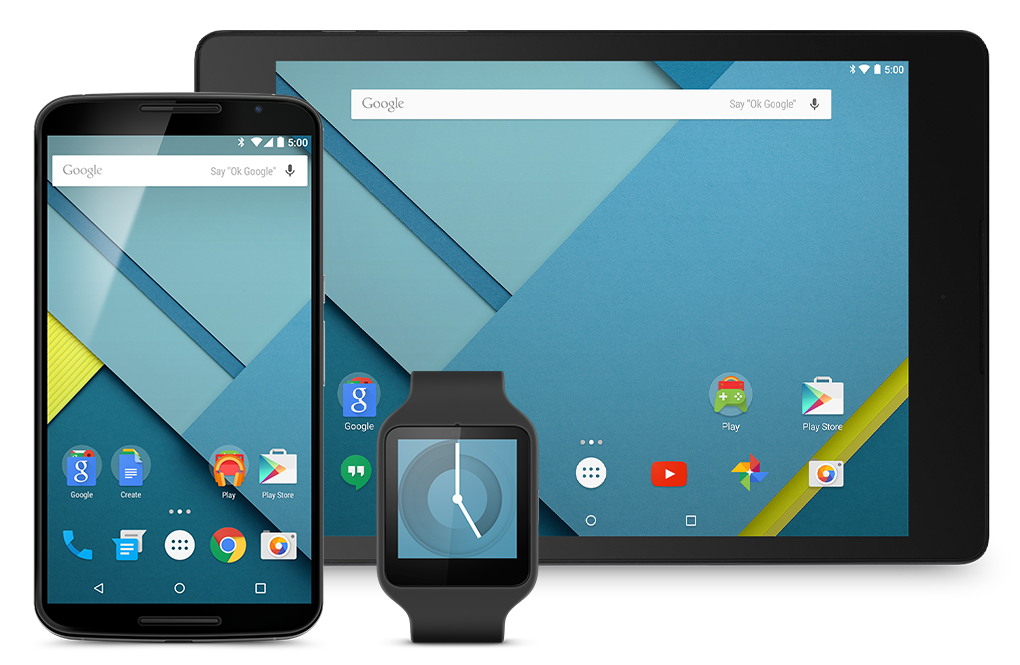
Android Lollipop was the 5.0 release of Google’s mobile operating system. This version of Android launched with groundbreaking features, including an all-new “Material Design” language, enhancements to notifications, performance improvements, and more. Google called this release the biggest in Android history at the time, with over 5,000 completely new APIs.
Features |
Material Design
Google separated Lollipop from the strictly flat design of Apple’s iOS with Material Design, which allows developers to specify the “elevation values” of elements within apps — automatically creating shadow and perspective for the user. The company also updated its famed typeface Roboto, allowing developers to use one optimized font across a number of different platforms.
As part of Material, there are several animations for developers to use that include sleek visual feedback to freshen up the experience when users are navigating Android apps.
Notification Enhancements
Google also enhanced the notification experience in Lollipop, bringing full access to notifications right on the lock screen. Swiping down gives you the full list of notifications, essentially combining the lock screen and the notification pane. The company also introduced a completely new kind of notification called a “heads-up” that is really easy to dismiss or engage with.
Lock Screen Enhancements
Google also announced something called “personal unlocking” alongside Android Lollipop, which enables your device to determine whether or not it is in the owner’s hand. It can take advantage of locations, Bluetooth devices that are in range, and even voice. In the Keynote, the example of a Bluetooth watch was used and when the watch was removed, the device prompted for a passcode.
Performance Improvements
Android Lollipop also included a plethora of performance improvements. Lollipop runs on the “Art” runtime that was (first previewed with the release of Android 4.4 KitKat), which is truly cross-platform covering ARM, x86, and MIPS processor types. The runtime is fully 64-bit compatible, which brings “larger number registers,” “newer instruction sets,” and “increased addressable memory space.”
Better Graphics with Android Extension Pack
Android Lollipop also shipped with better graphics capabilities through something the Android Extension Pack. This set of capabilities includes tesselation, geometry shaders, computer shaders, and ASTC texture compression. The feature was demoed at the event with a video of EPIC’s Unreal Engine 4 desktop rendering pipeline running on Android Lollipop.
Battery Improvements
Rounding off the performance improvements in Android Lollipop was improved battery life. Project “Volta” was announced, which — amongst other features — improves the “instrumentation” of battery data through a tool called Battery Historian. Also announced is the JobScheduler API, which helps developers optimize power consumption in apps. And finally, Google added a “Battery Saver” mode in Lollipop which can be triggered manually or configured to be enabled automatically when the battery is low.
How to download |
- How to update to Android Lollipop manually using OTA downloads
- How to update Android Wear devices manually using OTA downloads
- Nexus OTA download links for Android 5.0.1 Lollipop rolling out, here’s how to update
- Android Wear 5.1.1 OTA download links now available, here’s how to install them
- Android 5.1 OTA download link for Nexus 4 now available, here’s how to install it
- Android 5.0.2 Lollipop OTA files start showing up for Nexus 7, here’s how to install them
- The wait is over: Android Lollipop has arrived for Nexus 4, 5, 7 and 10
- Android 5.0 Lollipop begins rolling out OTA to Nexus devices
Compatible devices |
Android 5.0 Lollipop works with most Android phones released after mid-2014, and many that were released prior. Phones that shipped in 2016 onward likely shipped with Android 6.0 Marshmallow or later, which you can read about here.